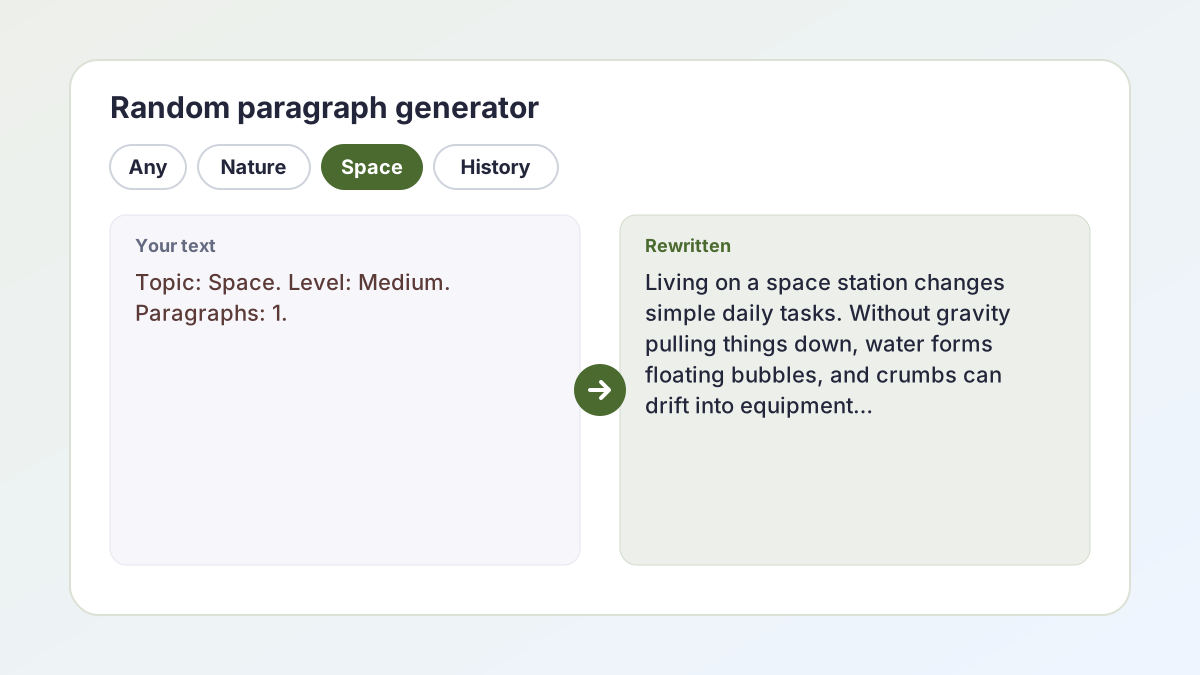
Random paragraph generator examples
Settings people chose and the opening of the paragraph they got. Every paragraph in the library is original, written for The Study Corp.
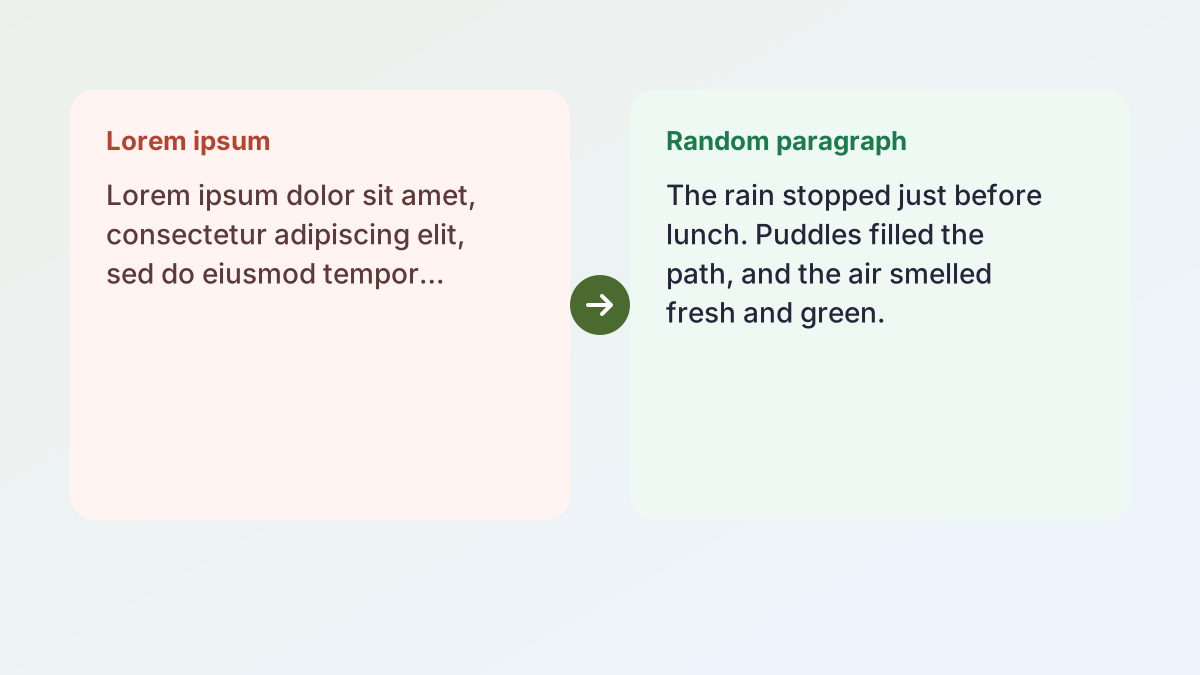
SettingsTopic: Nature. Level: Easy. 1 paragraph.
ParagraphThe rain stopped just before lunch. Puddles filled the path, and the air smelled fresh and green. A small bird hopped along the fence, shaking water from its wings.
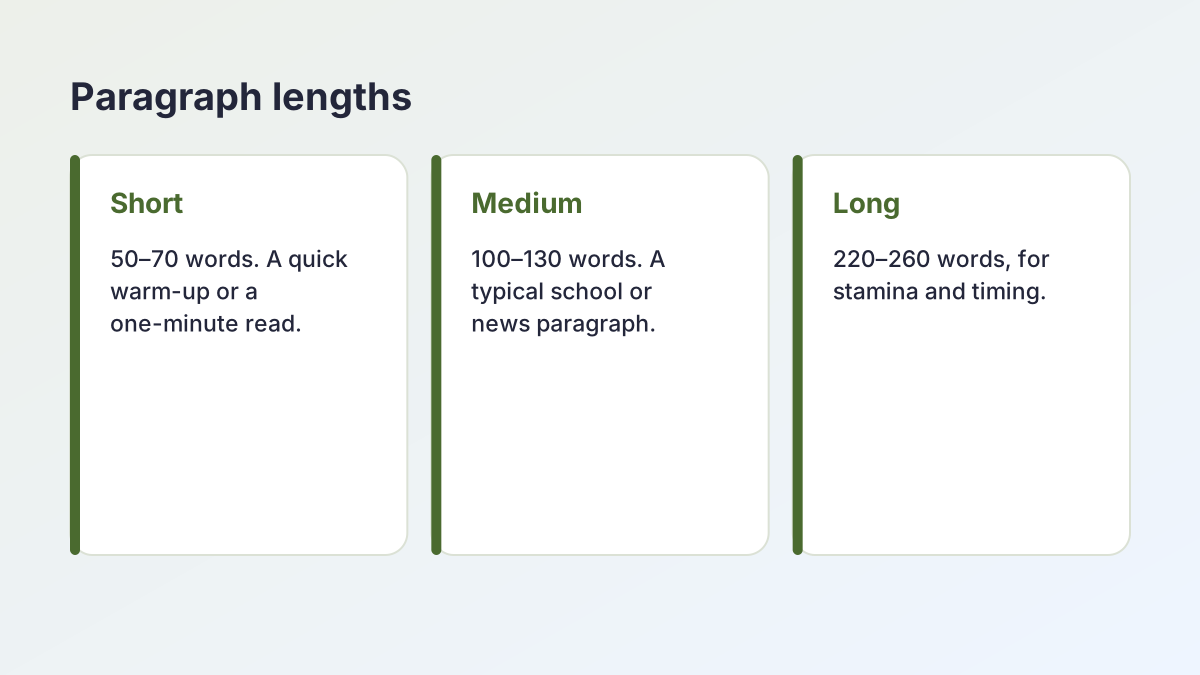
Short sentences and everyday words: good for younger readers and typing beginners.
SettingsTopic: Animals. Level: Medium. 1 paragraph.
ParagraphHoneybees work together in a way that seems almost planned. When a forager finds a good patch of flowers, she returns to the hive and performs a short dance.
A typical textbook level, with some longer sentences and topic words.
SettingsTopic: History. Level: Challenging. 1 paragraph.
ParagraphHistorians rarely rely on a single source, because every record reflects the concerns of the person who created it.
Longer sentences and richer vocabulary for advanced readers and typists.
SettingsTopic: Space. Level: Challenging. 1 paragraph.
ParagraphWhen we look at a distant star, we are not seeing it as it is now, but as it was when its light set out toward us.
An idea-driven paragraph that works well for discussion and summary practice.
SettingsWrite with AI. Topic: volcanoes. Length: Long. Level: Medium.
ParagraphA volcano is an opening in the Earth's crust where molten rock, gas and ash escape from deep below the surface…
The AI option writes 220–260 words on the topic you type.
SettingsTopic: Any. Level: Any. 3 paragraphs.
ParagraphThree paragraphs on three different topics, with the total word count and reading time.
Generate several at once for a longer typing test or reading session.
How to use the random paragraph generator
Library paragraphs are instant and unlimited; the AI option writes new ones on any topic.
- Choose a topic. Pick one of ten topics, such as Nature, Space, History or Food, or leave it on Any.
- Choose a reading level. Easy, Medium or Challenging, or Any level for a mix.
- Choose how many. Generate one, two or three paragraphs at once.
- Generate. Select Generate. Each click gives a paragraph you have not seen yet in this visit.
- Need something specific?. Open Write a new one with AI, type a topic, choose short, medium or long, and generate.
What is a random paragraph generator?
A random paragraph generator gives you a complete, readable paragraph that you did not choose in advance. Unlike placeholder text such as lorem ipsum, the paragraphs here are real English: they have a topic sentence, supporting detail and a clear ending, so they behave like the text people actually read and type.
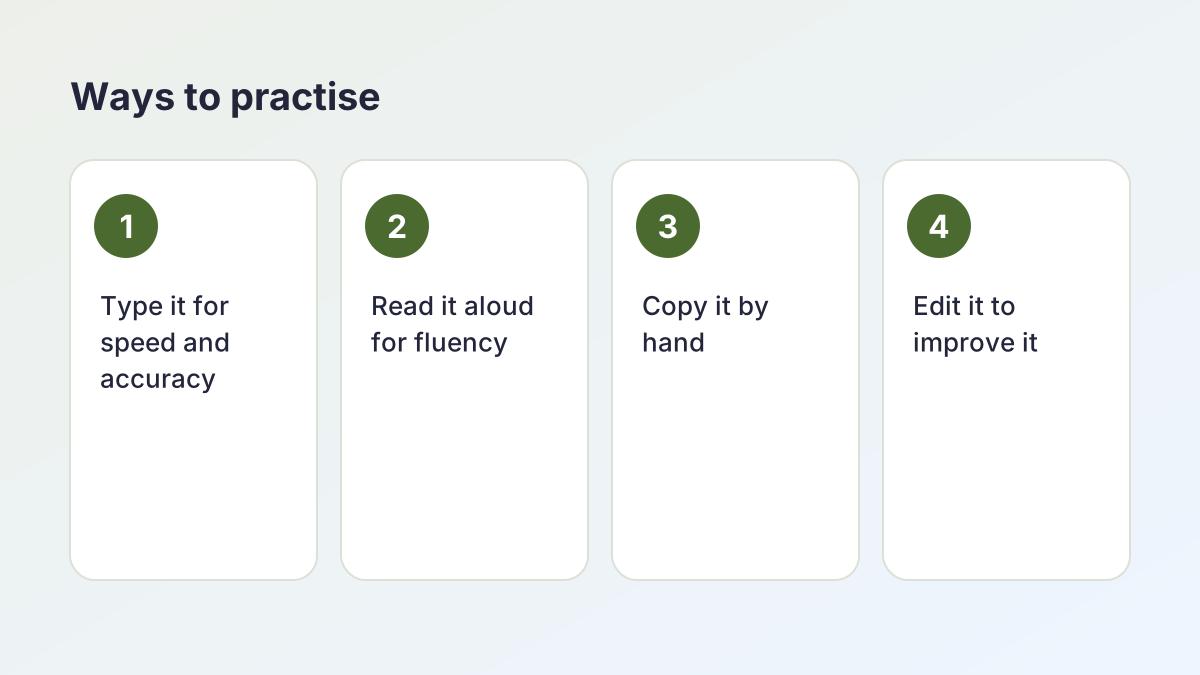
People use them for many reasons: to practise touch typing, to test reading speed, to copy out for handwriting, to edit as a grammar exercise, to time a speech or to fill a design mock-up with realistic text.
Where the paragraphs come from
The random paragraph generator draws from a library of thirty original paragraphs written for The Study Corp: ten topics at three reading levels. Because the library is built into the page, it works instantly and without limits. When you need more variety, the AI option writes new paragraphs on any topic.
No repeats
Each click picks a paragraph you have not seen during this visit. When you have seen every paragraph that matches your settings, the cycle starts again.
Random paragraph practice for typing
Typing a random paragraph is better practice than typing the same sentence over and over, because real paragraphs mix common and uncommon words, punctuation, capital letters and numbers the way real writing does.
A simple typing routine
- Generate a paragraph at a level that suits you.
- Set a timer for one minute, or type the whole paragraph and time yourself.
- Count your words per minute (the tool shows the paragraph's word count) and your mistakes.
- Type the same paragraph again. Your second attempt shows how much accuracy improves with familiarity.
- Generate a new paragraph and repeat.
Accuracy before speed
Most typing teachers recommend aiming for 95% accuracy or better before pushing for speed. Slow, accurate practice builds the muscle memory that makes fast typing possible later.
Choosing a level
- Easy: short words and sentences, few commas. Good for beginners and children.
- Medium: typical school and news writing.
- Challenging: long sentences, semicolons and richer vocabulary, a real test for confident typists.
Long paragraph generator for stamina practice
Sometimes you need a long paragraph: for a five-minute typing test, a reading stamina exercise, a handwriting sample or a speech-timing check. Open Write a new one with AI, choose Long (220–260 words), type a topic if you have one, and the tool writes it for you.
Long paragraph or several short ones?
A single long paragraph trains concentration: there are no breaks, so you must keep your place. Three medium paragraphs give natural pauses and a mix of topics. Choose based on what you are practising.
Long paragraphs in your own writing
In essays, very long paragraphs can be hard to follow. If you are writing rather than practising, most academic paragraphs are around 100 to 200 words. The Purdue Online Writing Lab's guide to paragraphs and paragraphing explains how to build a paragraph around one controlling idea, and when to break one up.
Paragraph to copy
Every result has a Copy all button, so you can paste the text into a typing app, a document or a design tool in one click.
Random paragraphs for reading practice
Reading a paragraph aloud is a quick fluency exercise for students, language learners and anyone preparing to speak in public.
Reading aloud
Read the paragraph once silently to understand it, then aloud. Focus on pausing at commas and full stops, stressing the important words and keeping a steady pace. Record yourself and listen back.
Reading speed
Time how long it takes you to read a paragraph silently, then divide the word count by the time in minutes. The tool shows an approximate reading time based on 200 words per minute, a common average for reading on screen.
Comprehension
After reading, cover the paragraph and write one sentence summarising it. Then check: did you capture the main idea? This builds the skill of identifying topic sentences, which helps with reading and writing alike.
Learning English
Language learners can start at Easy, look up any unknown words, then move to Medium. Reading the same paragraph on three days in a row builds confidence and vocabulary.
Classroom uses for a random paragraph
Teachers use these paragraphs as quick, ready-made material that needs no preparation.
- Editing practice: copy a paragraph, introduce errors (spelling, punctuation, capitals) and ask pupils to correct them.
- Summarising: pupils reduce a paragraph to one sentence, then to ten words.
- Paraphrasing: pupils rewrite the paragraph in their own words without changing its meaning.
- Handwriting: an easy paragraph is a good length for a handwriting sample or a copywork session.
- Paragraph structure: pupils identify the topic sentence, supporting sentences and concluding sentence.
- Vocabulary: pupils find three words they could replace with a stronger synonym.
- Dictation: read a paragraph aloud while pupils write it down.
Matching the level
Use Easy for younger pupils and English learners, Medium for most secondary work, and Challenging for older students or as an extension.
Random paragraph text for designs and mock-ups
Designers often fill layouts with lorem ipsum, but real English text shows how a design will look with actual content: real word lengths, real line breaks, real reading rhythm. Generated paragraphs are a better test for typography, line length and spacing.
Tips for designers
- Use Medium paragraphs for body text: they match typical article paragraphs.
- Generate three paragraphs to test spacing between paragraphs.
- Use the AI option's Long setting when testing a dense layout.
- Choose a topic that matches the site you are designing, such as Food for a recipe page or Travel for a booking site, so stakeholders read the mock-up as realistic.
Real text, real feedback
Because the text makes sense, reviewers read it, which tells you whether the layout is comfortable to read, not just whether it looks balanced.
What makes a good paragraph?
Every paragraph in the library follows the same simple structure, which is also the structure most teachers ask for in essays.
Topic sentence
The first sentence states what the paragraph is about. Honeybees work together in a way that seems almost planned.
Supporting sentences
The middle sentences explain, describe or give examples that develop the topic sentence. Each one adds something new.
Concluding sentence
The last sentence rounds off the idea or shows why it matters. No single bee is in charge, yet the colony as a whole makes surprisingly smart decisions.
Unity and flow
A good paragraph sticks to one main idea, and each sentence connects to the one before it, often with linking words such as however, as a result or for example. Studying the library paragraphs is a quick way to see these features in action.
Writing games and warm-ups with a paragraph
A paragraph you did not choose is a great springboard for creative exercises. These games take five to ten minutes and work at home or in class.
Continue the story
Generate an easy paragraph and treat it as the opening of a story. Write the next paragraph, then pass it to a friend to write the one after that.
Change the point of view
Rewrite the paragraph from a different perspective: the cat in the window, the astronaut's family on Earth, the bird on the fence. Notice what changes and what stays the same.
Shrink it
Cut the paragraph to exactly 25 words without losing its main idea. Then cut it to ten. This is excellent practice for summaries and abstracts.
Change the tone
Rewrite the paragraph so it sounds funny, spooky or urgent. Changing tone teaches you how word choice shapes the reader's feelings.
Spot the structure
Underline the topic sentence in one colour, the supporting details in another and the concluding sentence in a third. Then try writing your own paragraph on a different topic with the same shape.
Vocabulary swap
Circle five words and replace each with a more precise or more vivid synonym. Read both versions aloud and decide which you prefer, and why.
Turn it into questions
Write three questions that the paragraph answers. Swap with a partner and answer each other's questions without looking back at the text. This is quick reading comprehension practice that needs no worksheet.
Reading levels explained
Each library paragraph is written at one of three levels, so you can match the text to the reader.
Easy
Short sentences of about eight to twelve words, everyday vocabulary and simple punctuation. Easy paragraphs suit younger readers, people learning English and typists who are just starting to learn the keyboard.
Medium
Sentences of varied length, some topic words and a mix of commas and full stops, similar to a school textbook or a newspaper article. This is the right level for most secondary students and for everyday typing practice.
Challenging
Longer sentences with several clauses, semicolons and colons, abstract ideas and richer vocabulary. Challenging paragraphs stretch confident readers and give fast typists something to think about.
Moving up a level
When you can read a paragraph aloud smoothly, or type it with few mistakes, try the next level. If a level feels too hard, go back for a few days; steady progress beats frustration.
Random paragraph to read: a comprehension routine with questions
Reading a random passage you did not choose is close to what happens in a reading test: you meet an unfamiliar text and have to understand it quickly. Use the random paragraph generator to get a passage to read, then work through the same four questions every time.
Four questions to ask about any paragraph
- Main idea: What is the paragraph mostly about? Answer in one sentence.
- Detail: Pick one fact. Where exactly does the paragraph say it?
- Vocabulary in context: Choose a word you are unsure of and guess its meaning from the words around it before you check a dictionary.
- Inference: What does the writer suggest without saying it directly?
Worked through on a library paragraph
Here is the start of the Medium paragraph on Animals from the library:
“Honeybees work together in a way that seems almost planned. When a forager finds a good patch of flowers, she returns to the hive and performs a short dance. The direction and length of the dance tell the other bees where to fly and how far to go.”
- Main idea: Bees share information so well that the colony makes good decisions without a leader.
- Detail: A forager shows the other bees where the flowers are through the direction and length of her dance.
- Vocabulary: Forager must mean a bee that goes out to find food, because she “finds a good patch of flowers” and returns to the hive.
- Inference: “Seems almost planned” suggests that the bees are not really planning: their teamwork works by instinct, which is why the writer finds it surprising.
Make it a timed drill
- Set the level and choose one paragraph.
- Read it once in a minute or less.
- Cover it and answer the four questions from memory.
- Uncover it and check each answer against the text.
- When you score four out of four three days running, move up a level.
Within one visit, library paragraphs you have already seen are skipped. Each level has ten, so for longer drills use the AI option for fresh texts.
Want a random paragraph from a book?
The library paragraphs are original, written for The Study Corp rather than taken from books, so you can copy and share them freely for practice. If you want a passage from a real book, older books that are out of copyright are free to read in many online libraries: open one at a random page and use the same four questions.
Long paragraph of random words or a real paragraph of text?
People search for “a long pointless paragraph” or a long paragraph of random words to test typing speed, fill a text box or just for fun. The random paragraph generator does not produce word salad. Every result is a real paragraph of text that makes sense, and for most practice that is what you want.
Why the random paragraph generator uses real sentences
- Typing: real text is full of the short, common words (the, and, of) and the punctuation you type every day. A list of random words is often heavy on rare, long words, so your speed on it says less about your everyday typing.
- Reading: you cannot practise comprehension on text that has no meaning.
- Speaking: you can only time a read-aloud on sentences that can be read naturally.
When random words are useful
- Key drills: practising awkward letters such as q, x and z is quicker with a word list.
- Spelling and vocabulary: a list of target words works better than a paragraph.
- Writing challenges: random words make a great prompt. Try the exercise below.
Write a random paragraph yourself
Generate a library paragraph and circle five nouns in it. Then write your own paragraph, on a completely different topic, that uses all five. An invented example: from cables, screen, machines, question and data centres, a student might write about a lighthouse keeper's night shift. Linking unrelated words forces you to invent connections.
Short or long random paragraph?
Match the length to the time you have. If you type about 40 words per minute, a three-minute test needs at least 120 words: choose Long in the AI option, or two Medium or Challenging library paragraphs. For a one-minute warm-up, one short paragraph is enough. For a five-minute stamina test, choose Long, or three Medium or Challenging paragraphs at once. The total word count the random paragraph generator shows above the results tells you whether you have enough.
Generate paragraphs in a set
For a class, choose 3 under Paragraphs, generate, and copy them all in one click. Generate again for a second set; library paragraphs do not repeat until you have seen every one that matches your settings.
Is the random paragraph generator free?
Yes. The random paragraph generator is free with no account or sign-up. Library paragraphs are unlimited and work offline once the page has loaded, because they run entirely in your browser.
The AI option sends only your topic and settings to our AI providers (Groq, with Google Gemini as a backup) to write the paragraph. The Study Corp does not save them. A fair hourly allowance keeps the AI option fast for everyone.
To count the words in your own writing, use the Word Counter. To make a paragraph easier to read, try the Text Simplifier.
Random paragraph generator FAQ
Is the random paragraph generator free?
Yes. Library paragraphs are free and unlimited with no sign-up. The AI option is also free, with a fair hourly allowance.
Where do the paragraphs come from?
The library has thirty original paragraphs written for The Study Corp, across ten topics and three reading levels. The AI option writes new ones.
Can I get a long paragraph?
Yes. Open Write a new one with AI and choose Long for 220 to 260 words on any topic.
Will I see the same random paragraph twice?
Not until you have seen every paragraph that matches your settings; then the cycle starts again.
Is it good for typing practice?
Yes. Real paragraphs mix words, punctuation and capitals like real writing. Choose a level and time yourself.
Can I use the paragraphs in my design or worksheet?
Yes. Copy them freely for practice, teaching and mock-ups.
How long is a typical paragraph?
Library paragraphs are about 55 to 90 words. Most academic paragraphs are around 100 to 200 words.
Can I use a random paragraph generator for reading comprehension?
Yes. Generate a paragraph at the right level, read it once, cover it and answer four questions: the main idea, one detail, the meaning of a word in context and what the writer suggests without saying it. Then check your answers against the text.
Can it make a long paragraph of random words?
No. The random paragraph generator only gives real paragraphs that make sense. A list of random words can help you drill particular keys, but for typing speed, reading practice and timing a speech, real sentences are better.
More free writing tools
- Book Title GeneratorTitle ideas for your book, chapters or series, in any genre.
- Essay Title GeneratorTen clear, catchy titles for any essay type, with notes on each.
- Story Title GeneratorOriginal titles for short stories, fan fiction and school stories.
- Poem GeneratorWrite a poem on any topic: free verse, rhyming, haiku, sonnet and more.
- Shape Poem GeneratorLay a poem out inside a heart, star, tree and more, then download it.
- Paragraph ExpanderMake a paragraph or essay longer with explanation, not filler.
- Personal Statement GeneratorDraft a UCAS or college statement and check it against the word limit.
- Introduction GeneratorThree introductions that move from a hook to your thesis.
- Essay Hook GeneratorNine opening hooks for your essay, each a different technique.
- Poetry Prompt GeneratorTen fresh poem prompts on any theme, for any level.
- Acrostic Poem GeneratorA poem whose first letters spell any name or word.
- Thesis Statement GeneratorFive clear, arguable thesis statements for any essay type.
- Essay Outline GeneratorPlan your essay section by section, from thesis to conclusion.
- Topic Sentence GeneratorTopic sentences that tie each body paragraph to your thesis.
- Paragraph GeneratorWrite a clear paragraph from a topic, or turn notes into one paragraph.
- Conclusion GeneratorThree conclusions for your essay, or a concluding sentence for a paragraph.
- Poem Title GeneratorTen title ideas for your poem, from simple to striking.
- Haiku Poem GeneratorHaiku, sonnets and limericks with syllables counted on every line.
- Argumentative Essay GeneratorDraft an argumentative essay with a clear claim, counterargument and rebuttal.
- Persuasive Essay GeneratorDraft a persuasive essay aimed at a real reader, with a call to action.
- Informative Essay GeneratorDraft a clear, neutral informative (expository) essay on any topic.
- Analytical Essay GeneratorDraft an analytical essay that explains how and why, not just what.
- Compare and Contrast Essay GeneratorDraft a comparison essay, point-by-point or block, with a real judgment.
- Scholarship Essay GeneratorDraft a scholarship essay built from your own story and goals.
- Name GeneratorCharacter names for stories and games, 12 at a time, in any genre.
See all 80 free tools for students
Related tools
Last updated by The Study Corp editorial team.