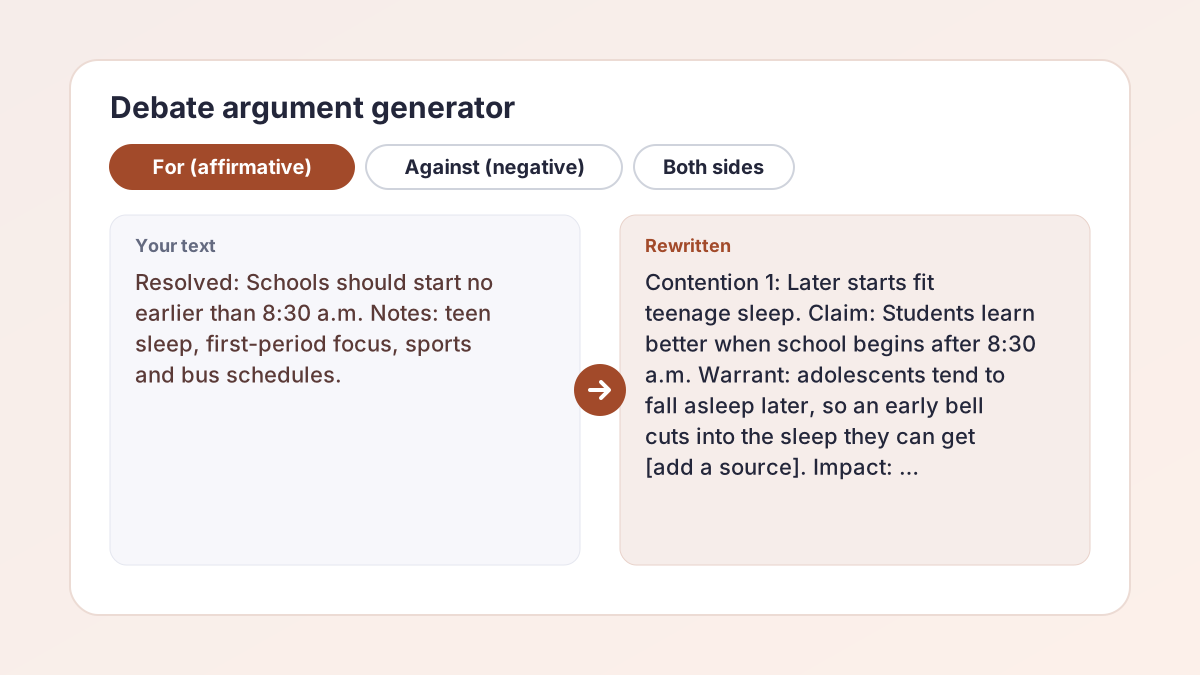
Debate argument generator examples
Illustrative examples of what students typed and the kind of output each section gives. Your results will differ, and brackets mark places where you need to add a source.
You typedMotion: Schools should start no earlier than 8:30 a.m. Side: For. Format: Classroom. Level: High school.
Result (excerpt)Definitions: “Start” means the first bell of the school day. Contention 1: Later starts fit teenage sleep. Claim: Students learn better when the day begins after 8:30. Warrant: Adolescents tend to fall asleep later, so an early bell cuts their sleep [add a source from a medical or university site]. Impact: Tired students learn less, which affects every class.
The debate case generator writes a claim, a warrant and an impact for each contention, and anything that needs evidence is bracketed.
You typedSame motion, same side. The tool anticipates the other side's strongest arguments.
Result (excerpt)Rebuttals: “Later starts hurt after-school sports.” Sports schedules can move with the bell; the question is whether sleep matters more than a 3 p.m. practice time. “Bus routes cannot change.” Cost is a real concern, so the affirmative should propose a trial at one school first [add your district's facts].
The rebuttal generator states the other side's argument fairly, then answers it in a few sentences.
You typedMotion: Resolved: Social media does more harm than good for teenagers. Side: Against. Format: Lincoln-Douglas. Level: College.
Result (excerpt)Value: Autonomy. Criterion: Whether a policy respects teenagers' ability to make informed choices. Contention 1: Social media gives young people access to communities they cannot find locally. Warrant: [add an example from your source]. Impact: Blaming the platform ignores the benefits that many students report.
The Lincoln-Douglas setting asks for a value and criterion, but the section labels stay the same, so the value and criterion appear inside the usual sections. Move them to the top of your case if your judge expects that.
You typedMotion: Resolved: The United States should eliminate the Electoral College. Side: Both sides. Format: Public Forum. Level: High school.
Result (excerpt)Affirmative case: Contention 1: Every vote should count equally. Claim, warrant and impact follow, written for a general audience. Negative case: Contention 1: The system protects the role of states in choosing a president. Claim, warrant and impact follow, with [add your source] where evidence is needed.
Both sides returns two labeled cases so you can prepare for either side. Public Forum calls the sides pro and con, so read Affirmative as pro and Negative as con.
You typedMotion: Resolved: The federal government should fund free community college. Side: For. Format: Policy. Level: College.
Result (excerpt)Definitions: “Free” means no tuition for eligible students. Contention 1 (Harms): Cost keeps capable students out of college [add a figure from a college or government source]. Contention 2 (Solvency): Funding tuition directly removes that barrier. Contention 3 (Advantages): A more educated workforce benefits local employers.
Policy style asks for harms, a plan, solvency and advantages. Check that the output matches your league's rules.
You typedMotion: This House would require community service for high school graduation. Side: For. Format: Parliamentary. Level: High school.
Result (excerpt)Definitions: “Community service” means unpaid work for a nonprofit, school or local group. Contention 1: Service builds civic habits. Contention 2: Service helps students explore careers. Rebuttals: “Required service is not voluntary.” Schools already require many things that serve students' long-term interests.
The Parliamentary setting opens the case with definitions and arguments under the usual labels. The tool writes the case, not points of information or later speeches.
How to use the debate argument generator
The debate argument generator takes about a minute, and the more you tell it, the more specific the case becomes.
- Choose a side. Under Side, select For (affirmative), Against (negative) or Both sides.
- Type the motion. In Debate motion or topic, enter the resolution exactly as your teacher or league gave it. Up to 300 characters.
- Add your notes. In Points or evidence you already have, paste your own points, sources or arguments. This box is optional, but it keeps the case close to your research.
- Set the format and level. Pick Classroom, Lincoln-Douglas, Public Forum, Policy or Parliamentary under Format, and High school, College, Middle school or Graduate under Level.
- Build and edit. Select Build my case, copy the sections you want and rewrite them in your own words. Select Generate more for another version.
What the debate argument generator builds
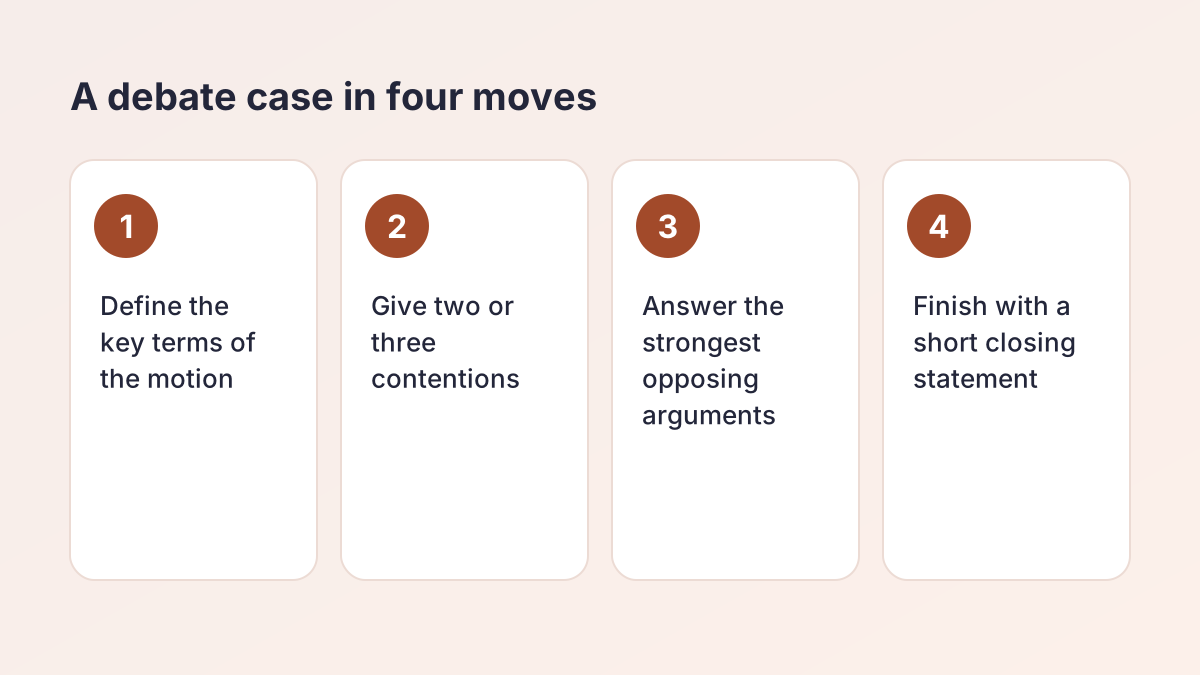
A debate case has a standard shape, and the debate argument generator follows it. Every time you select Build my case for one side, you get separate sections that you can copy one at a time:
- Definitions. The key terms of the motion, defined so both sides argue about the same thing.
- Contention 1, Contention 2 and sometimes Contention 3. Each has a claim, a warrant and an impact.
- Rebuttals. The strongest arguments from the other side, each with a short answer.
- Closing statement. A short wrap-up that returns to the motion.
If you choose Both sides, the output is two cases, labeled Affirmative case and Negative case, so you can prepare for whichever side you draw.
What it will not do
The tool writes arguments, not evidence. It is told never to invent facts, statistics, studies, dates, names or quotations. Where a figure or source is needed and you did not provide one, it writes a bracketed placeholder such as [add a statistic from your source]. Finding and citing the real source is your job, and it is the part judges and teachers reward most.
Claim, warrant and impact: how each contention works
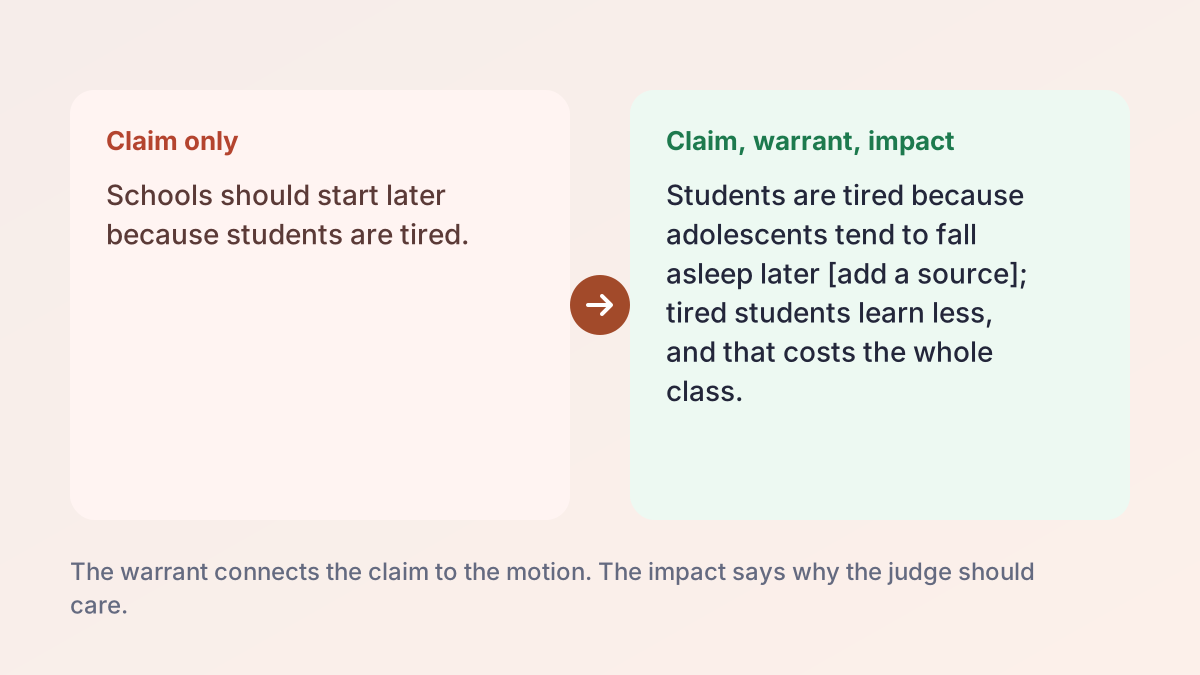
Most debate formats ask for the same three parts in every argument, and the tool writes each contention that way.
Claim
The claim is the point you are making, stated as a short sentence. “Later start times improve learning” is a claim. It tells the judge where you are going.
Warrant
The warrant is the reasoning that connects the claim to the motion. It answers “why is that true?” A warrant might be a piece of evidence, a logical step or an example. Without it, a claim is just an opinion.
Impact
The impact explains why the argument matters: who is affected, how much, and why it should decide the round. Debaters often lose rounds with good claims because the impact was never stated.
Why the order matters
A judge listening to a speech cannot reread it. Saying the claim first, then the warrant, then the impact, gives the listener a place to put each idea. If the generated warrant is thin, that is where to add your research.
Debate formats: Classroom, Lincoln-Douglas, Public Forum, Policy and Parliamentary
The Format setting changes the style of the case the tool writes. These descriptions are conventions, and your teacher, league or tournament rules always come first.
Classroom
A plain, clear case for a class debate, with no special jargon. A good choice for English, history and civics units.
Lincoln-Douglas
The National Speech & Debate Association's Lincoln-Douglas events guide describes LD as a one-on-one event where debaters argue against each other on a specified resolution, and says LD debaters most commonly use a value and criterion model to structure their case. With this setting, the debate argument generator asks for a value and criterion, followed by contentions. The section labels stay the same, so you may want to move the value and criterion to the top.
Public Forum
A University of Vermont debate format guide describes Public Forum as two-person teams, pro and con, debating topics of current popular interest, with sides set by a coin flip. The debate case generator writes contentions for a general audience and labels the sides Affirmative and Negative.
Policy
The same guide describes high school policy debate as two-person teams, affirmative and negative, debating a question of government policy that stays the same for the whole academic year. The tool writes harms, a plan, solvency and advantages. Check the output against your league's rules.
Parliamentary
The guide describes American parliamentary debate as two-person teams, proposition and opposition, with a new topic for each debate. The tool writes a parliamentary or British Parliamentary style opening, with definitions and then arguments. It does not write points of information or the other speeches in the round.
Debate case generator: from motion to full case
Used as a debate case generator, the debate argument generator does the structural work so you can spend your time on evidence. Here is a sensible workflow.
Before you use it
- Copy the motion word for word. Small changes, such as “should” and “must,” change what you have to prove.
- Jot down what you already know. Even rough notes make the output more specific.
- Decide which side you need. If you are not sure, choose Both sides and read each case.
While you use it
Type the motion, paste your notes, then pick the format and level. Select Build my case and read the whole output before you copy anything. Look at the contentions first: are they the arguments you would make, or are they too general for your round?
After you use it
- Replace every bracketed placeholder with a real, cited source.
- Cut any contention you cannot support.
- Rewrite the claims in your own words, so you can defend them in cross-examination.
If you are still choosing a motion, our guide to debate topics lists ideas by level.
Rebuttal generator: answering the other side
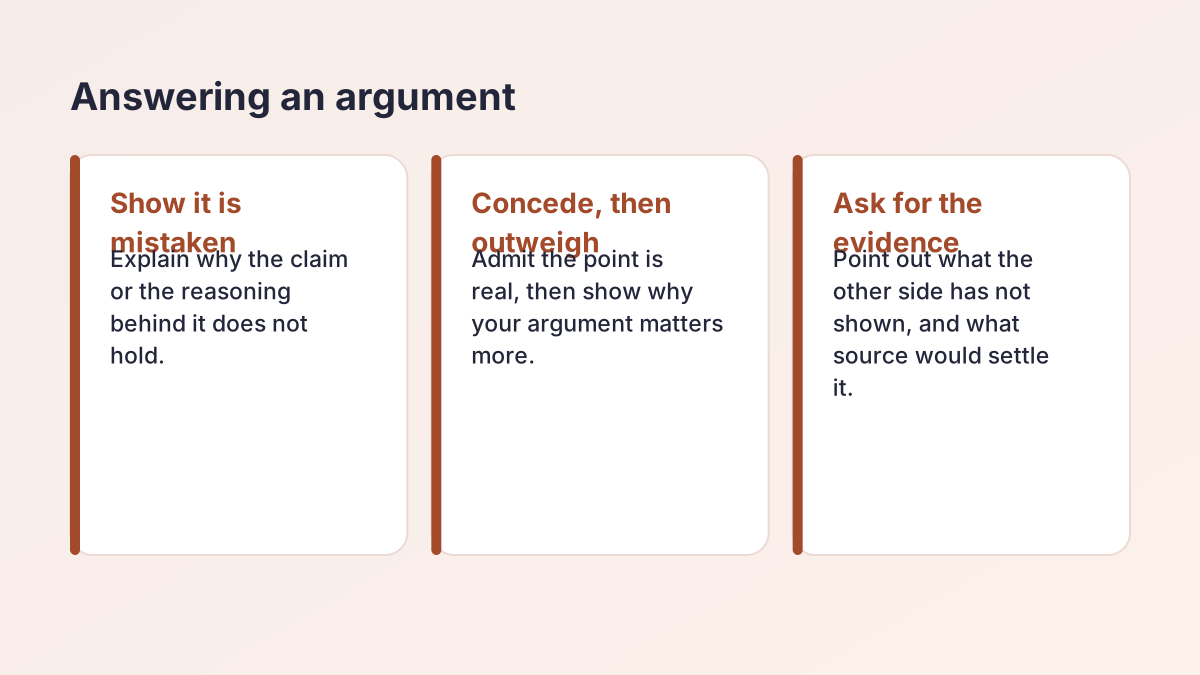
Every case the tool writes includes a Rebuttals section, so it works as a rebuttal generator for the arguments you are most likely to face. Add your own points in the notes box and the tool builds on them, so the rebuttals fit your case more closely than a generic one would. It anticipates the strongest points from the other side and gives a short answer to each.
Why this matters
The University of North Carolina's Writing Center argument handout advises asking how someone who disagrees with you might respond, and suggests focusing on one or two serious counterarguments in some depth. It also says to present opposing views fairly, because caricaturing an opponent may undermine your argument. The tool follows the same spirit: it states the other side's argument without insults or stereotypes.
How to use the rebuttals
- Read each answer, then decide whether it is the one you would give.
- Add evidence. A rebuttal without a source is easy to dismiss.
- Practice saying the other side's argument out loud, then your answer, in about 30 seconds.
When you need more
Choose Against (negative) to see the arguments your opponent will run, then switch to For (affirmative) and read how each could be answered.
Debate speech generator: turning a case into something you can say
A written case is not yet a speech. As a debate speech generator, the tool gives you the content, and you shape it for the ear. Treat any debate speech generator output as a script to edit, not to read.
Make it sound spoken
- Shorten sentences. Listeners cannot reread, so each sentence should do one job.
- Signpost: “My first contention is…”, “Next, the other side says…”
- Repeat key terms rather than switching to synonyms. The UNC Writing Center's guide to speeches notes that repeating key terms makes it easier for an audience to take in and connect information.
Fit the clock
Read your edited case aloud with a timer. Cut until you fit your time, and cut the weakest contention first, not the evidence.
Need a full speech instead?
For a timed speech on a topic of your own choosing, such as a campaign or graduation speech, try the Speech Generator.
Debate argument maker: building on your own research
A debate argument maker is only as specific as the notes it gets, so the best way to use one is to feed it real material. The Points or evidence you already have box takes up to 2,000 characters, and the tool is told to build on what you give it.
What to paste
- Your own arguments, even as short fragments.
- Source names and key facts, so the contentions line up with your research.
- Examples from your school or town, such as a local policy or a news story you have read.
- Arguments you are unsure about, so you can see how they develop.
What to expect
The tool tries to keep to your notes and fill gaps with reasoning, not invented facts. When a number or source is missing, it writes a placeholder. If the notes are thin, the contentions will be general, which is a prompt to do more research, not a flaw to hide.
A good habit
Keep a research log with the source, page and exact wording for each fact. The Study Notes Generator can turn long readings into notes you can cite from.
Preparing both sides of a motion
In many tournaments and class debates you do not get to choose your side, so strong debaters prepare both. Selecting Both sides gives you an Affirmative case and a Negative case in one run.
How to study the two cases
- Read the affirmative case and mark the one contention you think is strongest.
- Read the negative case and find its best answer to that contention.
- Decide which argument would win the round, and why.
Practice being fair
Arguing a side you disagree with is a skill. It makes your own case stronger because you know what the other side will say. If your motion is sensitive, the debate argument generator argues each assigned side fairly, without insults or stereotypes, and you should do the same.
How to check and improve a generated case
Treat the output of any debate argument generator as a first draft. A quick review will make it much stronger.
The five-minute check
- Is each claim one clear sentence? If not, split it.
- Does each warrant answer “why?” If it just repeats the claim, add reasoning or evidence.
- Is each impact specific? “This is bad” is weak. “This affects every student who takes first period” is stronger.
- Are the definitions fair? A definition that rigs the debate may be challenged.
- Is every placeholder replaced? A bracket left in your speech is an easy mark against you.
A weak contention and a stronger one
Invented example for the motion on later school start times.
- Weak: Schools should start later because it is better for students.
- Stronger: Schools should start later because teenagers who fall asleep later get less sleep when the bell rings early [add a source], and students who sleep less have more trouble concentrating in class. That affects every first-period class in the building.
The stronger version names the mechanism and the impact. Use it as a model when you edit.
Then rewrite the final version in your own words and practice it aloud. A case you understand is far more persuasive than one you read.
From debate case to essay, thesis and speech
A debate case is also a good starting point for other assignments.
- A position essay. Turn your contentions into body paragraphs, with the thesis statement generator to help you state the position. Our guide what is an argumentative essay explains how the essay is structured.
- An argumentative essay. The argumentative essay generator builds a draft from a topic and your points.
- A persuasive speech. For a longer speech, use the Speech Generator.
- Analyzing someone else's argument. The rhetorical analysis generator breaks down how a text persuades.
- Smooth connections. The transition sentence generator helps you link one contention to the next in an essay.
Debate and writing build the same skill: stating a position, giving reasons and answering objections.
Is the debate argument generator free and private?
Yes, the debate argument generator is free, with no account or sign-up. To keep it fast for everyone, each visitor can make up to 30 requests an hour.
Your motion and notes are sent to our AI providers (Groq, with Google Gemini as a backup) only to build the case you see. The Study Corp does not save them.
Using it responsibly
Use the output to study and to draft. Then write your final case in your own words, add real sources and follow your school's or league's policy on AI tools. Some competitions restrict AI-written material, so check the rules before using any generated text in a round.
Debate argument generator FAQ
Is the debate argument generator free?
Yes. It is free with no account or sign-up. Each visitor can make up to 30 requests an hour.
How do I use a debate argument generator?
Type your motion, pick For, Against or Both sides, choose a format and level, add any notes you have, and select Build my case. Then check every claim, replace the placeholders with real sources and rewrite it in your own words.
Can it write both sides of a debate?
Yes. The debate case generator can write both sides: choose Both sides and you get an Affirmative case and a Negative case, so you can prepare for either draw.
What is a claim, warrant and impact?
The claim is your point, the warrant is the reasoning or evidence that connects it to the motion, and the impact is why it matters. Each contention the tool writes has all three.
Will it make up evidence?
It is told not to invent facts, statistics, studies, names or quotations. Where it needs a source it writes a bracketed placeholder for you to fill in. Check every claim anyway, because AI can still make mistakes.
Does it work for Lincoln-Douglas and Public Forum?
It has settings for Lincoln-Douglas, Public Forum, Policy and Parliamentary styles, plus Classroom. The section labels stay the same in every format, so check the output against your league's rules.
Can it write rebuttals?
Yes. As a rebuttal generator, it includes a Rebuttals section in every case that anticipates the strongest arguments from the other side and answers each briefly.
Can I use the output in a competition or for a grade?
Use it to study and to draft, then write in your own words and follow your school's AI policy. Some leagues and teachers restrict AI-written material, so ask before using any generated text.
More free study tools
- Essay Summary GeneratorA summary in your chosen length, plus a one-sentence version, using only what the text says.
- Key Points GeneratorThe main idea and the 3 to 10 most important points of any text, ranked.
- Study Notes GeneratorOutline, Cornell, bullet or flashcard notes from your class material.
- Question GeneratorQuiz and study questions from any text, with an answer key.
- Case Study Analysis GeneratorA structured analysis of your case: general, SWOT, PESTLE, clinical or ethics.
- Quote Analysis ToolMeaning, key words, devices and significance, plus a ready analysis paragraph.
- Rhetorical Analysis GeneratorSOAPSTone, appeals and rhetorical choices with exact quotes, or two AP-style body paragraphs.
- Poem Analysis ToolTheme, tone, structure and devices with quoted lines, plus a sample paragraph.
- Speech GeneratorA timed speech for class, a campaign, graduation or a special occasion, with speaking notes.
See all 80 free tools for students
Free guides
Related tools
Last updated by The Study Corp editorial team.