Question generator examples
Illustrative examples: the texts are invented, and the output shows the kind of questions and answer key the tool gives. Your own set will differ.
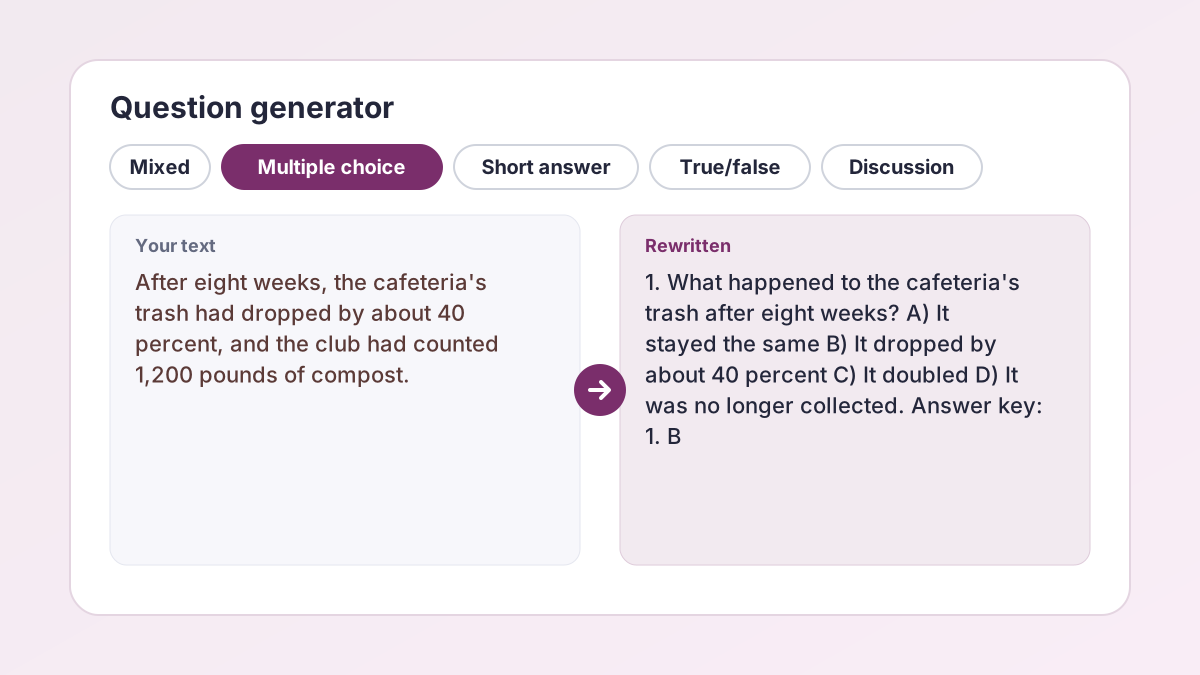
Text pastedThe Try an example article: a 210-word piece about a school cafeteria composting pilot.
Questions made1. How many weeks passed before the club counted its results? (short answer) … 4. True or false: A local farm collects the compost every Friday. … Answer key: 1. Eight weeks. 4. True, as the article states.
Mixed combines multiple-choice, short-answer and true/false questions, numbered, with a separate Answer key card.
Text pastedNotes: An enzyme's active site fits its substrate. Raising the temperature speeds up a reaction until the enzyme denatures. A denatured enzyme loses its shape and stops working.
Questions made1. According to the notes, what happens when an enzyme denatures? A) It speeds up B) It loses its shape and stops working C) It binds a new substrate D) It is used up. Answer key: 1. B
Four options, one correct answer, plausible wrong options. Check each key against your own notes.
Text pastedWater evaporates from oceans and lakes and rises into the air as vapor. As the vapor cools high in the sky, it condenses into clouds. Rain, snow and hail return it to the ground.
Questions made1. True or false: Water vapor cools and condenses into clouds. 2. True or false: Evaporation happens only in oceans. Answer key: 1. True. 2. False: the text says oceans and lakes.
The Level setting tells the tool who the questions are for, so a Middle school set should use simpler wording. Check that it suits your class.
Text pastedLecture notes: in classical conditioning, a neutral stimulus, such as a bell, paired repeatedly with food becomes a conditioned stimulus that triggers salivation on its own.
Questions made1. In your own words, how does a neutral stimulus become a conditioned stimulus? 2. What response does the bell trigger after conditioning? Answer key: 1. By being paired repeatedly with food. 2. Salivation.
For open questions the key gives a short model answer that points to the relevant part of the text.
Text pastedA 1,200-word invented article arguing that district-wide composting saves money but depends on student volunteers.
Questions made1. The article says the program depends on volunteers. What risks does that create, and what evidence in the text supports your answer? Answer key: A strong answer names a risk such as uneven participation and cites the article's own examples.
Discussion questions ask for analysis, opinion backed by the text, or connections, so they have no single right answer.
Text pastedThe text says: "The pilot costs the school $300 a month for bins and liners." The answer key quotes it as "the pilot costs $300 per month".
Questions made"the pilot costs $300 per month" [check this quote against your text]
A quotation of four or more words that isn't in your text gets this note, so you fix the wording or paraphrase it.
How to use the question maker
Everything is on one form, and the questions appear below it.
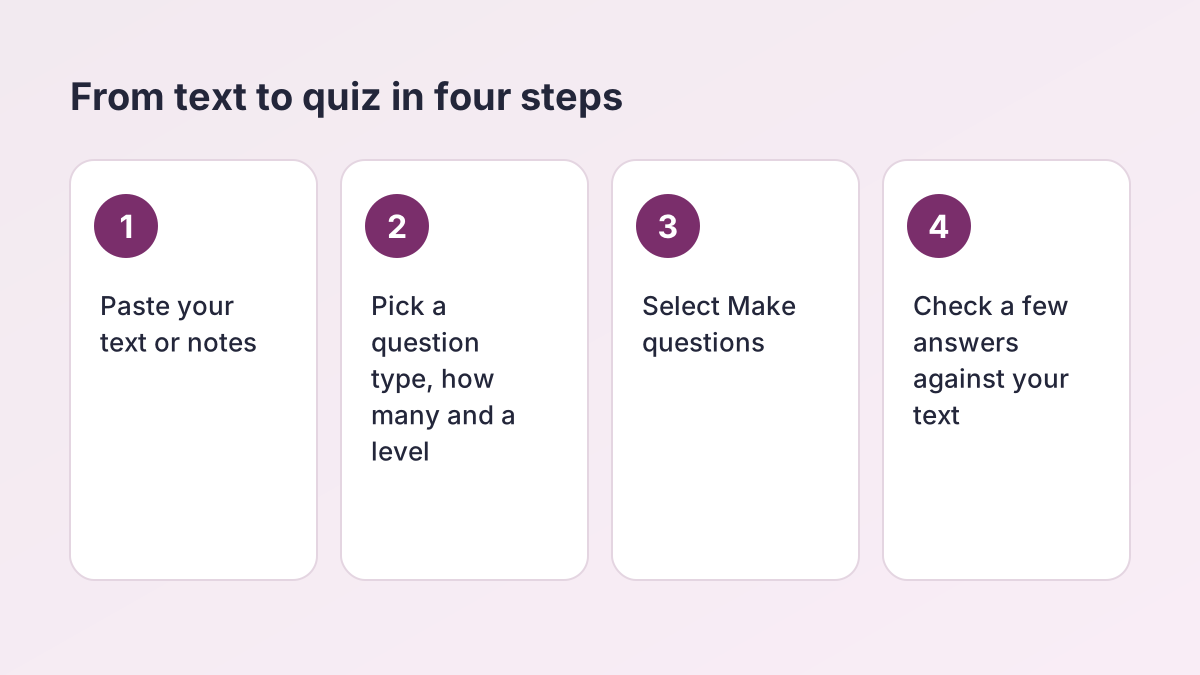
- Paste your text. Paste a chapter, article or your notes into Text to make questions from, or select Try an example. You need at least 150 characters, and the box takes up to 15,000 (roughly 2,500 words). A counter shows your words and characters.
- Pick the question type. Under Question type, choose Mixed, Multiple choice, Short answer, True/false or Discussion. Mixed combines multiple-choice, short-answer and true/false questions.
- Set how many and the level. In How many choose 5, 10 or 15. In Level choose High school, College, Middle school or Graduate. Spelling switches between US English and UK English.
- Select Make questions. The button reads Writing your questions… while it works. You get two cards, Questions and Answer key, each with a word count and a Copy button.
- Check, then copy. Compare a few answers with your text, especially any quotation marked [check this quote against your text]. Select Copy on each card, or Generate more for a fresh set.
Question maker from text: what it does with your material
The question maker reads what you paste and writes questions that can be answered from it. It is told that every question must be answerable from your text alone, that the answers must come from the text, and that the set should cover the whole passage instead of only the opening. It is also told to mix recall questions (who, what, when) with questions that check understanding (why, how), and to avoid trick questions.
What you get back
- A Questions card. The questions are numbered. For multiple choice, each option sits on its own line as A) to D).
- An Answer key card. The answers are numbered. For open questions, the key gives a short model answer that cites the relevant part of your text.
- Counts and a Copy button on each card, plus a total, so you can paste the set straight into a document.
What it does not do
It works on pasted text only: there is no file upload, and it can't read an image or a PDF. It doesn't run an online quiz or grade your answers. Copy the questions into whatever you use for practice, such as a worksheet or a form. Think of the question maker as a fast first draft, not a finished test.
Multiple choice question generator: four options, one answer
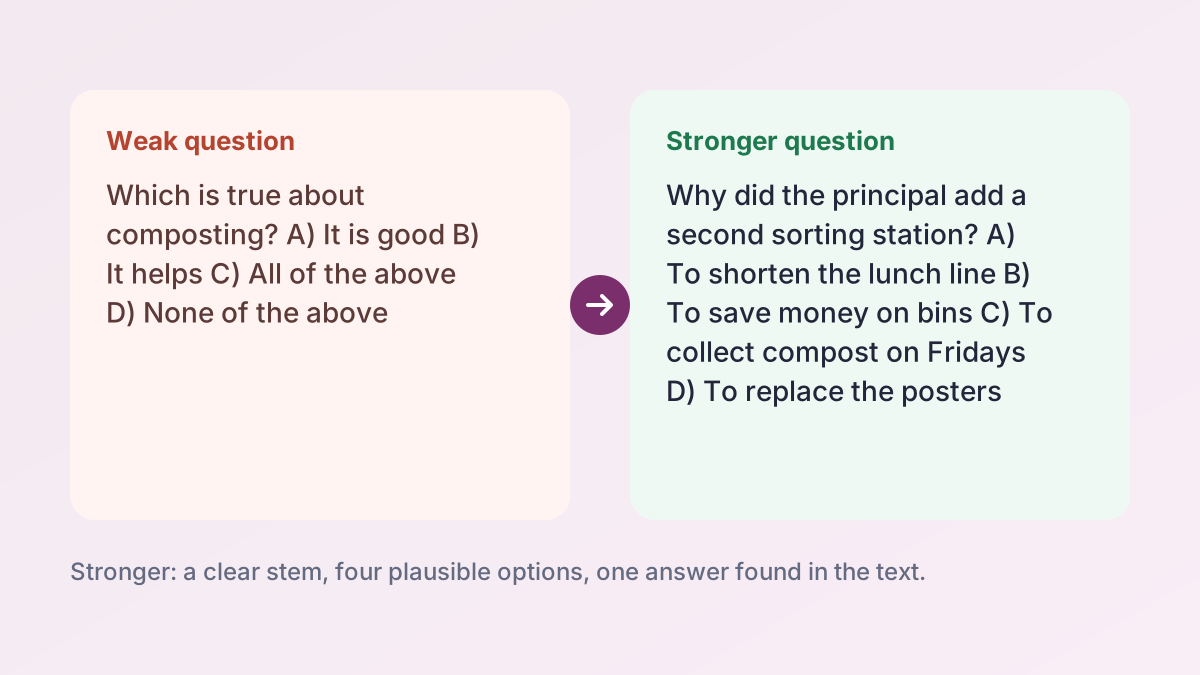
Choose Multiple choice and the multiple choice question generator writes each question with four options, A) to D), and one correct answer. The tool is told to make the wrong options plausible, so the answer is harder to find by elimination alone.
A Johns Hopkins University guide to writing effective multiple-choice questions gives a handy checklist for judging any set. It advises writing the stem as a clear question when possible, keeping irrelevant detail out of it, making distractors plausible, keeping the options grammatically parallel, using at least four options, and avoiding "all of the above" and "none of the above".
A five-point check for each question
- Is the question clear without reading the options?
- Is exactly one option correct, according to your text?
- Are the wrong options believable and grammatically parallel?
- Does any option give the answer away by wording alone?
- Does the answer key match your notes?
If one fails, edit that question or select Generate more for another set from the question generator. Editing a draft is usually faster than writing from scratch.
Quiz generator: the 5 question types and when to use each
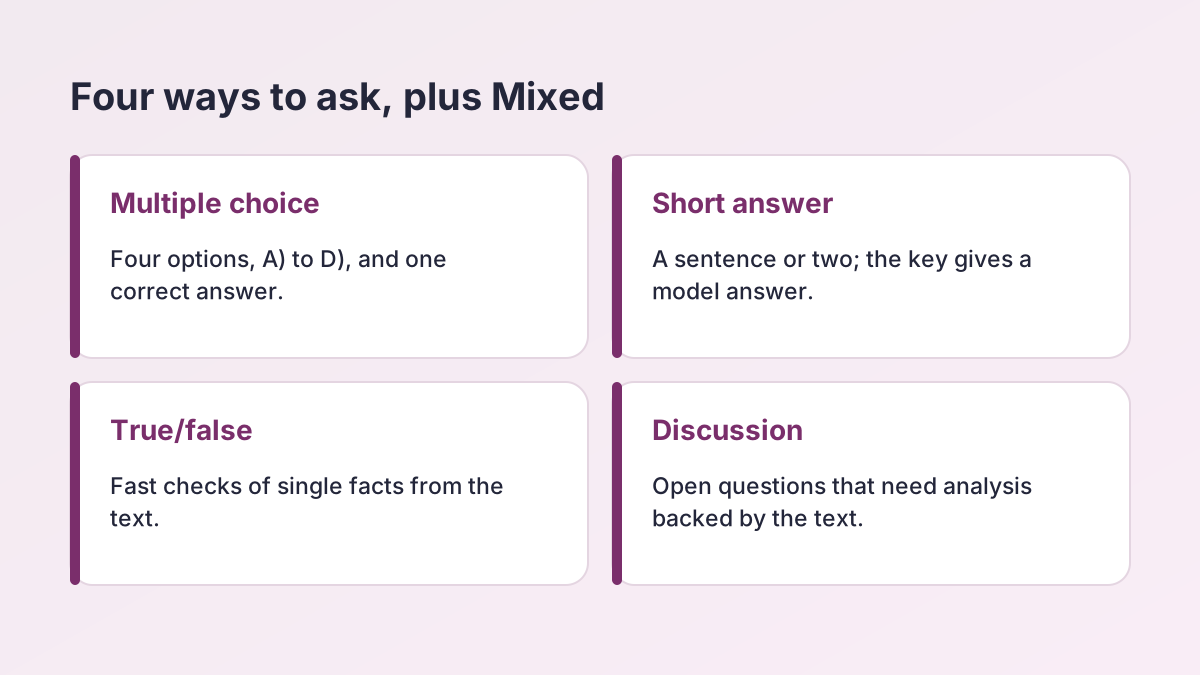
The quiz generator offers five choices under Question type. Pick the one that matches how you will use the questions, then set How many (5, 10 or 15) and Level.
| Question type | What you get | Good for |
|---|---|---|
| Mixed | A mix of multiple-choice, short-answer and true/false questions | A first pass at a chapter, or a quick quiz with some variety |
| Multiple choice | Four options, A) to D), one correct answer | Vocabulary, definitions and exam-style practice |
| Short answer | Questions answered in a sentence or two | Checking you can explain an idea without prompts |
| True/false | Single claims to mark true or false | Fast review of facts and dates before a test |
| Discussion | Open questions about analysis, opinion backed by the text, or connections | Seminars, class discussion and essay planning |
These are suggestions, not rules. A teacher might use Short answer for an exit ticket, and a student might use Multiple choice to rehearse for a state exam. If you need a quick study sheet first, the Study Notes Generator turns the same material into notes.
Questions that check understanding, not just recall
Recall questions ask what the text says. Understanding questions ask why it matters or how the ideas connect. A good set has both. Using the composting article from Try an example:
- Recall: How many pounds of compost did the club count after eight weeks?
- Understanding: Why did the principal add a second sorting station?
- Discussion: Do the results justify expanding the program to all four high schools? Use evidence from the text.
How to steer the set
- Choose Discussion when you want questions that ask for analysis.
- Raise the Level to College or Graduate to ask for more demanding wording.
- Choose Short answer to make yourself explain an idea instead of recognizing it.
- Paste one section at a time so the question maker stays on a single topic.
The Level setting tells the tool who the questions are for. It is approximate, so read the set and decide whether it matches your class.
Question maker for teachers: quizzes, exit tickets and discussion
Teachers can use the question generator, also called a question maker, to draft materials faster, then edit them. Say Ms. Rodriguez's 10th-grade English class has a short reading for tomorrow. She pastes it in, chooses Short answer, 5 and High school, and gets a draft exit ticket with a model answer for each question.
A quick workflow
- Paste a reading you have the right to use, such as your own handout or notes.
- Choose the type, count and level, then select Make questions.
- Read every question. Delete or reword any that don't match what you taught.
- Use the Answer key card as a starting point for grading, and adjust it to your rubric.
Keep the teacher in the loop
The questions come from an AI model, so review them before students see them. The tool can't know what you emphasized in class or what your state test expects. Follow your school's and district's rules on AI-generated materials.
Study with your own practice questions
Many teachers recommend testing yourself instead of only rereading, and practice questions make that easy. Paste your notes into the question maker, make a set, and answer before you look at the key.
A simple routine
- Make 10 questions from one section of your notes.
- Answer them from memory on paper.
- Open the Answer key card and mark yourself.
- Go back to your notes for every miss.
- Generate a fresh set a day or two later.
For AP classes and clinicals
An AP US History student can paste a unit review and choose Mixed. A nursing student on clinicals can paste a skills handout and choose Short answer. In both cases, compare the key with your course materials, because your instructor's materials come first.
If your notes are messy, tidy them first with the Study Notes Generator, or pull out the main ideas with the Key Points Generator.
AI question generator: how to check the questions
An AI question generator is quick, but it can misread a passage or slip in a wrong answer. Treat each set from the question generator as a draft.
The quote check
When the questions or the answer key quote your text, the tool checks each quotation. Any quoted passage of four or more words that can't be found in your text, ignoring case and punctuation, gets a note after it: [check this quote against your text]. That flag means the wording is not exactly yours, so either fix it to match or paraphrase it.
A two-minute review
- Spot-check at least three answers against your text.
- Check names, dates and numbers, which are easy to get wrong.
- Look at whether the questions cover the end of your text, not only the start.
- Delete anything that tests a detail you wouldn't be asked about.
The tool is told to take every answer from your text, but it can still make mistakes, so your text and your teacher's materials are always the authority.
What text works best, and how long can it be?
The text box needs at least 150 characters and takes up to 15,000, which is roughly 2,500 words of ordinary prose. A counter under the box shows your words and characters, and it warns you if you go over.
Tips for pasting
- Paste clean paragraphs. Remove menus, page numbers, ads and reference lists.
- For a long chapter, paste one section at a time and make a set for each.
- Use text that makes complete statements. A list of bare terms gives the tool little to ask about.
- For handwritten or scanned notes, type the key parts first; the tool reads only text you paste.
Not sure how long your text is before you use the question generator? The Word Counter counts words and characters before you paste.
Use the questions to learn, not to skip the reading
This question maker is a study and drafting aid. Use the output to practice, to check what you know and to plan a lesson or a quiz. Then do your own thinking: read the text, answer in your own words and follow your school's AI policy.
If an assignment asks you to write your own questions, write them yourself, and use a generated set only as a model of the format. If you submit work for a grade, don't present AI-written material as yours unless your teacher allows it. When in doubt, ask your teacher which tools are allowed.
Is the question maker free and private?
Yes, the question maker is free, with no account and no sign-up. There is a limit of 30 requests per hour for each visitor, which is plenty for a study session.
Your text is sent to our AI providers, Groq with Google Gemini as a backup, only to generate your questions. The Study Corp doesn't save it. Even so, don't paste anything private into any question generator, such as personal records or another student's work.
Turn your questions into a full study plan
A question maker works best next to other study tools:
- Condense a long reading with the Essay Summary Generator, or read the guide on how to summarize.
- Build structured notes with the Study Notes Generator.
- Pull out the main ideas with the Key Points Generator.
- Practice analysis on a business or nursing scenario with the Case Study Analysis Generator.
- Unpack a short passage with the Quote Analysis Tool.
Question maker FAQ
How do I make questions from a text?
Paste the text into Text to make questions from, choose a Question type, How many and Level, then select Make questions. You get a Questions card and an Answer key card, each with a Copy button.
Can AI make a multiple-choice quiz from my notes?
Yes. Paste your notes, choose Multiple choice and select Make questions. Each question has four options, A) to D), and one correct answer, with the key on a second card. Check a few answers against your notes before you use the quiz.
Is this question maker free?
Yes. It is free with no sign-up. Each visitor can make up to 30 requests per hour.
How many questions can I make at once?
You can choose 5, 10 or 15 under How many. For more, select Generate more for a fresh set, or paste a different section of your text.
How much text can I paste?
At least 150 characters and up to 15,000 characters, which is roughly 2,500 words. For a longer chapter, paste one section at a time.
Are the answers in the answer key always correct?
Not always. The tool is told that every answer must come from your text, but an AI model can still make mistakes. Check a few answers against your text before you rely on the set.
What does "check this quote against your text" mean?
The tool found a quotation of four or more words that isn't in your text, ignoring case and punctuation. Fix the wording to match your text, or paraphrase it.
Can I use the questions for a quiz I give my class?
Yes, as a draft. Read every question and answer, edit them to match what you taught and follow your school's rules on AI-generated materials.
Is my text saved?
No. Your text is sent to Groq, with Google Gemini as a backup, only to create the questions. The Study Corp doesn't save it.
More free study tools
- Essay Summary GeneratorA summary in your chosen length, plus a one-sentence version, using only what the text says.
- Key Points GeneratorThe main idea and the 3 to 10 most important points of any text, ranked.
- Study Notes GeneratorOutline, Cornell, bullet or flashcard notes from your class material.
- Case Study Analysis GeneratorA structured analysis of your case: general, SWOT, PESTLE, clinical or ethics.
- Quote Analysis ToolMeaning, key words, devices and significance, plus a ready analysis paragraph.
- Rhetorical Analysis GeneratorSOAPSTone, appeals and rhetorical choices with exact quotes, or two AP-style body paragraphs.
- Poem Analysis ToolTheme, tone, structure and devices with quoted lines, plus a sample paragraph.
- Debate Argument GeneratorDefinitions, contentions with claim, warrant and impact, rebuttals and a closing.
- Speech GeneratorA timed speech for class, a campaign, graduation or a special occasion, with speaking notes.
See all 80 free tools for students
Last updated by The Study Corp editorial team.