Study notes generator examples
Five illustrative runs on short texts, shortened so they fit. Your results will vary with the material you paste. Each one shows the note style that was chosen.
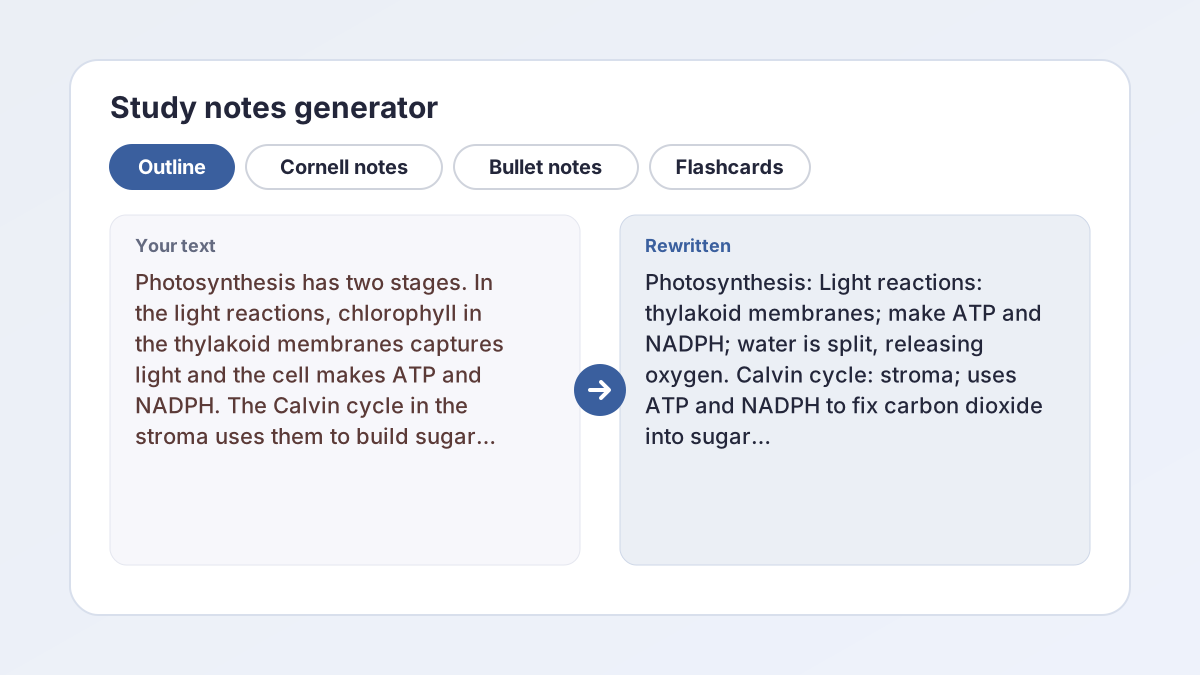
You pastedPhotosynthesis has two stages. In the light reactions, chlorophyll in the thylakoid membranes captures light energy. Water is split, which releases oxygen, and the cell makes ATP and NADPH. In the Calvin cycle, which takes place in the stroma, the enzyme rubisco helps fix carbon dioxide into sugar, using the ATP and NADPH from the first stage.
Illustrative resultStudy notes: Photosynthesis: two stages - Light reactions - Location: thylakoid membranes - Chlorophyll captures light energy - Water is split, releasing oxygen - Products: ATP and NADPH - Calvin cycle - Location: stroma - Rubisco helps fix carbon dioxide into sugar - Uses ATP and NADPH from the light reactions Key terms: - Thylakoid membranes: where the light reactions occur - Stroma: where the Calvin cycle occurs - Rubisco: enzyme that helps fix carbon dioxide
Outline mode gives headings with indented bullets, then a separate Key terms list with definitions taken from the material.
You pastedThe Missouri Compromise of 1820 admitted Maine as a free state and allowed Missouri to enter as a slave state, which kept the number of free and slave states equal in the Senate. It also banned slavery in the rest of the Louisiana Purchase territory north of latitude 36°30′. The agreement delayed a larger conflict over slavery's expansion, but it did not settle the question.
Illustrative resultCue questions: - What did the Missouri Compromise of 1820 do? - Why did it admit Maine and Missouri together? - Where was slavery banned? - Did it settle the question of slavery's expansion? Notes: - 1820: Maine admitted as a free state, Missouri allowed in as a slave state - Kept free and slave states equal in the Senate - Slavery banned in the rest of the Louisiana Purchase north of 36°30′ - Delayed a larger conflict but did not settle the question Summary: The Missouri Compromise balanced the Senate and drew a line limiting slavery's spread, but it only postponed the conflict.
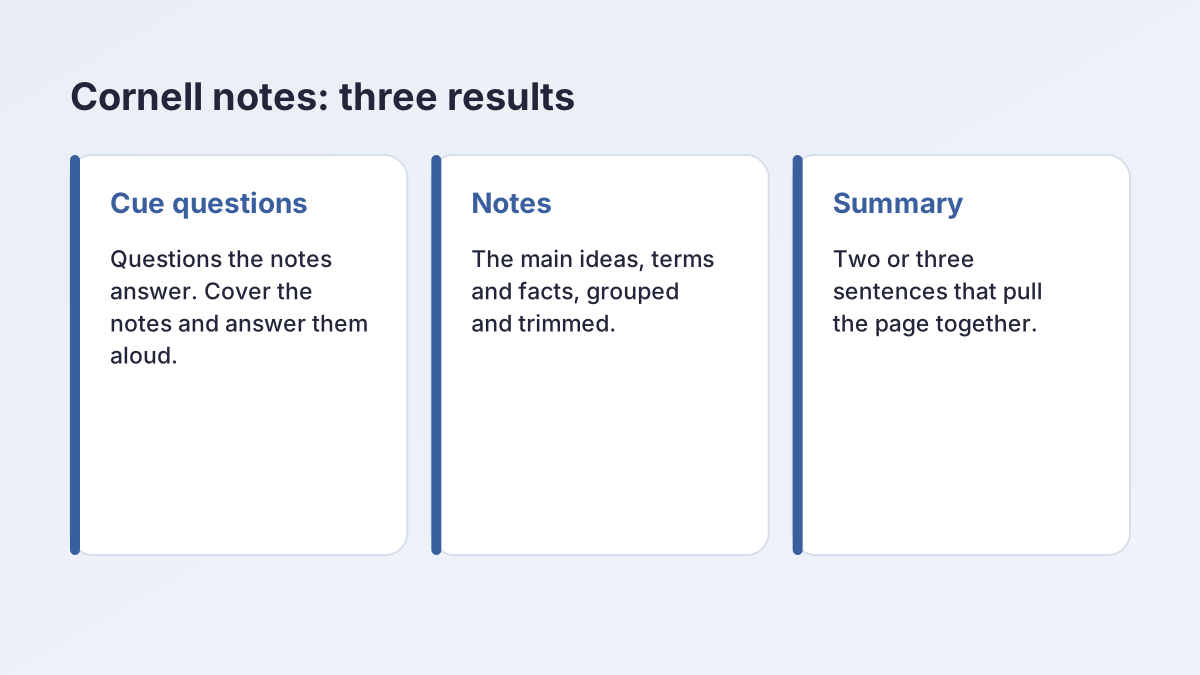
Cornell notes come back as three separate results: Cue questions, Notes and Summary. You arrange them on your own page or document.
You pastedCardiac output is the amount of blood the heart pumps each minute. It equals heart rate multiplied by stroke volume. Stroke volume is the amount of blood ejected from the left ventricle with each beat. If one of the two changes while the other stays the same, cardiac output changes too.
Illustrative resultFlashcards (first three pairs shown): Q: What is cardiac output? A: The amount of blood the heart pumps each minute. Q: How is cardiac output calculated? A: Heart rate multiplied by stroke volume. Q: What is stroke volume? A: The amount of blood ejected from the left ventricle with each beat.
Flashcards mode asks for 8 to 15 question-and-answer pairs. On a short passage, expect fewer distinct facts, so check for repeats. They are plain text to copy, not an interactive deck.
You pastedIn classical conditioning, a neutral stimulus is paired repeatedly with a stimulus that already causes a response. Ivan Pavlov showed this with dogs: a ticking metronome, at first neutral, was sounded before food. After several pairings, the metronome alone made the dogs salivate. The salivation to the metronome is called the conditioned response.
Illustrative resultStudy notes: Classical conditioning - A neutral stimulus is paired repeatedly with a stimulus that already causes a response - Pavlov's dogs: metronome (neutral) sounded before food - After several pairings, the metronome alone caused salivation - Conditioned response: salivation to the metronome Key terms: - Neutral stimulus: a stimulus that does not cause the response at first - Conditioned response: the response to the formerly neutral stimulus
Bullet notes are short lines grouped under headings, with the same Key terms list as the outline style.
You pastedecon 101 - supply/demand. price up -> qty demanded down (law of demand). price up -> qty supplied up. equilibrium = where the 2 curves meet, no shortage or surplus. price below eq -> shortage. price above eq -> surplus. shifts: income, tastes, input costs etc move curves not along them
Illustrative resultStudy notes: Supply and demand - Law of demand: when price rises, quantity demanded falls - When price rises, quantity supplied rises - Equilibrium: where the curves meet, with no shortage or surplus - Price below equilibrium: shortage - Price above equilibrium: surplus - Shifts: income, tastes and input costs move the curves, not points along them
Your own rough notes work too. The generator tidies them and keeps your terms; it does not add anything you did not write.
How to use the study notes generator
The study notes generator needs at least 150 characters of material. Everything else has a default.
- Paste your material. Put a textbook section, article, lecture transcript or your rough notes in the Material to turn into notes box. It takes up to 15,000 characters.
- Choose a note style. Under Note style, pick Outline, Cornell notes, Bullet notes or Flashcards. Outline is selected to start.
- Add your subject. Optionally type a class in Subject or class, such as AP Biology or US History.
- Set the level and spelling. Choose High school, College, Middle school or Graduate under Level, and US English or UK English under Spelling.
- Select Make my notes. Read the results, use Copy on the parts you want, and select Generate more for another version.
What a study notes generator does
A study notes generator turns material you were given into material you can study from. You paste in a textbook section, an article, a lecture transcript or your own rough notes, and it returns notes in the style you choose.
Notes are different from a summary. A summary shortens a text so you can understand it; notes reorganize it so you can learn it. That means this study notes generator:
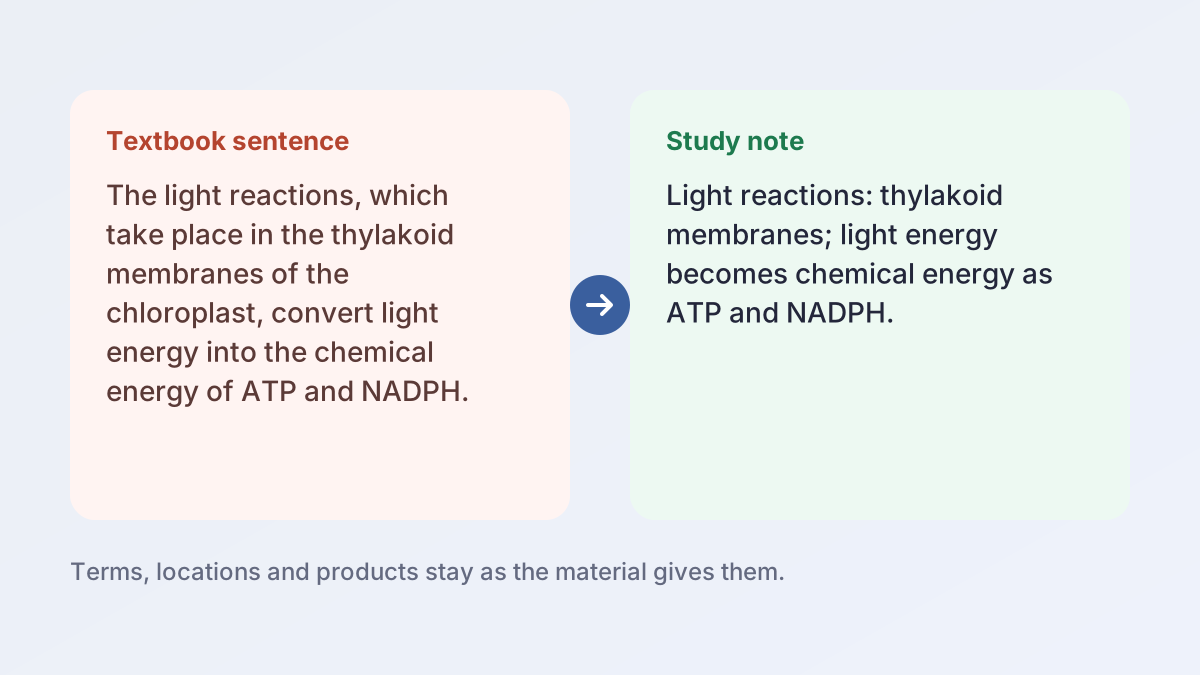
- Keeps key terms, definitions, dates, names and numbers exactly as the material gives them.
- Cuts repetition and filler.
- Groups related ideas under short headings.
- Uses only your material. It does not add outside facts or guess the author or source.
What you get back
Outline and Bullet notes return a Study notes result plus a Key terms list. Cornell notes return Cue questions, Notes and a Summary. Flashcards return one Flashcards result. Each result has its own Copy button and a word count.
Four note styles: outline, Cornell, bullets and flashcards
The Note style chip changes the shape of the output. The same material can be studied four ways with this study notes generator.
Outline
Headings with indented bullet points, so you can see how ideas nest. Best for textbook chapters and lectures that move from big ideas to details.
Cornell notes
Cue questions, notes and a short summary. Best when you plan to quiz yourself. The next section explains how the Cornell notes generator works.
Bullet notes
Concise bullet points grouped under short headings. Best for quick revision or material with many separate facts.
Flashcards
Question-and-answer pairs, written as Q: and A:. Best for vocabulary, definitions, formulas and anything you have to recall exactly.
Which one to choose
Pick the style you will actually use. If you are not sure, start with Outline to see the structure, then run the same material again as Flashcards for practice.
Cornell notes generator: cue questions, notes and summary
Choose Cornell notes and the tool works as a Cornell notes generator. The Cornell system divides a page into three parts, and the generator gives you one result for each.
SUNY Schenectady County Community College's guide to Cornell note-taking describes the page as three areas: a note-taking area, a cue column and a summary of a sentence or two. It also lists the 5 Rs: record, reduce, recite, reflect and review.
How the three results map to the page
- Cue questions go in the cue column.
- Notes go in the note-taking area.
- Summary goes in the summary area, traditionally at the bottom of the page.
The Cornell notes generator does not draw the page for you. Copy each result into a document, a notes app or a handwritten page with the three areas.
Using Cornell notes to study
Cover the notes, read each cue question and answer it aloud, then check the notes. The same guide describes this as reciting. Mark the cues you missed and return to them.
Making your own cues
Illinois Wesleyan University's Cornell system handout says that writing questions your notes answer clarifies meaning and helps you predict test and exam items. After you read the generated cues, try writing two or three of your own.
Flashcard generator: question-and-answer pairs
Choose Flashcards and the tool becomes a flashcard generator. It is asked for 8 to 15 pairs, each written as “Q: ...” and then “A: ...” on the next line, with a blank line between cards.
What it is
The cards are plain text. They are not an interactive deck and there is no export button, so copy them into a flashcard app, a spreadsheet or index cards.
Why a flashcard generator helps
The University of Southern Maine's Learning Commons page on flashcards advises saying the information out loud before you flip the card, and notes that flashcards are often part of spaced practice. In other words, flashcards work when you try to answer before you look, and a flashcard generator saves the time of writing them.
Good cards and weak cards
- Good: one fact per card, such as “What is stroke volume?”
- Weak: a card with a list of five answers. Split it into five cards.
If a card is off
Read each answer against your material. The generator is told to use only your text, but it can still misread a passage. Fix the card yourself or run it again.
Outline and bullet notes with a key terms list
Outline and Bullet notes both return two results.
Study notes
The main notes, grouped under short headings. In Outline mode, sub-points are indented. In Bullet notes mode, the points are concise bullets under short headings.
Key terms
A separate list of the important terms in the material, each with a short definition taken from that material. If your text defines a term, the definition stays close to the original wording.
Why a separate key terms list helps
Many courses test vocabulary directly, so this notes maker treats terms separately. A list you can copy into a flashcard app, or turn into your own cards, saves time. You can also run the material again with the Flashcards style for question-and-answer pairs.
Editing the result
Delete lines from the study notes generator that are not on your syllabus, add your teacher's emphasis and rewrite anything you would not remember. Notes you have edited are notes you have read.
An AI notes generator that keeps your terms and facts
An AI notes generator is only useful if the notes are right, and this AI notes generator is built to stay inside your material. The instructions behind this tool tell it to use only the information in your material, to keep terms, dates, names and numbers exactly as written, and not to guess the author, date or source unless you give them.
Quotation check
If a result contains a quotation of four or more words that cannot be found in your pasted material, a note follows it: [check this quote against your text]. Notes rarely need quotations, but if you see one, check it.
What it cannot do
- It cannot judge whether your material is correct. An error in the source will carry into the notes.
- It reads only what you paste. Diagrams, tables and slides that are images are not included unless you type their content.
- It does not know your teacher's emphasis. Compare the notes with your syllabus or study guide.
Always compare with the source
Skim the original headings and make sure every major section appears in your notes. Spot-check three facts and every number.
Notes maker for textbooks, slides, transcripts and rough notes
As a notes maker, the tool accepts any text you can paste. Different sources need slightly different handling.
Textbook sections
Paste one section or a few pages at a time. Several short runs give clearer notes than one run on a whole chapter.
Lecture transcripts and slides
Paste the transcript text or the words from your slides. Spoken language can ramble, so the outline style is often the best for pulling out structure.
Your own rough notes
Paste messy or abbreviated notes and choose Bullet notes. The tool tidies them but only works with what you wrote.
Subject and level
The Subject or class box (up to 120 characters) is optional. Type something like AP Biology or US History to give the tool context. Level offers High school, College, Middle school or Graduate and sets how the notes are worded.
Length
You can paste up to 15,000 characters, around 2,500 words. If your material is longer, split it by topic.
How to study from generated notes
Notes from a study notes generator save time on organizing, but the learning happens when you use them.
A simple routine
- Read the notes once next to the original, checking for gaps.
- Edit them. Add examples from class and rewrite anything unclear in your own words.
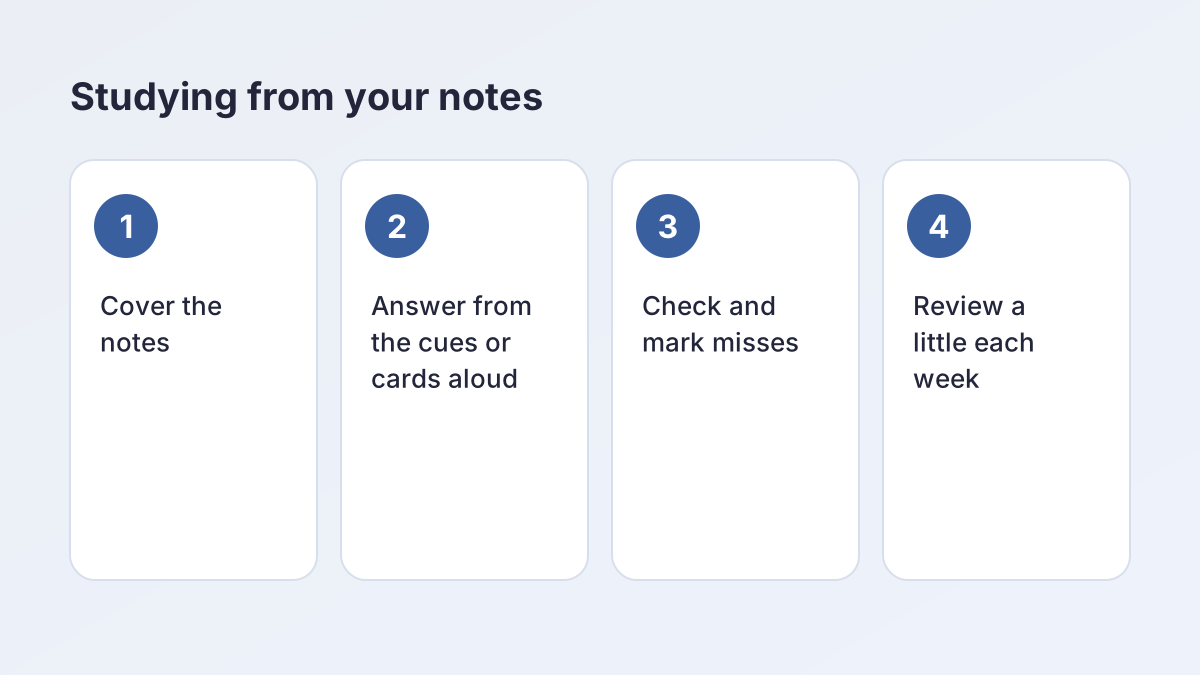
- Cover and recall. Hide the notes and answer from the cue questions or flashcards, aloud if you can.
- Mark misses and return to them the next day.
- Review a little each week instead of cramming.
Pair the notes with other tools
- Use the Key Points Generator to rank what matters most.
- Use the Question Generator for practice questions with an answer key.
- Use the Essay Summary Generator when you need a short summary of a reading.
Tests with a writing section
If your class has an essay test, turn your notes into a plan with the Essay Outline Generator.
Study notes for AP, college and nursing classes
Match the style to the kind of material.
- AP Biology and Chemistry: Outline for processes, Flashcards for vocabulary. Keep units and formulas by checking them against the source.
- US History and Government: Cornell notes work well, since cue questions can work like the short-answer questions many teachers ask.
- English and literature: Bullet notes for plot and characters. For quotations and themes, use the Quote Analysis Tool.
- College lectures: Outline from a transcript or slides, then Cornell notes before an exam.
- Nursing: Flashcards for lab values, medications and terms; Outline for pathophysiology. These are study aids, so check doses and protocols in your approved textbook and follow your instructor's materials on clinicals.
Is the study notes generator free? Privacy and limits
Yes. The study notes generator is free, with no account or sign-up. Each visitor can make up to 30 requests an hour, which keeps it fast for everyone.
The material you paste and the subject you type are sent to our AI providers (Groq, with Google Gemini as a backup) only to write the notes you see. The Study Corp does not save your material or the notes.
Do not paste anything you are not allowed to share, such as patient details or confidential records.
Using it honestly
Use the study notes generator to study and to draft your own notes. If your class has a policy on AI tools, follow it, and do not submit generated notes as your own graded work unless your teacher allows it.
Study notes generator FAQ
Is the study notes generator free?
Yes. The study notes generator is free with no account or sign-up. Each visitor can make up to 30 requests an hour.
What note styles can I choose?
Outline, Cornell notes, Bullet notes and Flashcards. Outline and Bullet notes also include a Key terms list.
How do Cornell notes work here?
You get three results: Cue questions, Notes and a Summary. Copy them into a page with a cue column, a notes area and a summary section.
How many flashcards will I get?
The tool is asked for 8 to 15 question-and-answer pairs. A short passage has fewer facts, so some cards may overlap. They are plain text, so copy them into your own app or onto index cards.
Can I paste my own messy notes?
Yes. Paste them and choose Bullet notes or Outline. The tool tidies them and keeps your terms, but it does not add facts you did not write.
How much text can I paste?
At least 150 characters and up to 15,000, which is roughly 2,500 words. For longer material, paste one section at a time.
Will it add facts that are not in my material?
It is instructed not to. It keeps terms, dates, names and numbers as written. Check the notes against the source.
Is my material saved?
No. It is sent to our AI providers (Groq, with Google Gemini as a backup) only to write the notes, and The Study Corp does not save it.
More free study tools
- Essay Summary GeneratorA summary in your chosen length, plus a one-sentence version, using only what the text says.
- Key Points GeneratorThe main idea and the 3 to 10 most important points of any text, ranked.
- Question GeneratorQuiz and study questions from any text, with an answer key.
- Case Study Analysis GeneratorA structured analysis of your case: general, SWOT, PESTLE, clinical or ethics.
- Quote Analysis ToolMeaning, key words, devices and significance, plus a ready analysis paragraph.
- Rhetorical Analysis GeneratorSOAPSTone, appeals and rhetorical choices with exact quotes, or two AP-style body paragraphs.
- Poem Analysis ToolTheme, tone, structure and devices with quoted lines, plus a sample paragraph.
- Debate Argument GeneratorDefinitions, contentions with claim, warrant and impact, rebuttals and a closing.
- Speech GeneratorA timed speech for class, a campaign, graduation or a special occasion, with speaking notes.
See all 80 free tools for students
Last updated by The Study Corp editorial team.