Sentence finisher examples
Each example shows a sentence start, the tone chosen, and one of the five endings. Every suggestion keeps your words exactly as typed.
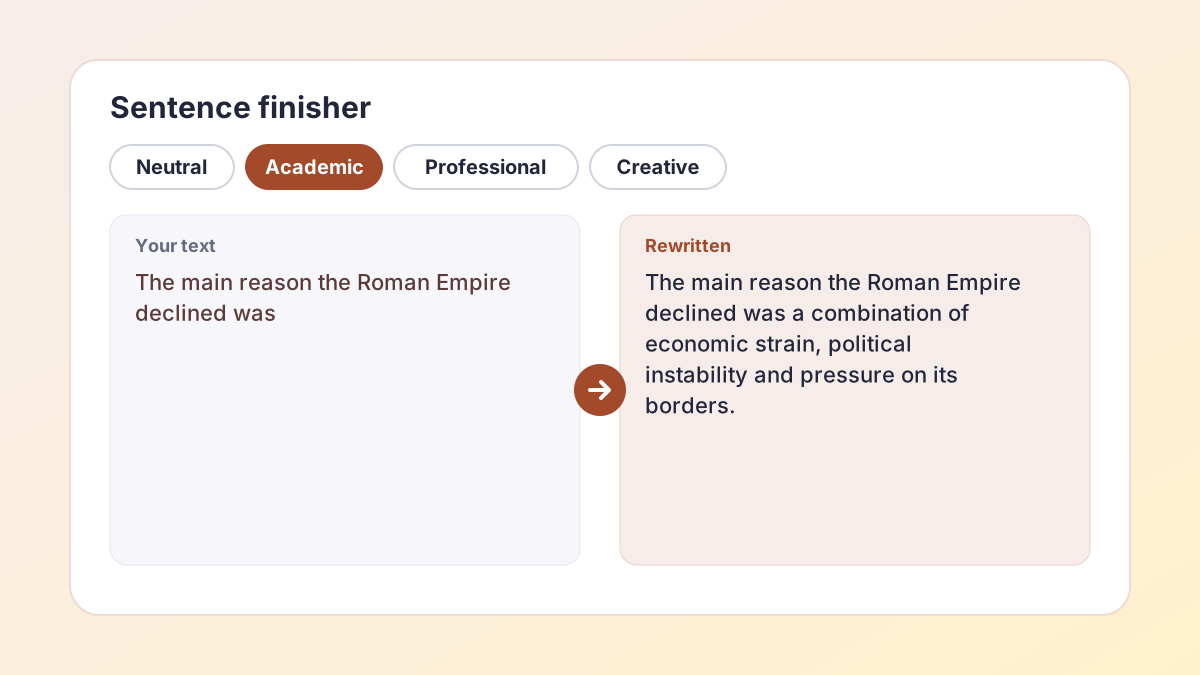
BeforeThe main reason the Roman Empire declined was
AfterThe main reason the Roman Empire declined was a combination of economic strain, political instability and pressure on its borders.
A balanced academic claim you can then support with evidence.
BeforeOne thing I learned from this project is that
AfterOne thing I learned from this project is that planning the schedule early saves a lot of stress later.
A reflective ending in everyday language.
BeforeThank you for considering my application, and I look forward to
AfterThank you for considering my application, and I look forward to the opportunity to discuss how I can contribute to your team.
A standard, polite close for a cover letter or email.
BeforeThe house at the end of the street had been empty for years, until
AfterThe house at the end of the street had been empty for years, until one night a single candle appeared in the attic window.
A story hook that leaves the reader wanting more.
BeforeAlthough social media can connect people across distances, it
AfterAlthough social media can connect people across distances, it can also encourage comparison and reduce face-to-face interaction.
Completes the contrast the word “Although” set up.
BeforeIn conclusion, the experiment showed that
AfterIn conclusion, the experiment showed that plants given more light grew taller over the four-week period.
A placeholder result: replace it with what your experiment actually found.
How to use the sentence finisher
Type up to about 120 words: the unfinished sentence, plus the sentence before it if you want more context.
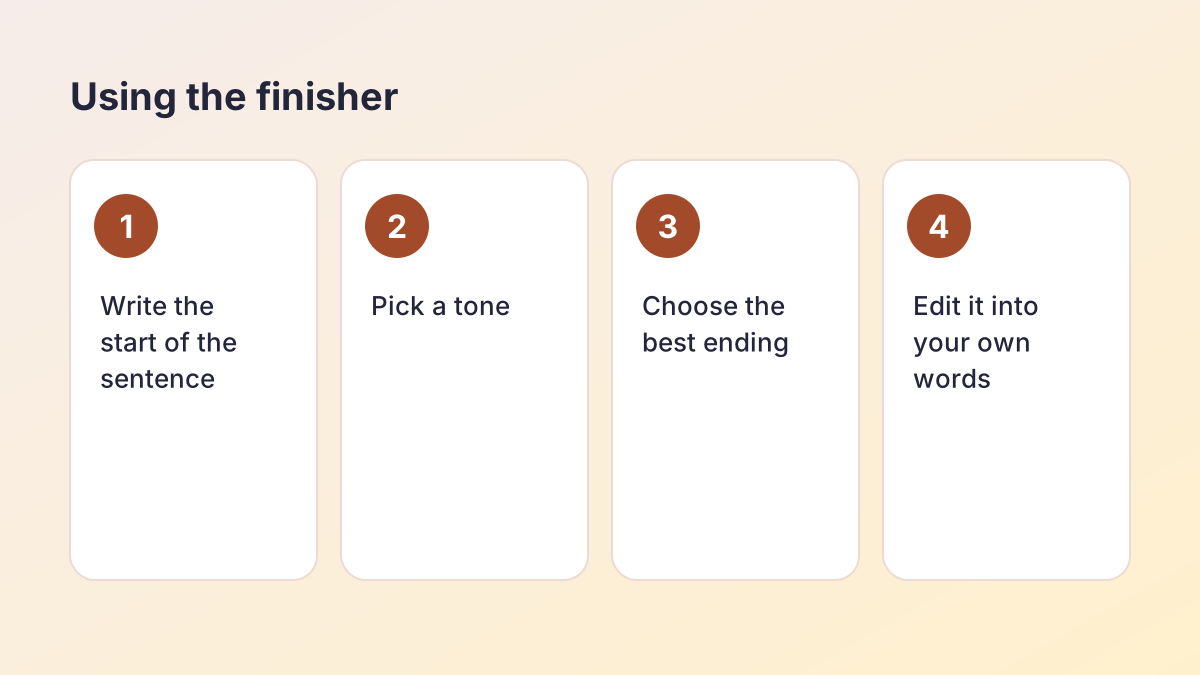
- Type the start. Type or paste the beginning of the sentence you are stuck on. Including the previous sentence helps the endings fit.
- Pick a tone. Neutral for everyday writing, Academic for essays, Professional for emails and applications, Creative for stories.
- Select Finish my sentence. You get five different endings. Your words always stay exactly as you typed them.
- Choose and adapt. Pick the ending closest to what you meant, then change it so it says exactly what you want, in your own voice.
- Try again if needed. Not quite right? Select Try again, or switch tone for a different set of ideas.
What is a sentence finisher?
A sentence finisher is a writing tool that completes a sentence you have started. You give it the opening words; it suggests ways the sentence could end, based on the meaning and grammar of what you wrote. Think of it as a writing partner who says, “Here are a few ways you could finish that.”
Unlike a full essay writer, a sentence finisher only adds the end of one sentence. You stay in control of the ideas, the structure and the argument. It is most useful at the moment you lose the thread: you know roughly what you want to say, but the words will not come.
How the endings are made
The sentence finisher reads your start, works out what kind of sentence it is (a claim, a contrast, a conclusion, a description) and writes five different endings in the tone you chose. Your exact words are kept at the start of each suggestion, and any numbers, names or quotes you typed are protected.
What a sentence finisher is not
It is not a fact checker. If your sentence needs a fact, such as a date, a statistic or a quote, the suggestion may contain a placeholder or a general claim. Always replace it with information from your own notes and sources.
Finish this sentence: when to use it
People ask a tool to finish this sentence for many reasons. These are the situations where it helps most.
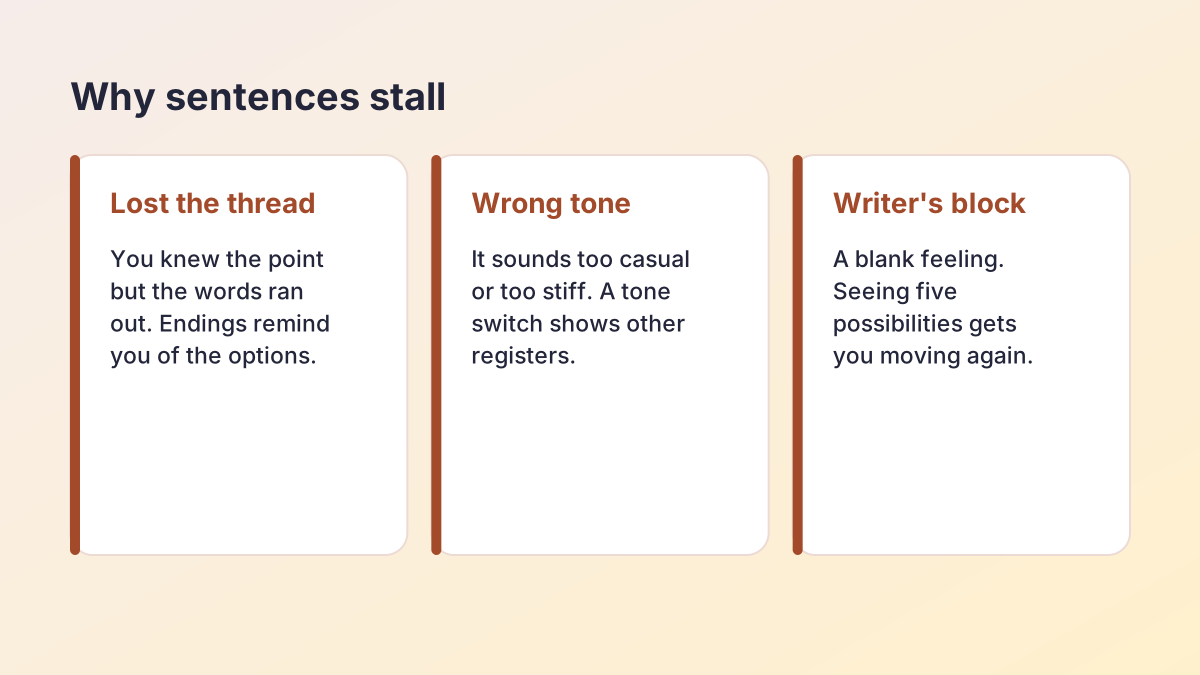
Mid-essay writer's block
You have written half a paragraph and the next sentence stalls. Seeing five possible endings reminds you of directions you had not considered, and often one of them unlocks the rest of the paragraph.
Topic sentences and transitions
The first sentence of a paragraph has to link back to the last one and introduce the new point. Type the transition word, such as “However,” or “In addition,” followed by a few words, and let the finisher suggest how to complete the link. The Transition Phrase Generator can help you choose the opening word.
Emails and applications
Professional closing lines are hard to get right: “I look forward to…”, “Please let me know if…”. Professional tone gives you polite, standard endings you can adjust.
Creative writing prompts
Story starters such as “It was the last day of summer when…” are classic warm-ups. Creative tone gives you five different directions to spark ideas.
Sentence completion practice
Teachers and language learners use “complete the sentence” exercises to practise grammar and vocabulary. Comparing the five endings shows how one start can lead to many correct sentences.
Finish my sentence: choosing the right tone
The tone you pick changes the vocabulary, formality and style of the endings. When you ask the tool to finish my sentence, choose the tone that matches where the sentence will be read.
- Neutral: clear, everyday English. Good for reflections, discussion posts, notes and most homework.
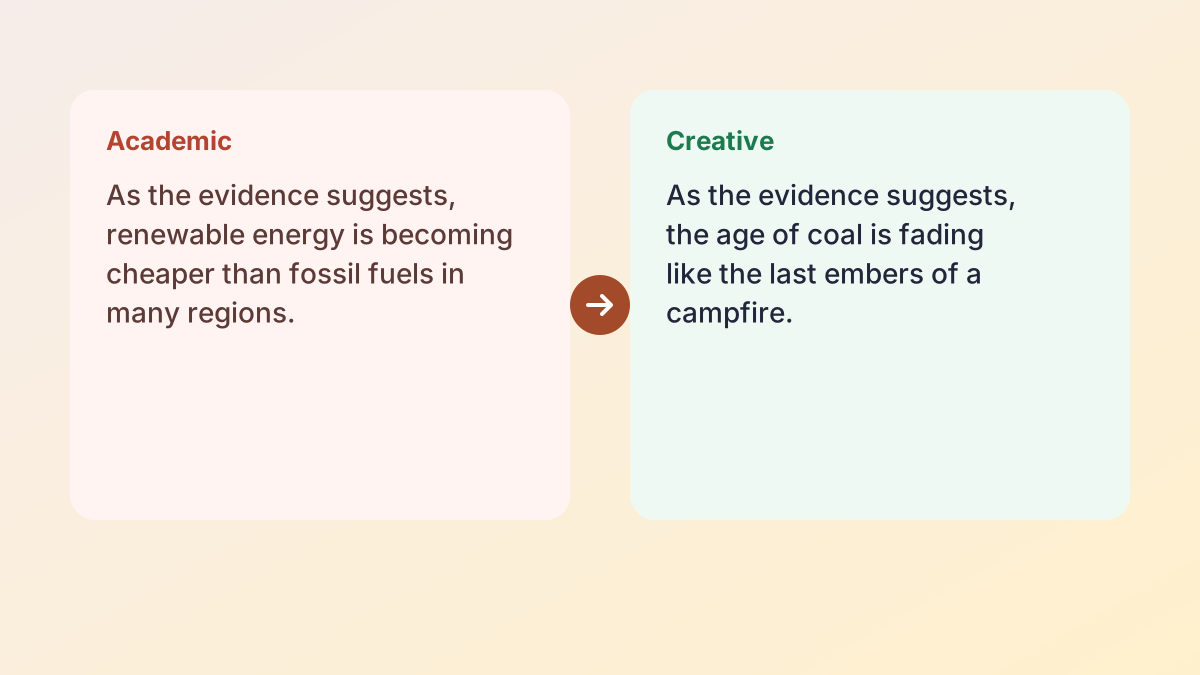
- Academic: formal, careful and precise. It avoids contractions and slang and uses cautious language such as “suggests” or “may”. Good for essays, reports and lab write-ups.
- Professional: polite and direct. Good for emails to teachers, cover letters, applications and workplace messages. The Purdue OWL's email etiquette for students explains the conventions it follows.
- Creative: vivid, descriptive and surprising. Good for stories, poems and descriptive writing.
Matching the tone of your paragraph
If the rest of your paragraph is formal, an informal ending will stand out. Paste the previous sentence along with your unfinished one, so the endings match the style around them.
Using a sentence finisher responsibly
A sentence finisher is a support tool, and how you use it matters. Used well, it helps you get past a blank moment and keeps your own ideas moving. Used badly, it can fill your work with generic sentences that do not say what you think.
Good habits
- Treat every ending as a draft. Change words, add your own detail and make it fit your argument.
- Check every claim. If an ending states a fact, make sure it is true and supported by a source you can cite.
- Keep your voice. Your teacher knows how you write. Rewrite suggestions so they sound like you.
- Use it for one sentence at a time. If you find yourself finishing every sentence with the tool, step back and plan the paragraph first.
Follow your school's rules
Many schools allow AI tools for brainstorming and editing but not for writing graded work. Check your course's policy, and if you are unsure, ask your teacher. When in doubt, use the suggestions to get unstuck, then write the sentence yourself.
Privacy
The Study Corp does not store your text. It is sent to our AI providers (Groq, with Google Gemini as a backup) only to create the endings you see.
How to end a sentence well: tips without a tool
A tool helps, but strong endings follow a few simple principles you can use anywhere.
Put the important idea last. The end of a sentence is its position of emphasis. “Despite the cost, the policy saved lives” stresses saved lives; “The policy saved lives, despite the cost” stresses the cost.
Finish what you started. Words such as “although”, “not only” and “either” promise a second half. “Although the test was hard” must continue with a contrast: “…most students passed.”
Be specific. “…which was very important” is a weak ending. “…which doubled the school's recycling rate” gives the reader something concrete.
Keep it parallel. In a list, keep every item in the same grammatical form: “to read, to write and to think”, not “to read, writing and to think”.
Do not trail off. Avoid endings such as “and so on” or “etc.” in formal writing. Either list the items or summarise them.
Practise with sentence starters
Try finishing these yourself, then compare your version with the sentence finisher's ideas:
- “The most surprising result of the survey was…”
- “Critics of school uniforms argue that…”
- “If I could change one thing about my town, it would be…”
Comparing your own ending with five others is one of the fastest ways to build a feel for strong sentences. Notice which endings feel specific and which feel vague, and ask yourself why. Over time you will start reaching for the specific version first, and you will need the tool less and less.
Getting better endings: give the finisher context
The more the tool knows, the better its endings fit. A sentence start on its own can go in many directions; the sentence before it narrows the options.
Include the previous sentence
Start only: “This shows that…” could end in almost any way.
With context: “In the survey, 72% of students said they slept less than seven hours. This shows that…” Now every ending will be about sleep and the survey result.
Type a few more words
A longer start gives a more focused ending. “The war ended because” is open; “The war ended because both sides were exhausted and” already sets up the shape of the answer.
Use protected words
Any number, name or quote you type is kept exactly, so you can safely include data from your notes. The ending will build on it rather than change it.
Switch tone for fresh ideas
If all five endings feel too similar, switch tone and try again. A Creative ending can sometimes suggest an angle you can then rewrite in an Academic style.
Sentence starters by subject
Different subjects expect different kinds of sentences. These starters are common in each one; type any of them into the box and choose the matching tone to see how they can end.
English and literature
- “The author uses imagery of darkness to suggest…”
- “This quotation reveals that the narrator…”
- “By the end of the novel, the protagonist has learned…”
In literature essays, a good ending names the effect on the reader or the meaning of the technique, not just the technique itself.
History
- “The most significant cause of the conflict was…”
- “Historians disagree about whether…”
- “This source is useful because…”
History endings should be balanced and tied to evidence. Words such as “significant”, “contributed to” and “partly” help you avoid overclaiming.
Science
- “The results indicate that…”
- “One limitation of this method is that…”
- “To improve the reliability of the experiment, we could…”
Science endings should be precise and cautious. If your data only shows a pattern, say it “suggests” or “indicates” rather than “proves”.
Personal statements and reflections
- “This experience taught me that…”
- “I want to study this subject because…”
- “The challenge I am most proud of overcoming is…”
Here, specific detail beats general claims. An ending like “…I learned to explain a problem three different ways until my younger brother understood it” is far stronger than “…I learned a lot”.
Using the starters well
The starter only frames the sentence. The ending is where your knowledge shows, so treat any suggestion as a prompt to add your own example, quote or result. If an ending sounds right but you cannot back it up, it is the wrong ending for your essay.
Other tools for when you are stuck
A sentence finisher helps with one sentence at a time. For bigger blocks, other free tools fit better:
- Stuck on a whole idea? The Sentence Expander turns a short note into a fuller, more detailed sentence.
- Written something that sounds wrong? Say It Better offers smoother versions of a sentence you already have.
- Need a thesis to build from? The Thesis Statement Generator drafts one from your topic.
- Need an ending for the whole essay? The Conclusion Paragraph Generator helps you wrap up.
All of them follow the same rules: free, no sign-up, your words protected and your text not stored.
Sentence finisher FAQ
Is the sentence finisher free?
Yes. It is free with no account or sign-up. A fair hourly allowance per visitor keeps it fast for everyone.
How do I get help to finish this sentence?
Type the start of your sentence, choose a tone and select Finish my sentence. You get five endings to choose from.
Does it change the words I typed?
No. Your words stay exactly as typed at the start of every suggestion. Only the ending is new.
How much text can I enter?
Up to about 120 words, which is enough for the unfinished sentence and a sentence or two of context.
Are the endings factually correct?
Not always. The finisher suggests wording, not facts. Replace any claim or number with information from your own sources.
Can I use it for creative writing?
Yes. Choose the Creative tone for descriptive, surprising endings that work well as story starters.
Is it allowed for school work?
It depends on your school. Many allow AI for brainstorming but not for graded writing. Check your course policy and adapt suggestions into your own words.
More free rewriting tools
- AI Paraphrasing ToolParaphrase any text, and learn to paraphrase and cite well.
- AI Sentence RewriterFix an awkward sentence and choose from several better versions.
- Paragraph RewriterMake the sentences in one paragraph connect and flow.
- Rewording ToolReword any text in fresh words: emails, reports, applications and more.
- Essay RewriterRewrite a whole essay or paper, paragraph by paragraph, keeping its structure.
- Restate Thesis GeneratorRestate your thesis in new words for the conclusion, keeping the same claim.
- Text SimplifierSimplify text to a reading level: grade 5, grade 7, grade 9 or plain English.
- Sentence ShortenerShorten text or combine it into 1, 2 or 3 sentences, keeping every key fact.
- Say It BetterFind a better way to say a sentence or phrase, with alternatives.
- Sentence ExpanderExpand a sentence into a fuller, more detailed version without new facts.
- Poem RewriterParaphrase a poem line by line, modernise it, or polish your own poem.
See all 74 free tools for students
Related tools
Last updated by The Study Corp editorial team.