AI sentence rewriter examples
Three sentences before and after. Each keeps its meaning, its citation and its level of certainty; only the wording improves.
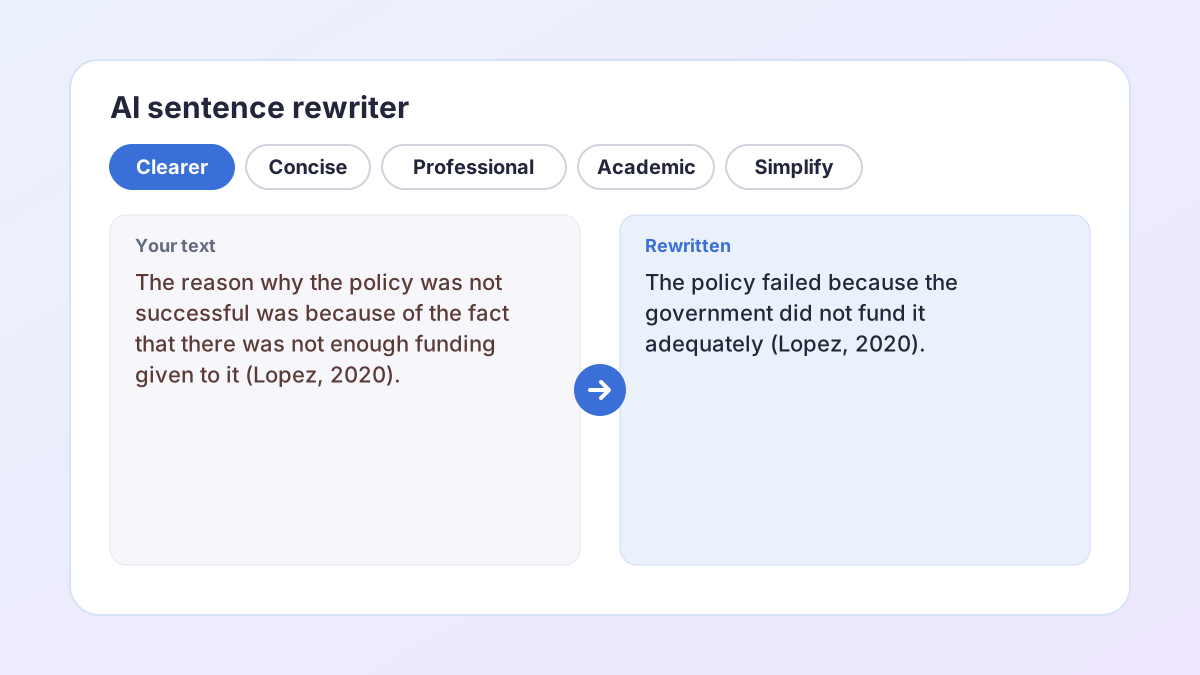
BeforeThe reason why the policy was not successful was because of the fact that there was not enough funding given to it by the government (Lopez, 2020).
AfterThe policy failed because the government did not fund it adequately (Lopez, 2020).
The tangled “reason why … because” is fixed; the citation stays.
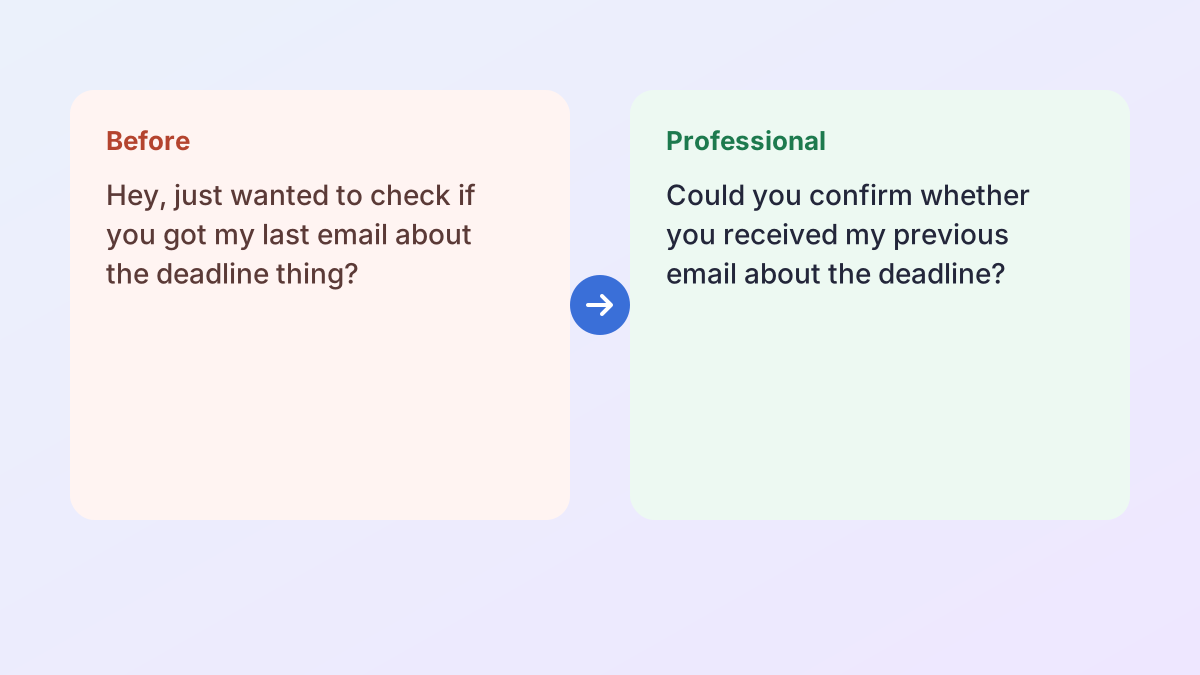
BeforeHey, just wanted to check if you got my last email about the deadline thing?
AfterCould you confirm whether you received my previous email about the deadline?
Polite and direct, with no new promises or apologies.
BeforeKids who read a lot usually do better at school.
AfterChildren who read frequently tend to perform better academically.
“Usually” becomes “tend to”: the same level of certainty.
How to use the AI sentence rewriter
Rewriting a sentence takes under a minute, and you stay in control of every change.
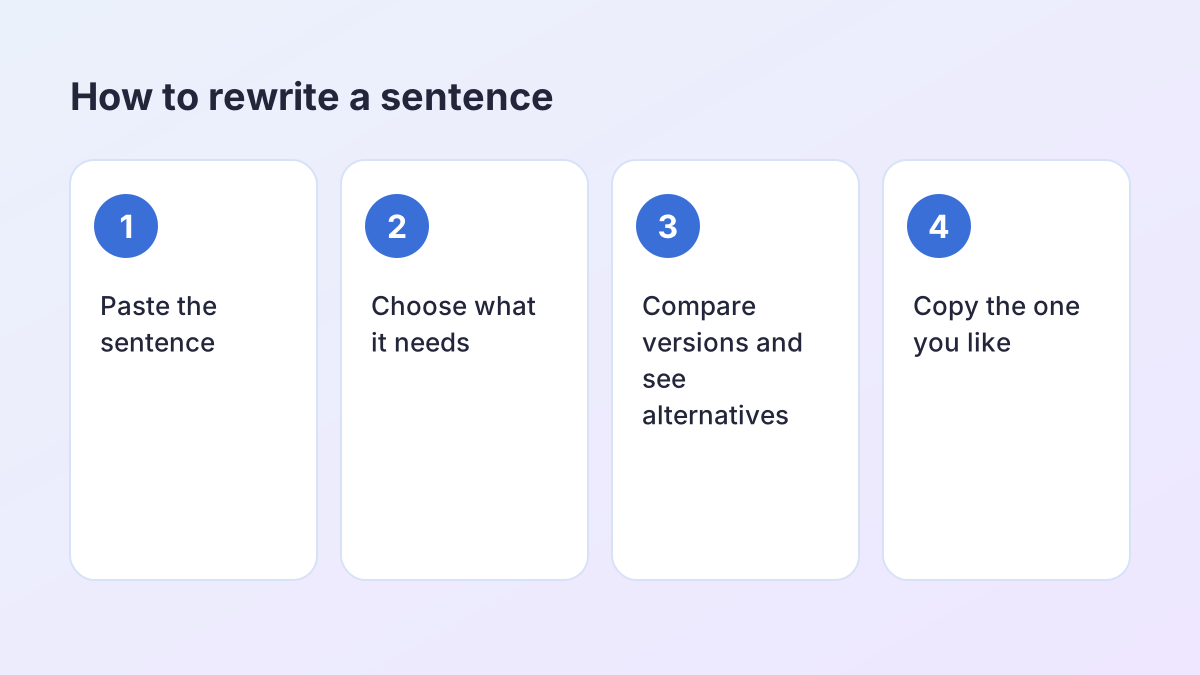
- Paste the sentence. Paste one sentence, or a few. Each sentence is rewritten separately, so you can keep some and change others.
- Choose what it needs. Clearer fixes tangled structure, Concise removes filler, Professional polishes tone, Academic tone formalises, Simplify uses plainer words and Keep my voice changes as little as possible.
- Rewrite and compare. Select Rewrite my sentence. The new version appears next to your original with every change highlighted.
- See alternatives. Select the sentence and choose See alternatives for more versions in the same goal, then pick the one that fits.
- Copy it back. Copy the sentence into your essay, email or report.
What an AI sentence rewriter does
A sentence rewriter takes one sentence and says the same thing better. It is the quickest fix when you can see that a sentence is wrong but cannot see how to fix it: it runs on, it says the same thing twice, it sounds too casual, or it buries the point at the end.
An AI sentence rewriter does this by rewriting for a goal rather than swapping words. Ask for Clearer and it untangles the structure. Ask for Concise and it cuts filler but keeps every qualification. Ask for Professional and it turns casual wording into polite, confident wording. Each rewrite keeps the meaning, the facts and how certain the claim is.
Why not just use a synonym tool?
Synonym tools change words one at a time, so the sentence keeps its original problem and gains new ones. “The reason why the policy failed was because…” stays tangled however many words you swap. A sentence rewriter fixes the structure, which is usually what was wrong.
What stays exactly the same
In-text citations such as (Lopez, 2020), quotations, numbers, percentages and links are locked before the AI sees your sentence and put back afterwards. Add technical terms under More options and they are never replaced. If a rewrite changes any of these, you get your original sentence back instead.
Sentence rewriter goals: clearer, shorter, professional and more
Pick the goal that matches the problem. You can switch goals and rewrite again as often as you like.
Clearer
For sentences that are hard to follow: doubled logic, long chains of clauses, or the main point hidden in the middle. The AI sentence rewriter puts the subject and verb up front and removes the tangle.
Concise
For sentences padded with filler such as “due to the fact that”, “it is important to note that” or “in order to”. Concise keeps every hedge and limitation, so “may” and “in this sample” survive.
Professional
For emails, cover letters and applications. Professional removes slang and over-familiar phrasing and makes requests polite and direct, without adding apologies, promises or details you did not write.
Academic tone
For essays. Academic tone replaces informal words and contractions with precise, objective wording, without strengthening your claim.
Simplify and Keep my voice
Simplify uses everyday words for easier reading. Keep my voice makes only light edits, for a sentence that is nearly right.
How to make a sentence sound more professional
“How can I make this sound more professional?” is one of the most common reasons people reach for a sentence rewriter. Professional writing is not longer or fancier writing. It is polite, direct and specific.
What the Professional goal changes
- Openers: “Hey, just wanted to…” becomes “I am writing to…” or simply the request itself.
- Hedging filler: “I was kind of wondering if maybe…” becomes “Could you…”.
- Vague words: “the deadline thing” becomes “the deadline”.
- Slang and contractions: removed where they sound casual.
What it never adds
Professional does not invent apologies, thanks, promises or details. If you did not say you would send the report by Friday, the rewrite will not say it either. Read the result to make sure it still sounds like you, and add any courtesy you want yourself.
Purdue OWL's email etiquette for students is a good companion for emails to lecturers: clear subject lines, a polite greeting, and one clear request.
Common sentence problems the AI sentence rewriter fixes
Most awkward sentences have one of a handful of problems. Once you can name them, you can spot them in your own writing.
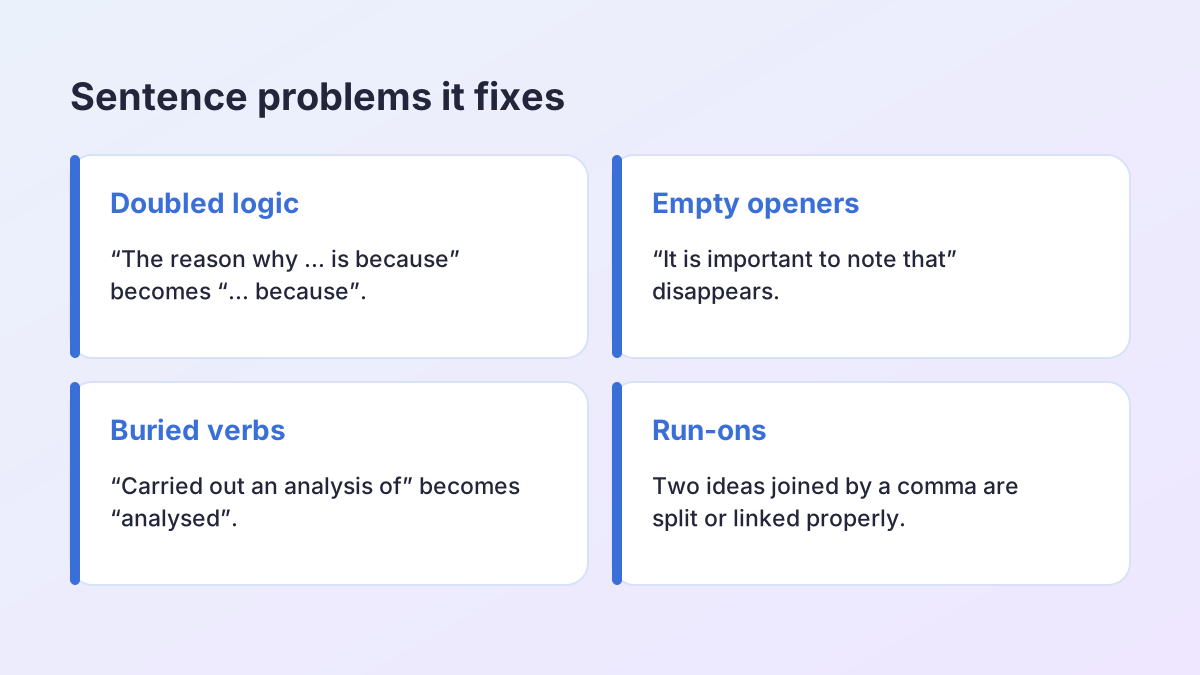
- Doubled logic: “the reason why … is because” becomes “… because”.
- Empty openers: “It is important to note that” and “In my opinion I think” disappear.
- Buried verbs: “carried out an analysis of” becomes “analysed”.
- Passive voice that hides who acted: “It was decided that” becomes “The committee decided”.
- Run-ons: two ideas joined with a comma are split, or linked with the right word.
- Stacked nouns: “student exam stress reduction strategies” becomes “strategies to reduce students' exam stress”.
Making better sentences yourself
Read the sentence aloud. Wherever you run out of breath or lose the thread, the sentence needs splitting or reordering. Put the most important idea in the main clause, and keep the subject and verb close together. Purdue OWL's guide to sentence variety shows how to mix sentence lengths so a paragraph does not sound monotonous.
A free sentence rephraser without the catches
Many sentence tools are free for a few words, then ask you to sign up or pay. This free sentence rephraser has no account, no trial and no word-by-word meter. A fair hourly allowance per visitor keeps it fast for everyone, and you can paste up to 1,500 words at a time.
What you get for free:
- Six goals instead of a single “rephrase” button.
- Several alternatives for any sentence, so you choose the version that fits.
- A side-by-side comparison with every change highlighted.
- Citations, quotations and numbers that cannot be changed.
- US or UK spelling.
The Study Corp does not store the sentences you paste. They are sent to our AI providers (Groq, with Google Gemini as a backup) only to create the rewrite you see.
Works on phones and laptops
There is nothing to install. The page works in any modern browser on a phone, tablet or computer, and your text stays in the box if you switch tabs or lose your connection, so you can paste a sentence from a draft, improve it and copy it straight back into your document, email or study notes.
Edit these sentences: practice with model answers
English exercises often say “edit these sentences” or “rewrite the following sentences”. Try each one yourself first, then compare with a model answer. There is more than one good version of each.
- In my opinion, I personally think that homework should be banned. → I think homework should be banned. (The opinion is stated once.)
- The experiment was carried out by the students in order to make an investigation of plant growth. → The students ran the experiment to investigate plant growth. (Active voice, verbs back in place.)
- Due to the fact that it was raining, the match was postponed by the organisers. → The organisers postponed the match because it was raining.
- There are many people who believe that exercise improves mood. → Many people believe exercise improves mood.
When you check your own answer, ask three questions: did the meaning stay the same, did any hedge or number change, and is the sentence easier to read? Those are the same checks the AI sentence rewriter runs before it shows you a result.
How the AI sentence rewriter protects your meaning
A rewrite that reads well but says something different is worse than no rewrite at all. So every version the AI sentence rewriter suggests is checked before you see it.
- Negatives. If a “not”, “no” or “never” is added or removed, the sentence is marked for you to check, because that flips the meaning.
- Hedges. If your sentence said “may”, “some” or “tends to” and the rewrite drops it, the sentence is marked: the claim now sounds more certain than you meant.
- New numbers. If a number appears that was not in your sentence, it is marked.
- Locked details. If a citation, quotation, number or protected term changes, the rewrite is discarded and your original sentence is kept.
Marked sentences are still shown, because the change may be fine, but you decide. That is the difference between a sentence rewriter you can use for coursework and one you have to proofread line by line.
When to use a sentence rewriter, and when to rewrite more
A sentence rewriter is the right tool when the problem lives inside one sentence: it is wordy, tangled, too casual or too vague. It is the wrong tool when the problem is how sentences connect, or what the paragraph is trying to say.
Use the Paragraph Rewriter when sentences each read fine but the paragraph jumps from idea to idea without transitions. Use the Sentence Shortener when you need to turn three sentences into one or two. Use Say It Better when you want several fresh ways to phrase the same point, and the Text Simplifier when a whole passage needs to be easier to read.
Signs a sentence needs rewriting
- You have to read it twice to understand it.
- It is longer than about 35 words.
- It starts with “There is”, “It is” or “The fact that”.
- It sounds like speech rather than writing, or like a legal document rather than an essay.
A sentence rewriter for English learners
If English is not your first language, an AI sentence rewriter can show you how a fluent writer would phrase what you mean. Use Keep my voice for light corrections that leave your structure intact, so you can see exactly which words changed and why. Use Clearer when a sentence feels translated word for word from another language.
Compare the two versions side by side and look for patterns: articles (a, an, the), prepositions, word order and verb tenses are the most common changes. Over time, you will start making those corrections yourself. The Writing Center at UNC has a helpful handout on word choice that explains many of the same patterns.
Because every suggestion is shown next to your original, you learn from the rewrite instead of copying a finished paragraph you do not understand.
Rewriting a sentence vs plagiarism
Rewriting your own sentence is editing, and it is how good writing gets made. Rewriting a sentence from a source is paraphrasing, and the idea still belongs to that source, so it still needs a citation however different the words are.
If you need the author's exact words, quote them in quotation marks with a citation instead. If you need only their idea, write it in your own sentence and cite it. A sentence rewriter is built for the first job, your own drafts, and it keeps your citations locked so they survive the rewrite.
Check your course's rules on AI writing tools before using any rewriter on assessed work, and read every suggestion: you are responsible for what you submit.
AI sentence rewriter FAQ
Is the AI sentence rewriter free?
Yes. It is free with no account or sign-up. A fair hourly allowance per visitor keeps it fast for everyone.
Can I get more than one version?
Yes. After rewriting, select the sentence and choose See alternatives for several more options in the same goal.
Can AI make my sentence sound more professional?
Yes. Choose the Professional goal. It removes slang and filler and makes requests polite and direct, without adding promises or details you did not write.
Will it change my citations or numbers?
No. Citations, quotations, numbers and links are locked. Add technical terms under More options and they are never replaced.
Does rewording a sentence count as plagiarism?
Rewording your own sentence does not. Rewording a source's sentence is paraphrasing and still needs a citation; changing the words does not change whose idea it is.
What is the difference between a sentence rewriter and a sentence reworder?
Nothing important; people search for both. This tool rewrites for a goal you choose and shows each change next to your original.
Is my text stored?
The Study Corp does not save your text. It is sent to our AI providers (Groq, with Google Gemini as a backup) only to create the suggestions you see.
More free rewriting tools
- AI Paraphrasing ToolParaphrase any text, and learn to paraphrase and cite well.
- Paragraph RewriterMake the sentences in one paragraph connect and flow.
- Rewording ToolReword any text in fresh words: emails, reports, applications and more.
- Essay RewriterRewrite a whole essay or paper, paragraph by paragraph, keeping its structure.
- Restate Thesis GeneratorRestate your thesis in new words for the conclusion, keeping the same claim.
- Text SimplifierSimplify text to a reading level: grade 5, grade 7, grade 9 or plain English.
- Sentence ShortenerShorten text or combine it into 1, 2 or 3 sentences, keeping every key fact.
- Sentence FinisherGet five ways to finish a sentence you started.
- Say It BetterFind a better way to say a sentence or phrase, with alternatives.
- Sentence ExpanderExpand a sentence into a fuller, more detailed version without new facts.
- Poem RewriterParaphrase a poem line by line, modernise it, or polish your own poem.
See all 74 free tools for students
Related tools
Last updated by The Study Corp editorial team.