Paragraph rewriter examples
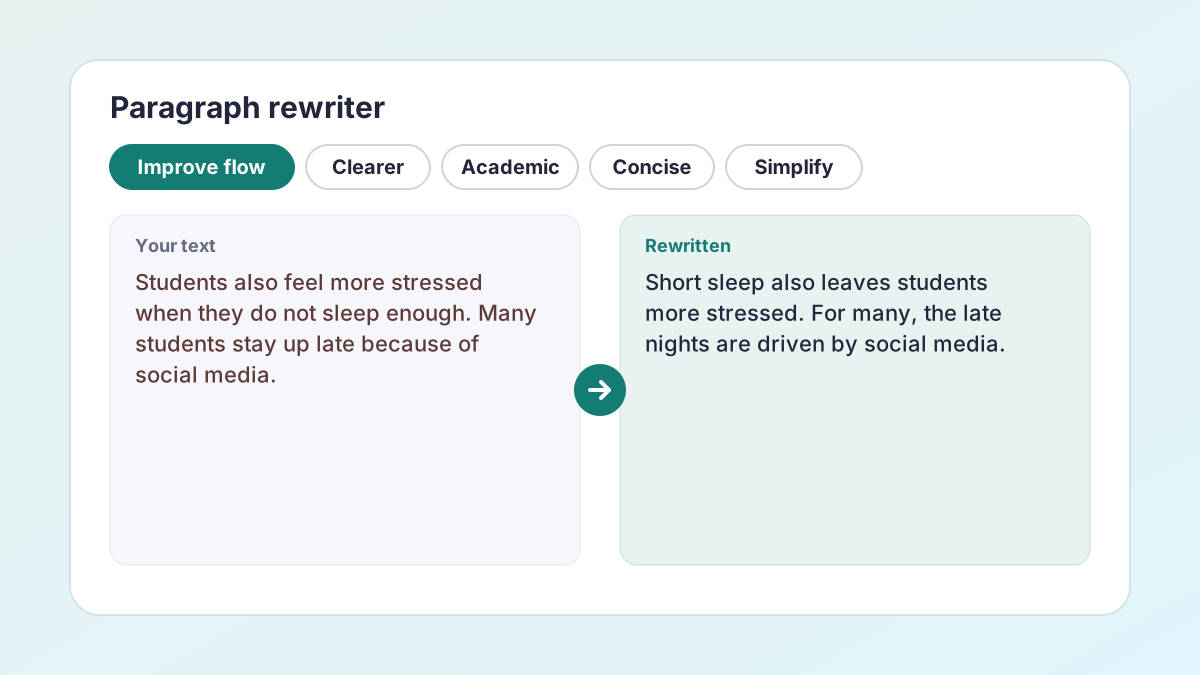
Notice that citations, numbers and hedges such as “could” stay exactly as written while the sentences start to connect.
BeforeStudents also feel more stressed when they do not sleep enough. Many students stay up late because of social media.
AfterShort sleep also leaves students more stressed. For many, the late nights are driven by social media.
The second sentence now links back to the first instead of starting a new list item.
BeforeUniversities could help by teaching students about sleep.
AfterUniversities could address this by including sleep education in student support.
More formal, and still “could”, not “should”.
BeforeStudents who sleep less than seven hours do worse in exams (Hershner & Chervin, 2014).
AfterStudents who sleep under seven hours perform worse in exams (Hershner & Chervin, 2014).
The number and the citation are untouched.
How to use the paragraph rewriter
One paragraph at a time gives the most careful rewrite, and you approve every sentence.
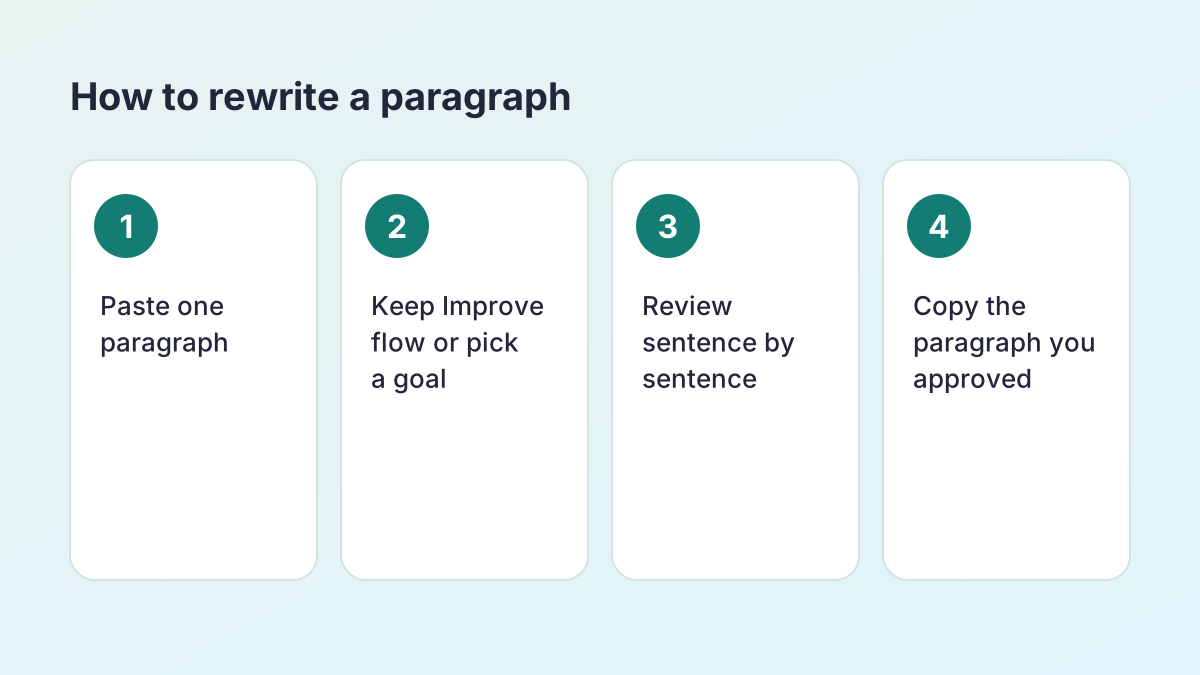
- Paste one paragraph. Paste a single paragraph of your own writing. Up to 1,500 words works, but 80–250 words gives the most useful suggestions.
- Choose a goal. Improve flow is selected. Switch to Clearer, Academic tone, Concise, Simplify or Keep my voice if that is the bigger problem.
- Rewrite and review. Select Rewrite my paragraph. Each sentence appears next to your original with the changes highlighted.
- Keep what helps. Keep your original sentence, accept the new one or ask for alternatives, one sentence at a time.
- Copy the paragraph. Copy or download the paragraph you approved and paste it back into your work.
What a paragraph rewriter does
A paragraph rewriter improves how the sentences in one paragraph work together. Each sentence might be fine on its own, yet the paragraph still reads badly: every sentence starts with the same word, ideas jump without warning, or the point only becomes clear at the end.
The default goal, Improve flow, links each sentence to the one before it while keeping each sentence's meaning. It varies sentence openings, adds or improves transition words and reduces repetition across neighbouring sentences. The other goals fix different problems: Clearer untangles long sentences, Academic tone formalises wording, Concise cuts filler, Simplify uses plainer words and Keep my voice makes light edits only.
Rewritten sentence by sentence, reviewed by you
The paragraph rewriter does not hand you a brand-new paragraph to accept or reject. It rewrites each sentence in the context of the paragraph and shows you every change. That way you can keep the sentences that already work and improve the ones that do not, without losing your own voice.
AI paragraph rewriter vs a GPT rewriter
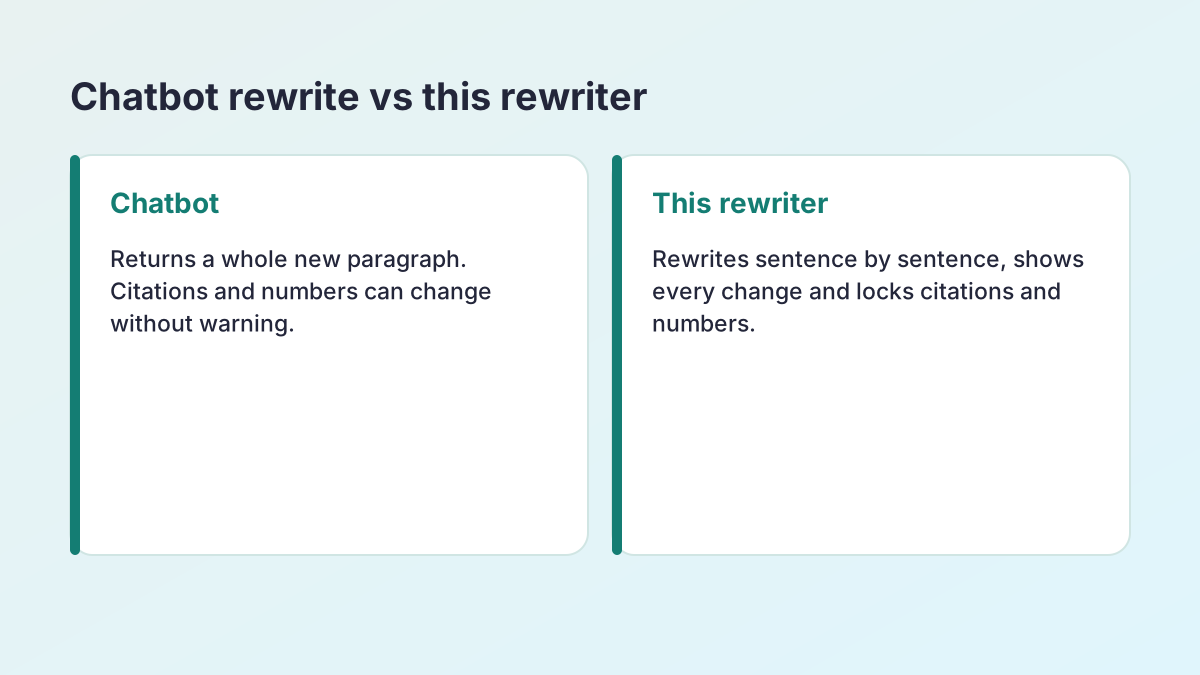
Many students paste a paragraph into a chatbot and type “rewrite this”. A general GPT rewriter can produce a smooth paragraph, but it has three problems for coursework.
- It changes things you did not ask it to change. Chatbots often reorder ideas, add examples and drop qualifications, so the paragraph can end up claiming more than you meant.
- Citations and numbers are not protected. A chatbot may reformat (Hershner & Chervin, 2014) into something else, round a number or invent a source.
- You cannot see what changed. You get a new paragraph, not a comparison, so checking it takes as long as writing it.
This AI paragraph rewriter is built around those problems. Citations, quotations, numbers and links are locked before the AI sees your text and put back exactly as written. Every sentence appears next to your original. Sentences where a negative, a hedge or a number changed are marked for you to check.
If you do use ChatGPT to rewrite something
Be specific: say what to change (“improve the transitions; keep every citation and number exactly; do not add information”), then compare the result with your original line by line before you use it.
What makes a paragraph coherent
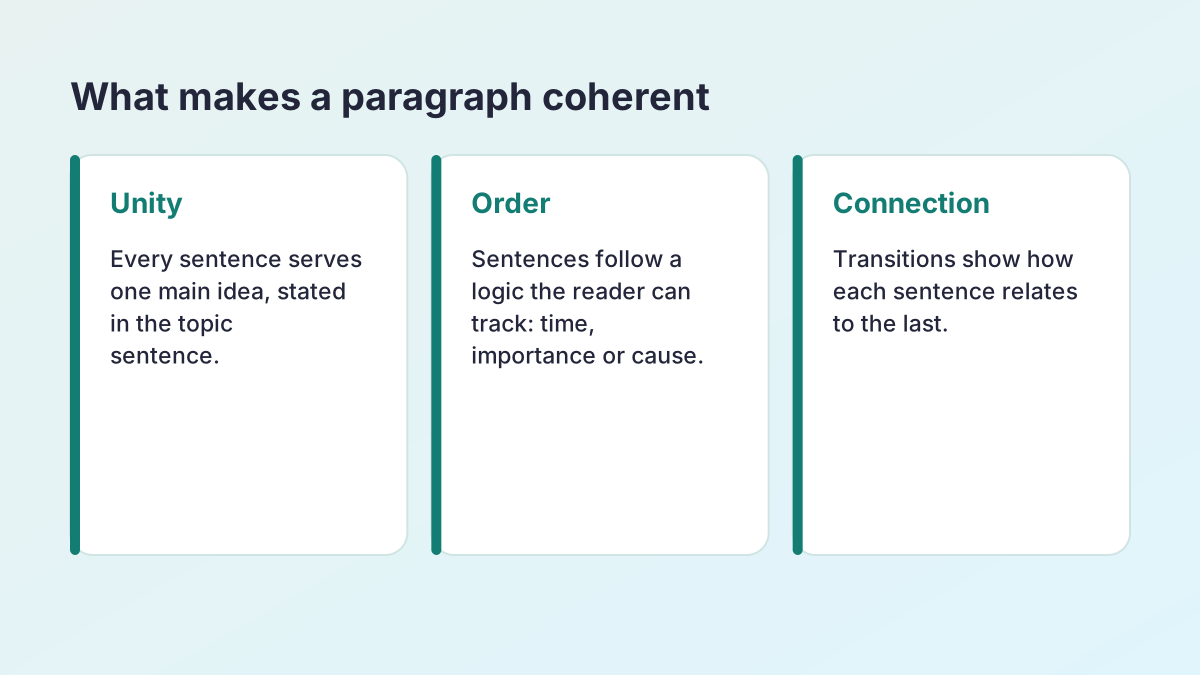
Coherent paragraphs have three properties.
- Unity: every sentence serves one main idea, usually stated in the topic sentence.
- Order: sentences follow a logic the reader can track, such as time, importance or cause and effect.
- Connection: transitions signal how each sentence relates to the last.
Before rewriting, check that you can state the paragraph's main idea in one line. If you cannot, the paragraph needs splitting, not rewording. After rewriting, read it aloud: anywhere you stumble still needs work. Vary sentence length on purpose; a short sentence after two long ones creates emphasis. Watch for the same word opening three sentences in a row, too: “Students… Students… Students…” is the clearest sign a paragraph reads like a list, and it is one of the first things a rewrite for flow will change, usually by turning the repeated subject into a pronoun or a linking phrase.
Transitions that connect ideas
Transitions are words and phrases such as however, as a result, for example and in contrast. They are not decoration: each one tells the reader how two ideas relate. UA Little Rock's Writing Center has a clear guide to transitions, including repeating key words and using pronouns to link sentences. The Transition Words Generator and Topic Sentence Maker pair well with the paragraph rewriter.
How to paraphrase a paragraph in your own words
To paraphrase a paragraph from a source, the order matters: understand it first, write second, check third.
- Read the whole paragraph until you can explain its main point without looking.
- Note the key ideas in a few words each, not full sentences.
- Close the source and write the paragraph from your notes, in your own structure.
- Compare your version with the original: same meaning, same numbers, same level of certainty, different wording and structure.
- Cite the source, even though every word is yours.
The paragraph rewriter helps with the last mile: once your paraphrase is written, run it through with Improve flow or Clearer to smooth the sentences. It cannot do the understanding for you, and paraphrasing a source you have not read is how mistakes, and plagiarism, happen. The AI Paraphrasing Tool page explains citing a paraphrase in APA and MLA.
Fix my paragraph: flow, punctuation and length
“Fix my paragraph” can mean several things. Here is which goal to choose for each.
The paragraph reads like a list
Keep Improve flow. It adds the links between sentences that make a paragraph read as one argument.
The punctuation and grammar are off
Choose Keep my voice. It corrects grammar, punctuation and word choice with light edits, so the paragraph still sounds like you. Comma splices, missing commas after introductory phrases and run-on sentences are the most common fixes.
The paragraph is too long
Choose Concise to cut filler while keeping every qualification. If you need the paragraph reduced to a set number of sentences, the Sentence Shortener can combine it into one, two or three sentences.
The paragraph is too hard to read
Choose Simplify, or use the Text Simplifier to target a reading level such as grade 7.
A paragraph rewriter for essays, reports, stories and emails
The same paragraph rewriter works for most kinds of writing; only the goal changes.
- Essays: Improve flow and Academic tone are the usual pair. Rewrite one body paragraph at a time so each keeps its own main idea.
- Reports and lab write-ups: Clearer and Concise keep results readable while every figure stays locked.
- Stories and narratives: Improve flow and Keep my voice smooth transitions between moments without flattening your style. For a story, avoid Academic tone.
- Emails and applications: Clearer, or the Professional goal in the AI Sentence Rewriter, for a polite and direct message.
Introductions and conclusions
Both are paragraphs, so the paragraph rewriter works on them. For a conclusion that needs to restate your thesis in new words, the Restate Thesis Generator is more specific.
The structure of a strong body paragraph
Most academic body paragraphs follow the same four-part shape, sometimes called PEEL or TEEL.
- Point (topic sentence): one sentence that states the paragraph's claim and links it to your thesis.
- Evidence: a quotation, statistic, example or paraphrased finding that supports the point, with its citation.
- Explanation: two or three sentences on what the evidence shows and why it matters. This is where most of the marks are, and where weak paragraphs fall short.
- Link: a closing sentence that ties the point back to the question or leads into the next paragraph.
If your paragraph is missing a part, no amount of rewording will fix it. Add the missing piece first, then use the rewriter to smooth the sentences. A common pattern is evidence followed straight by the next point, with no explanation in between: the reader is left to work out why the evidence matters. Another is a topic sentence that only announces the subject (“This paragraph is about sleep”) rather than making a claim (“Short sleep harms exam performance”).
A two-minute checklist before you rewrite
Run through these questions before you paste a paragraph. They take two minutes and make the rewrite far more useful.
- Can I say the main idea in one line? If not, split the paragraph or rethink it.
- Does the first sentence make a claim? A topic sentence should tell the reader what the paragraph will argue.
- Is every sentence about that claim? Move or cut any sentence that belongs somewhere else.
- Is the evidence cited? Add citations now, so they are locked during the rewrite.
- Do I explain the evidence? Add a sentence on what it shows if the paragraph jumps from evidence to the next point.
- Does the last sentence connect? Link back to the question or forward to the next paragraph.
After the rewrite, read the result aloud once. Your ear will catch a sentence that sounds unlike you, or a transition that does not fit, faster than your eye will. Change it back or ask for alternatives until the paragraph sounds like the best version of your own writing.
How long should a paragraph be?
In academic writing, most body paragraphs are between about 100 and 200 words: long enough to make and support one point, short enough to read without losing the thread. A paragraph of one or two sentences usually needs developing; a paragraph that fills a page usually holds two ideas and should be split.
Online and in emails, paragraphs are shorter, often two to four sentences, because readers scan. Whatever the length, the test is the same: one main idea, supported and connected.
If a paragraph feels thin, the Sentence Expander can help you develop what it already says without inventing new facts. If it feels bloated, try the paragraph rewriter with Concise first.
Paragraph rewriting and academic integrity
Rewriting your own paragraph is editing, and every good writer does it. Rewriting someone else's paragraph and presenting it as yours is plagiarism, however different the words are. If a paragraph uses ideas from a source, keep the citation, and the paragraph rewriter will keep it locked through every rewrite.
Check your course's rules on AI writing tools before using any rewriter on assessed work, and read every suggestion: you are responsible for what you submit. The Study Corp does not store your text; it is sent to our AI providers (Groq, with Google Gemini as a backup) only to create the suggestions you see.
Keep a copy of your draft
Before you replace a paragraph, keep your original in a separate document or a comment. If a tutor asks how your work developed, or a rewrite changes a nuance you only notice later, you can go back to it. Many students also find it useful to compare drafts over a term: the changes the paragraph rewriter suggests most often, such as missing transitions or stacked nouns, show exactly which habits to work on next.
Paragraph rewriter FAQ
Is the paragraph rewriter free?
Yes. It is free with no account or sign-up. A fair hourly allowance per visitor keeps it fast for everyone.
Can you reword a paragraph for me?
Yes. Paste the paragraph, keep Improve flow or choose another goal, and select Rewrite my paragraph. Each sentence comes back next to your original so you keep the changes you want.
How is this different from a GPT rewriter?
A chatbot returns a whole new paragraph and may change citations, numbers or claims. This AI paragraph rewriter rewrites sentence by sentence, locks citations and numbers, and shows every change.
Will my citations survive the rewrite?
Yes. In-text citations, quotes, numbers and links are locked before rewriting and restored afterwards. If a suggestion would alter one, your original sentence is kept.
Can it fix punctuation in my paragraph?
Yes. Choose Keep my voice for light edits that correct grammar, punctuation and word choice while keeping your phrasing.
How long can the paragraph be?
Up to 1,500 words, although one paragraph of 80–250 words gives the most useful suggestions.
Is my text stored?
The Study Corp does not save your text. It is sent to our AI providers (Groq, with Google Gemini as a backup) only to create the suggestions you see.
More free rewriting tools
- AI Paraphrasing ToolParaphrase any text, and learn to paraphrase and cite well.
- AI Sentence RewriterFix an awkward sentence and choose from several better versions.
- Rewording ToolReword any text in fresh words: emails, reports, applications and more.
- Essay RewriterRewrite a whole essay or paper, paragraph by paragraph, keeping its structure.
- Restate Thesis GeneratorRestate your thesis in new words for the conclusion, keeping the same claim.
- Text SimplifierSimplify text to a reading level: grade 5, grade 7, grade 9 or plain English.
- Sentence ShortenerShorten text or combine it into 1, 2 or 3 sentences, keeping every key fact.
- Sentence FinisherGet five ways to finish a sentence you started.
- Say It BetterFind a better way to say a sentence or phrase, with alternatives.
- Sentence ExpanderExpand a sentence into a fuller, more detailed version without new facts.
- Poem RewriterParaphrase a poem line by line, modernise it, or polish your own poem.
See all 74 free tools for students
Related tools
Last updated by The Study Corp editorial team.