Rewording tool examples
Rewording is not only for essays. Notice that dates, names and numbers stay exactly as written.
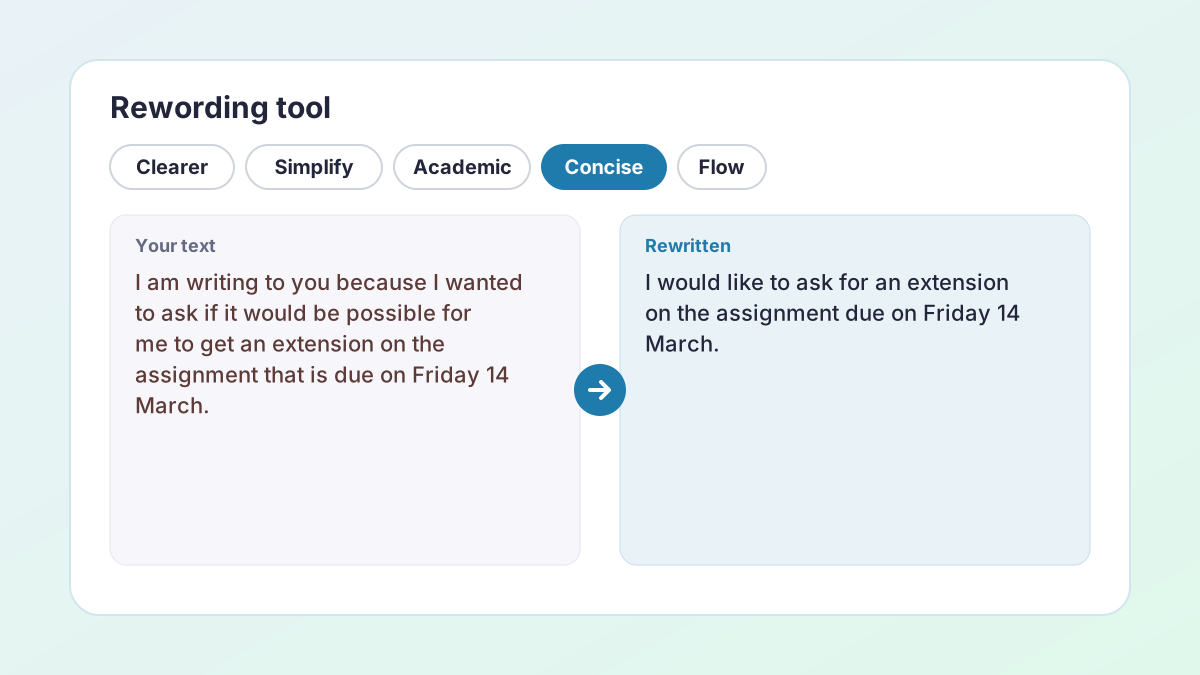
BeforeI am writing to you because I wanted to ask if it would be possible for me to get an extension on the assignment that is due on Friday 14 March.
AfterI would like to ask for an extension on the assignment due on Friday 14 March.
Half the length; the date is protected.
BeforeI have not been able to work on it as much as I wanted to.
AfterI have been unable to make the progress I intended.
More formal, still a plain statement of fact.
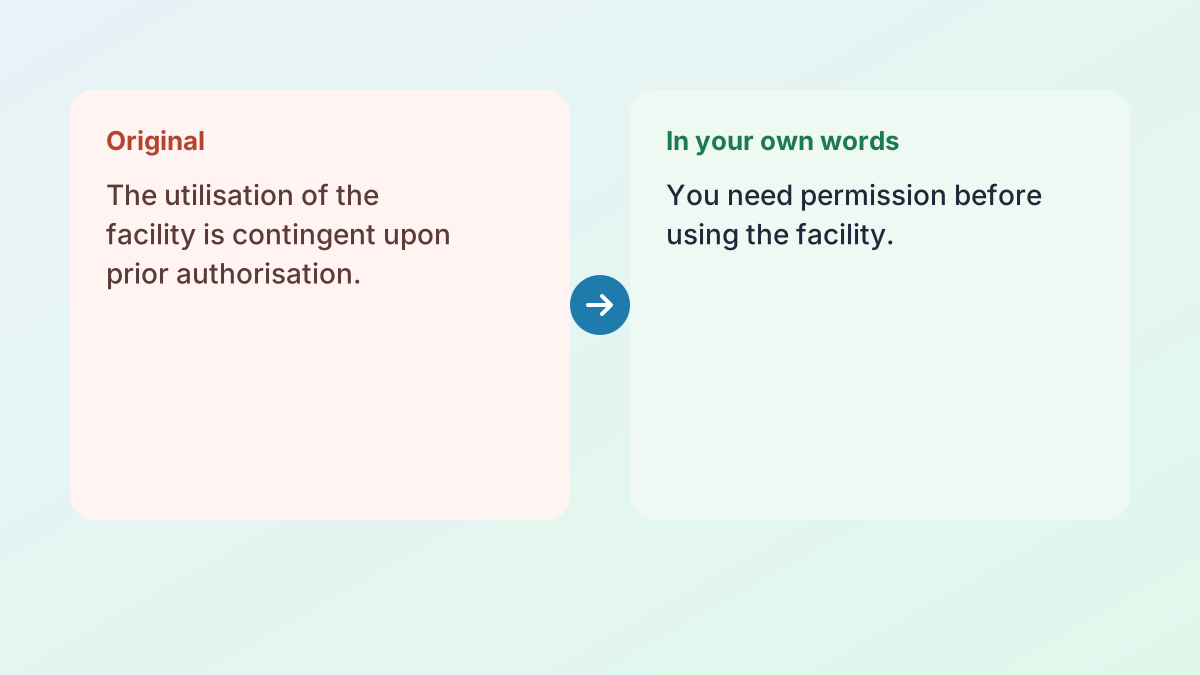
BeforeThe utilisation of the facility is contingent upon prior authorisation.
AfterYou need permission before using the facility.
Plain words, same rule.
How to use the rewording tool
Reword any text in three or four steps; you approve every sentence before you copy it.
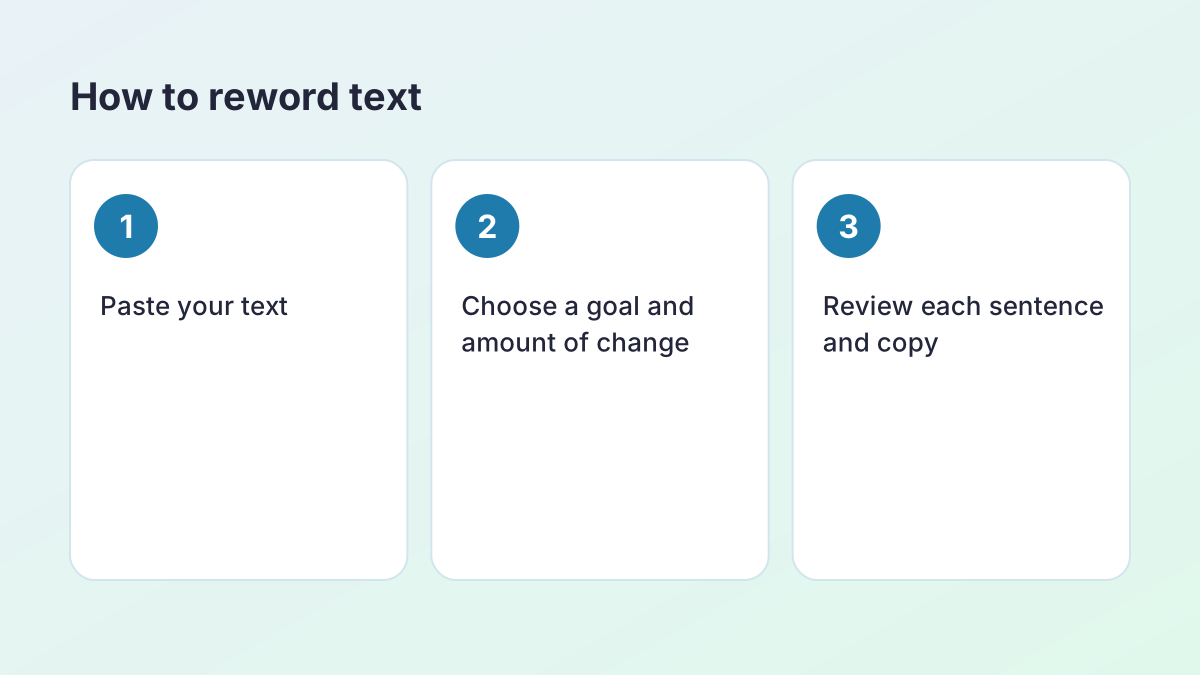
- Paste your text. Paste up to 1,500 words: an email, a paragraph, a report section or a whole short essay.
- Choose a goal. Clearer is selected. Simplify helps with complicated wording, Academic tone makes text more formal and Concise cuts it down.
- Set the amount of change. Under More options, Light keeps most of your wording and Strong rewrites freely. Balanced is in between.
- Review and copy. Keep your original sentence, accept the new one or ask for alternatives, then copy or download the result.
What a rewording tool does (and what it should not do)
A rewording tool rewrites text in different words while keeping its meaning. The simplest ones swap words for synonyms, which is how “I wanted to ask” becomes “I desired to enquire” and a clear sentence turns strange. This rewording tool works differently: it rewrites each sentence for a goal you choose, then shows you every change next to your original.
The goals are Clearer, Simplify, Academic tone, Concise, Improve flow and Keep my voice. Pick the one that matches what the text needs, not a percentage of words to replace. A sentence can be greatly improved by changing three words, or ruined by changing ten.
What it should never do
A rewording tool should never change what your text says. So names of people and organisations, dates, numbers, quotations and links are locked before rewording and put back exactly as written. Sentences where a negative word or a hedge such as “may” changed are marked for you to check. And nothing replaces your text until you choose it.
How to write in your own words
“Write in your own words” is one of the most common instructions in school and university, and one of the least explained. It means restating an idea so the wording and sentence structure are yours, while the meaning stays the same. It does not mean swapping a few words in the original sentence.
A method that works
- Read the passage until you understand it. If you cannot explain it to a friend, you cannot put it in your own words yet.
- Look away and say the idea out loud, as simply as you can.
- Write what you said, then tidy it up.
- Check against the original: same meaning, same numbers, nothing added.
- Cite the source if the idea came from one.
The rewording tool helps once you have written your version: use Clearer or Keep my voice to polish it. It is not a shortcut for step one; rewording a passage you do not understand is how meanings get changed. If you need to explain a difficult passage first, the Text Simplifier can rewrite it at an easier reading level so you can understand it before you write.
Polish my text: tighter, clearer, more professional
“Polish my text” usually means the content is right but the writing feels rough. Polished text reads smoothly, uses precise words and has no grammar slips, without sounding stiff.
Which goal to choose
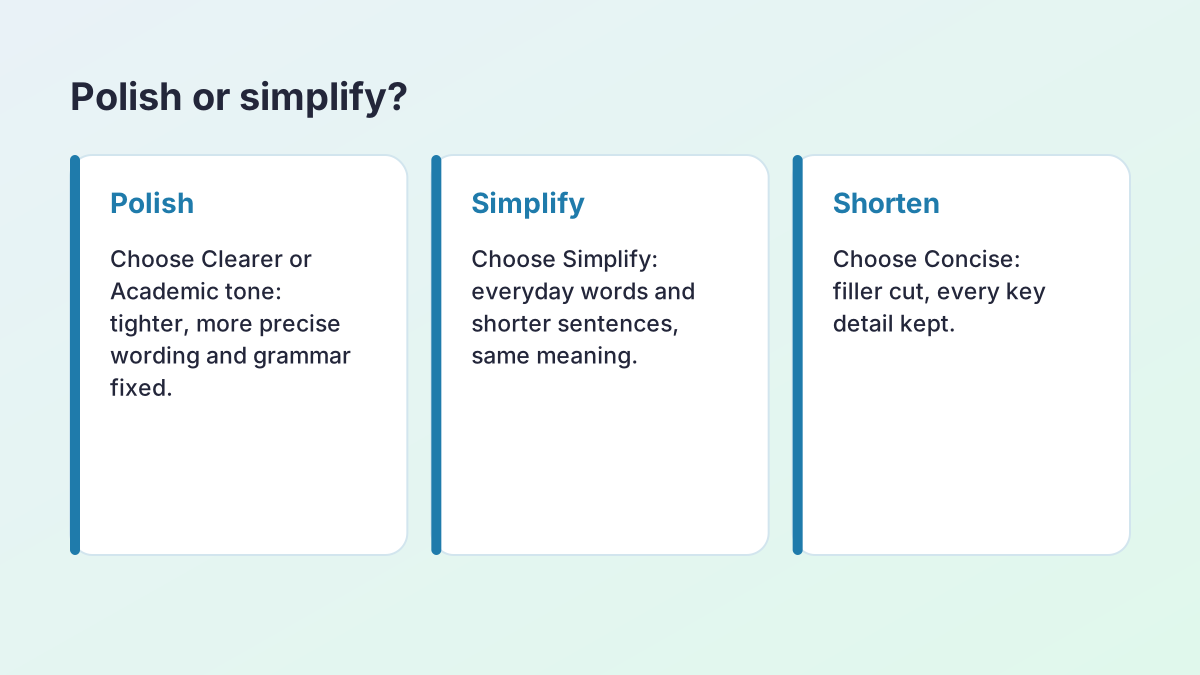
- Clearer for long, tangled sentences and vague wording.
- Academic tone for essays: formal, objective vocabulary and no contractions, without stronger claims.
- Concise for text that is padded: filler and repetition go, every key detail stays.
- Keep my voice for a light final polish of grammar, punctuation and word choice.
For emails and applications, the Professional goal in the AI Sentence Rewriter is the most direct way to make a message polite and confident.
Polish in two passes
A good polish is often two passes: first Clearer or Concise to fix structure, then Keep my voice to correct the details. Read the result aloud before you send it. Your ear will catch a word that does not sound like you.
Reworded meaning: reword vs rephrase vs paraphrase
To reword something is to express it in different words without changing its meaning. The reworded text says the same thing, but it might be clearer, simpler, shorter or more formal. People often use reword, rephrase, paraphrase and rewrite interchangeably, but there are useful differences.
- Reword: change the words, usually of your own text, to say it better.
- Rephrase: change how something is expressed, such as its tone or emphasis.
- Paraphrase: restate someone else's idea in your own words, with a citation.
- Rewrite: a broader change, which may restructure or add to the text.
This rewording tool is built for the first two jobs on your own writing. To paraphrase a source, read the AI Paraphrasing Tool guide, which explains citing a paraphrase in APA and MLA.
Rewording emails, applications, reports and essays
The same rewording tool fits many kinds of writing. Here is how to get the best result from each.
Emails to lecturers and employers
Use Concise, then check the tone. Put the request in the first sentence, give the reason briefly, and say what you will do next. Dates and names are locked, so “Friday 14 March” and “Dr. Patel” stay exactly right.
Applications and personal statements
Use Keep my voice. Admissions readers want your voice, not a generic one, so make light edits only and keep your own examples.
Reports
Use Clearer and Concise. Figures, units and references stay locked, so results are not misreported.
Essays
Use Academic tone or Improve flow, one section at a time. For a whole essay, the Essay Rewriter is set up for longer text.
Plain language guidance from the US government, the Federal Plain Language Guidelines, is a useful reference for any of these: put the main point first, use everyday words, and keep sentences short.
Which rewording tool should you use?
Every rewriting tool on The Study Corp uses the same engine, tuned for one job. Choose by the size and type of the problem.
- One awkward sentence → AI Sentence Rewriter
- A paragraph that does not flow → Paragraph Rewriter
- A whole essay or paper → Essay Rewriter
- Text that is too hard to read → Text Simplifier
- Too long → Sentence Shortener
- Too short → Sentence Expander
- A better way to say one point → Say It Better
- Your thesis, again, for the conclusion → Restate Thesis Generator
- A poem you need to understand → Poem Rewriter
- Anything else → this rewording tool
Looking for a Rewordify alternative?
If you came here looking for a site that simplifies difficult reading so you can understand it, the Text Simplifier is built for that: it rewrites text at a grade 5, 7 or 9 reading level, or in plain English, sentence by sentence.
Better word choice without a thesaurus
A thesaurus gives you synonyms; it cannot tell you which one fits. “Big”, “large”, “significant” and “substantial” are listed together, but “a significant number” and “a big number” mean different things to a reader, and “significant” has a specific meaning in statistics. That is why word-by-word swapping so often goes wrong.
A rewording tool chooses words in context: it knows the sentence, the goal and the tone. You still have the final say. When a suggestion uses a word you would not use, ask for alternatives or keep your original.
Words to watch
- Vague intensifiers: very, really, extremely. Usually a stronger single word is better.
- Empty nouns: aspect, factor, issue, thing. Name the actual thing.
- Hedges: may, might, some. Keep them when they are true; they are not weakness.
The Writing Center at UNC has a clear handout on word choice with more examples.
Common rewording mistakes to avoid
Most bad rewording comes from the same few mistakes. Knowing them helps you judge any suggestion, whether it comes from a tool, a friend or your own first draft.
- Changing the meaning to change the words. “Most students” is not “students”, and “may cause” is not “causes”. Keep quantities and certainty exactly as they were.
- Swapping technical terms. “Photosynthesis” has no synonym. Neither does a named theory or a statistical term. Add such words under More options so they are never replaced.
- Keeping the original structure. Changing words but not sentence shape is the weakest kind of rewording, and with a source it can still count as plagiarism.
- Going too formal. “Utilise” is not better than “use”. Formal writing is precise, not inflated.
- Rewording what was already good. If a sentence works, leave it. Choose Light under More options, or Keep my voice, when only a few sentences need help.
- Not reading the result. A suggestion can be fluent and still wrong. Read every sentence you keep.
Rewording for English learners
If English is your second or third language, rewording your own sentences is a fast way to see how fluent writers phrase things. Paste a paragraph you wrote, choose Keep my voice, and compare the two columns. The changes are usually small and repeat often: articles (a, an, the), prepositions (in, on, at), verb tenses and word order.
Write the corrections down in a notebook and look for patterns. After a few weeks you will make many of them yourself. When a sentence feels translated word for word, try Clearer instead: it restructures the sentence the way a native speaker might write it, while keeping your meaning.
Because each suggestion appears next to your original, you can learn from it rather than copy a finished text you do not understand, which matters when you need to write without help in an exam.
How the rewording tool protects what you meant
Before any rewrite reaches you, the rewording tool checks it against your original sentence.
- Locked details: names, dates, numbers, quotations, links and any terms you list are replaced by placeholders before the AI sees the text, then restored exactly. If a rewrite loses one, you get your original sentence.
- Negatives: if a “not”, “no” or “never” appears or disappears, the sentence is marked to check.
- Certainty: if “may”, “some” or “tends to” disappears, the sentence is marked, because the claim now sounds stronger.
- New numbers: a number that was not in your sentence is marked.
These checks are why you can use the tool on reports and essays where a single wrong word matters.
Use the rewording tool responsibly
Rewording your own writing is editing. Rewording someone else's writing and presenting it as yours is plagiarism, however different the words are, so cite any idea that came from a source. The rewording tool keeps your citations locked through every change.
Check your course's rules before using AI writing tools on assessed work, and read every suggestion: you are responsible for what you submit. The Study Corp does not store your text; it is sent to our AI providers (Groq, with Google Gemini as a backup) only to create the suggestions you see.
Will reworded text be flagged as AI-written?
This tool is built to improve your writing, not to disguise its origin, and no tool can promise how a detector will score text. Keeping your own ideas and voice, for example with Keep my voice, is the most reliable approach.
Rewording tool FAQ
Is the rewording tool free?
Yes. It is free with no account or sign-up. A fair hourly allowance per visitor keeps it fast for everyone.
Can you reword this text for me?
Yes. Paste the text, choose a goal such as Clearer or Simplify, and select Reword my text. You'll see each reworded sentence next to your original and can keep, change or undo any of them.
Can it help me write in my own words?
Yes, once you have a first draft. Write the idea yourself, then use Clearer or Keep my voice to polish it. If the idea came from a source, keep the citation.
Can it simplify text or put it in layman's terms?
Yes. Choose Simplify, or use the Text Simplifier to target a reading level such as grade 7.
What kinds of text can it reword?
Anything you wrote: emails, reports, essays, applications, posts and notes.
How much text can I paste at once?
Up to 1,500 words. Longer documents can be reworded section by section.
Is my text stored?
The Study Corp does not save your text. It is sent to our AI providers (Groq, with Google Gemini as a backup) only to create the suggestions you see.
More free rewriting tools
- AI Paraphrasing ToolParaphrase any text, and learn to paraphrase and cite well.
- AI Sentence RewriterFix an awkward sentence and choose from several better versions.
- Paragraph RewriterMake the sentences in one paragraph connect and flow.
- Essay RewriterRewrite a whole essay or paper, paragraph by paragraph, keeping its structure.
- Restate Thesis GeneratorRestate your thesis in new words for the conclusion, keeping the same claim.
- Text SimplifierSimplify text to a reading level: grade 5, grade 7, grade 9 or plain English.
- Sentence ShortenerShorten text or combine it into 1, 2 or 3 sentences, keeping every key fact.
- Sentence FinisherGet five ways to finish a sentence you started.
- Say It BetterFind a better way to say a sentence or phrase, with alternatives.
- Sentence ExpanderExpand a sentence into a fuller, more detailed version without new facts.
- Poem RewriterParaphrase a poem line by line, modernise it, or polish your own poem.
See all 74 free tools for students
Related tools
Last updated by The Study Corp editorial team.