Harvard Image Referencing Example for Eight Source Types
Each Harvard image referencing example below shows the reference-list entry and the in-text citation. Most entries come from our citation engine in the Harvard (Cite Them Right) style. We added by hand: the [Stock image] description on the stock-image entry, the gallery pattern for the painting, the Instagram entry's format, the Accessed dates for the online painting, and the figure numbers. Italics don't show here; in your paper, image and book titles are italic.
SourceA healthy-eating graphic on a medical practice's site
Harvard reference and in-text citationCranbrook Medical Practice (2021) Healthy meal plate. Available at: [URL] (Accessed: 26 October 2026). — (Cranbrook Medical Practice, 2021)
An organization can be the creator. Use the exact page address.
SourceDorothea Lange's Migrant Mother at the Library of Congress
Harvard reference and in-text citationLange, D. (1936) Migrant Mother [Photograph]. Library of Congress. Available at: https://www.loc.gov/pictures/item/2017762891/ (Accessed: 26 October 2026). — (Lange, 1936)
Many schools ask for [Photograph].
SourceGrant Wood's American Gothic, seen in person
Harvard reference and in-text citationWood, G. (1930) American Gothic [Oil on beaver board]. Art Institute of Chicago, Chicago. — (Wood, 1930)
Artist, year, title, medium, then the collection and city.
SourceThe same painting, found on the museum's collection page
Harvard reference and in-text citationWood, G. (1930) American Gothic [Oil on beaver board]. Art Institute of Chicago, Chicago. Available at: [collection page URL] (Accessed: 26 October 2026). — (Wood, 1930)
Add the web address and Accessed date when you used the online version.
SourceFigure 3 on page 34 of John Berger's Ways of Seeing
Harvard reference and in-text citationBerger, J. (1972) Ways of Seeing. London: Penguin. — (Berger, 1972, p. 34, Fig. 3)
Page and figure numbers are illustrative. The list entry is the whole book.
SourceA picture from a stock library with no title or creator
Harvard reference and in-text citationRed and white beach umbrellas [Stock image] (no date). Available at: [URL] (Accessed: 26 October 2026). — (Red and white beach umbrellas, no date)
Write a short description as the title.
SourceA photo posted by natgeo on 5 March 2024
Harvard reference and in-text citationnatgeo (2024) ‘Sunrise over Table Mountain’ [Instagram]. 5 March. Available at: [post URL] (Accessed: 26 October 2026). — (natgeo, 2024)
The post, title and date are illustrative. Use the real caption and posting date.
SourceA photo library picture with no publication date
Harvard reference and in-text citationNASA (no date) Earthrise. Available at: [URL] (Accessed: 26 October 2026). — (NASA, no date)
Write (no date) in place of the year. Some schools prefer n.d.; follow yours.
How to Do Harvard Referencing of Images, Step by Step
These steps cover Harvard referencing images of any kind.
- Find the creator. Use the photographer, artist or organization. If none is shown, begin the entry with the image title.
- Find the year. Use the year the image was made or posted. Write (no date) if none appears.
- Write the title. Type the title in italics. For an untitled image, write a short description yourself.
- Add the medium. Put a description such as [Photograph] or [Oil on canvas] in square brackets after the title.
- Add the source. Name the gallery or website, then Available at: with the URL and (Accessed: date).
- Cite and caption it. Cite the creator and year in your text. If you show the image, add a numbered caption.
Which Harvard Style Do You Need for Images?
Harvard referencing images has no single official manual. Harvard is a family of author-date styles, and each school sets its own version. Our generator follows Cite Them Right (12th edition) by Richard Pears and Graham Shields, the guide that most UK university library pages point to. Details such as "no date" versus "n.d." change from school to school.
Check your assignment brief first
If your course gives its own guidance, follow it. Dundee's art and design library page says to follow your assignment's instructions even where they differ from its guide.
The pattern for Harvard referencing images in one line
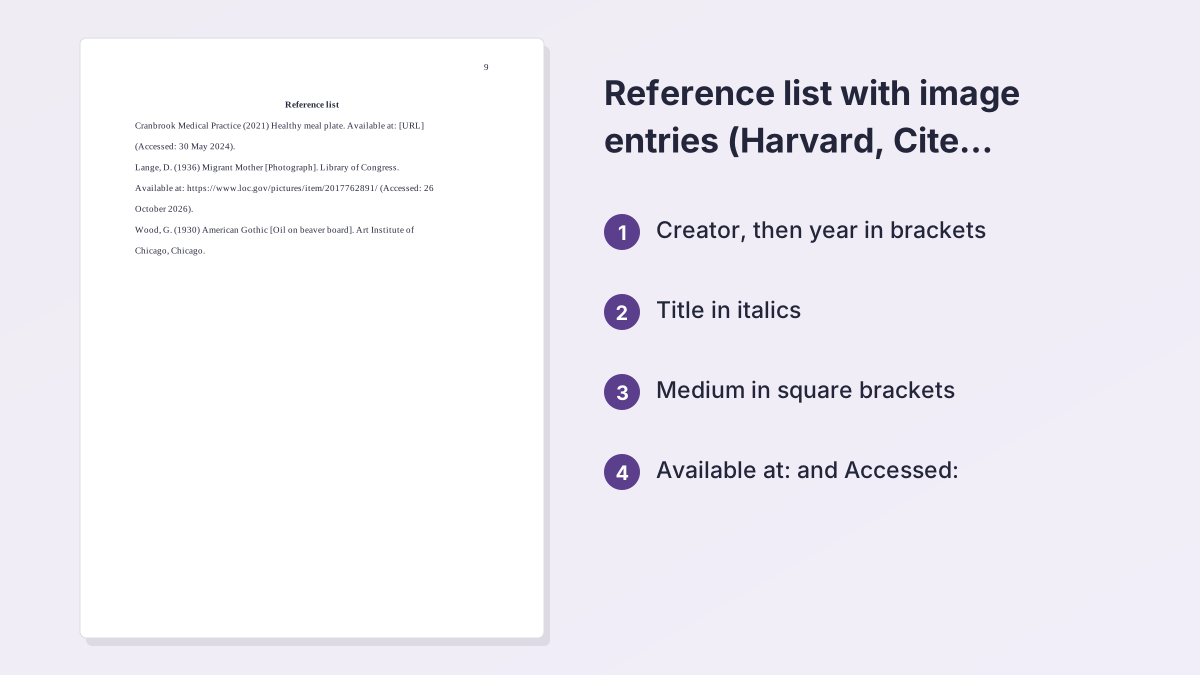
Creator (Year) Title of image [Medium]. Available at: URL (Accessed: date).
Paste a web page into the free Harvard referencing generator to build the base of the entry, then add the bracketed medium by hand.
Harvard Referencing an Image From a Website
This is how Harvard referencing an image from a website works, based on the image guidance published by Newcastle University and the University of Wolverhampton.
What goes in the entry
- Creator: the photographer, a username, or the organization that posted it.
- Year: the year the image was published or created.
- Title: in italics. If the image has no title, describe it briefly.
- Available at: the exact address of the page.
- Accessed: the day you viewed it, written as (Accessed: 26 October 2026).
Cite the original page
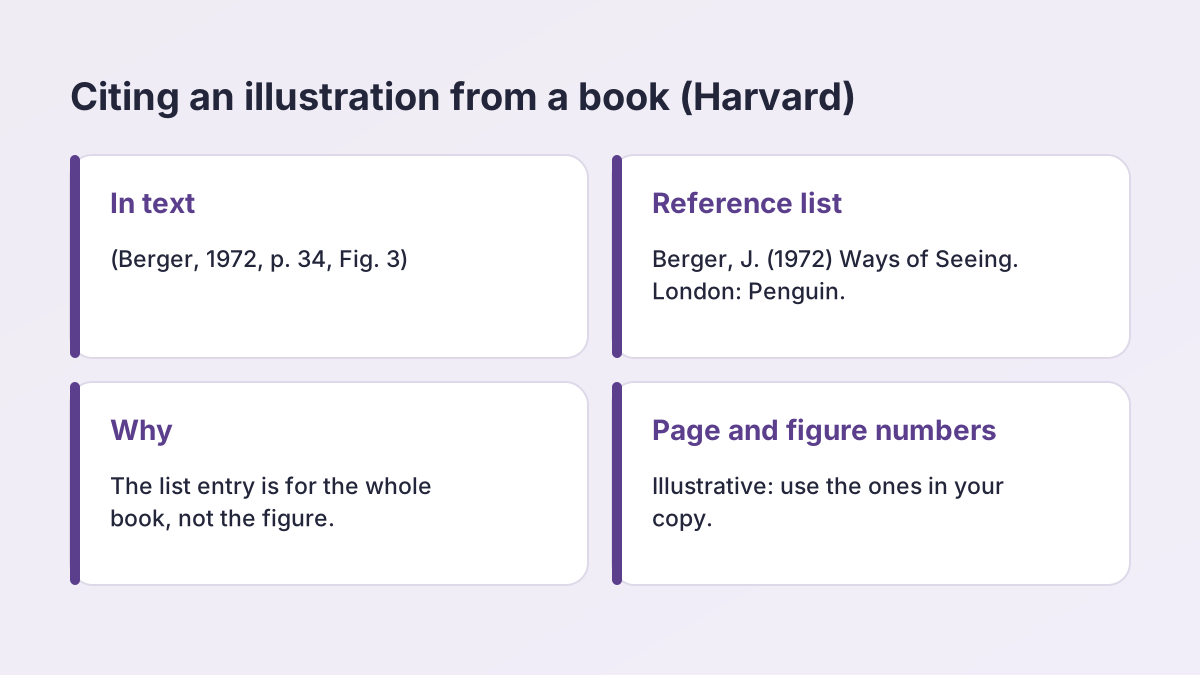
When Harvard referencing an image from a website, reference the original page that hosts it, not the search results page. Click the image in Google or Bing to reach its source, and use that web address. Wolverhampton's library gives the same advice.
Harvard image referencing example for a web graphic
Cranbrook Medical Practice (2021) Healthy meal plate. Available at: [URL] (Accessed: 26 October 2026).
That entry is based on the University of Suffolk library's example, where the same graphic is cited in the text as (Cranbrook Medical Practice, 2021). We set the title in sentence case; keep the capitals shown on the page you cite.
Harvard Referencing Photos
A photograph needs a creator, a year, a title and, in many schools, the word [Photograph] in square brackets. Harvard referencing photos works a little differently depending on where you found the picture.
A photo in an archive or collection
Lange, D. (1936) Migrant Mother [Photograph]. Library of Congress. Available at: https://www.loc.gov/pictures/item/2017762891/ (Accessed: 26 October 2026).
The in-text citation is (Lange, 1936). That is the model for Harvard referencing photos from any archive.
Your own photographs
For Harvard referencing photos you took yourself, Newcastle's library says you needn't strictly cite them, though it recommends doing so. It requires a citation for photographs that are sources of information, such as archive material, a poster or an artwork you discuss. Its pattern is photographer, year in round brackets, title in italics, [Photograph], then place and publisher if there is one.
Photographers who use a username
For Harvard referencing photos on Flickr or Instagram, Wolverhampton says to give the photographer or username first, then the year in round brackets, then the title in italics.
Harvard Referencing Illustrations and Book Figures
Harvard referencing illustrations from a book or journal article is different from web images. You reference the book or article, not the picture.
Illustration from a book
For Harvard referencing illustrations, add the figure number after the page number in the in-text citation, as Newcastle's guide describes: Author, Year, page, figure. An illustrative citation is (Berger, 1972, p. 34, Fig. 3). The reference list holds the whole book:
Berger, J. (1972) Ways of Seeing. London: Penguin.
When someone else made the picture
When someone other than the author drew the picture, practice varies. Anglia Ruskin's library, for example, cites the image's creator and the book that reproduces it, as in (Degas, 1883 reproduced in Terrasse, 1972, p.41), and lists only the book. Ask your tutor whether your school uses this form.
Illustrations from the web
For Harvard referencing illustrations found online, use the website pattern above, with the creator as author. Add [Illustration] after the title if your school asks for a medium.
Referencing Artwork in a Gallery
For Harvard referencing images of a painting or sculpture you saw in a gallery, UCL's library pattern is artist, year, title in italics, the medium in square brackets, then the institution and its city. UCL's example is Dali, S. (1958) Madonna. [Oil on canvas]. Tate Gallery, London.
Example
Wood, G. (1930) American Gothic [Oil on beaver board]. Art Institute of Chicago, Chicago.
The in-text citation is (Wood, 1930).
Artwork seen online
If you viewed it online, add the web address and access date to the same entry. UCL says to introduce the access date with "Accessed". Our entry then ends with: Available at: [collection page URL] (Accessed: 26 October 2026). If the date is unknown, write (no date).
Stock Images and Creative Commons Pictures
Harvard referencing images from stock libraries is still required. De Montfort University's library says images from Microsoft software have to be cited and referenced like other images.
Images with little information
Those images often lack a creator, date or title. DMU advises a short description as the title, any other information you have, a medium such as [Microsoft stock image] in square brackets, and an access date. Our version is:
Red and white beach umbrellas [Stock image] (no date). Available at: [URL] (Accessed: 26 October 2026).
Creative Commons licenses
Newcastle's photograph page says that if your work will be made public, you may add a Creative Commons license, usually CC-BY. Check the license before you reuse a picture.
Referencing Images on Social Media
For Harvard referencing photos from social media, Newcastle's image guide covers an Instagram image; UCL has a separate, simpler Instagram page. Newcastle's shape: creator or account, year, a title for the post, [Instagram], the day and month, Available at:, and Accessed.
Instagram pattern
natgeo (2024) ‘Sunrise over Table Mountain’ [Instagram]. 5 March. Available at: [post URL] (Accessed: 26 October 2026).
The post, title and date here are illustrative. Use the real caption, post date and web address. The in-text citation is (natgeo, 2024).
No creator name
UCL's Instagram sample entry shows no title or [Instagram], only the account, year and date. For a picture with no creator, Wolverhampton starts with the image title, then the year.
Images With No Creator or No Date
Missing details are a common snag in Harvard referencing images.
No creator
Start the entry with the image title, as Wolverhampton advises, and use the title in the in-text citation, as Newcastle does. Illustrative: Students studying in the library (no date). Available at: [URL] (Accessed: 26 October 2026), cited as (Students studying in the library, no date).
No date
Write (no date) in the year position. The Newcastle guide uses it. Anglia Ruskin's guide uses n.d. instead. The only rule is to be consistent with your school.
No creator, title or date
Try to find a file name in the image's properties. Anglia Ruskin's library suggests this. If you still have nothing, describe the subject yourself as the title, and ask whether the image is reliable enough to use.
In-Text Citations for Images
Harvard referencing images always needs an in-text citation as well as a reference entry. The in-text form is the creator's surname and the year, or the title if the creator is unknown, as Newcastle's guide explains. Here is how each case looks in a Harvard image referencing example:
| Situation | In-text citation |
|---|---|
| Named creator | (Lange, 1936) |
| Organization as creator | (Cranbrook Medical Practice, 2021) |
| No creator | (Students studying in the library, no date) |
| Figure in a book | (Berger, 1972, p. 34, Fig. 3) |
| Narrative form | Lange (1936) photographed… |
| Decorative image | (Cranbrook Medical Practice, 2021) beside the image |
Decorative or informative?
Suffolk's library separates decorative images, which add visual appeal and could be removed without losing meaning, from non-decorative ones. A decorative image needs a citation with the creator and year. An informative image needs a figure number and title too. Either way, every image needs a full reference entry.
Figure Captions and Labels in Your Paper
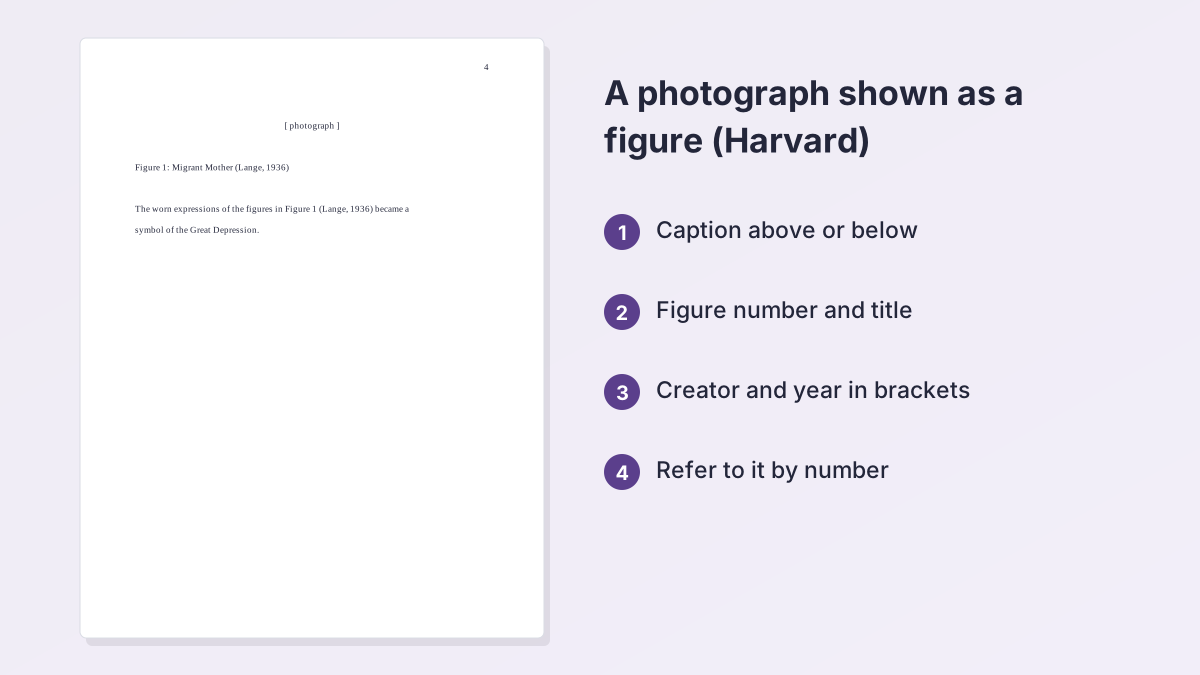
When you embed an image, give it a caption. Newcastle says a caption can go above or below the image and includes a figure number, a title or short description, and the source details.
A caption example
Figure 1: Healthy meal plate (Cranbrook Medical Practice, 2021)
Suffolk gives that form for a non-decorative image. Westminster's library shows another layout: figure number, creator, title in italics and date.
Rules to follow
- Number figures in order and keep the numbering consecutive.
- Refer to each figure by number in your text, for example "Figure 1 shows…".
- Put the full reference in your reference list, in the same format as an online image.
- For a long paper, add a list of figures after the contents page, as Newcastle recommends.
Caption styles vary, so ask which layout your department prefers.
Common Mistakes in Harvard Image References
These slips in Harvard referencing images cost the most marks.
| Mistake | Fix |
|---|---|
| Citing Google Images | Click through and cite the original page that hosts the image. |
| No Accessed date | Add (Accessed: day month year) after the URL for any online image. |
| Title not in italics | Italicize the image or work title in the entry. |
| No medium for artwork | Add [Oil on canvas], [Photograph] or similar in square brackets. |
| Figure with no caption | Number it and cite it: Figure 1: Title (Creator, Year). |
| Image in the paper but not the list | Every image needs a reference entry as well as a caption. |
| Mixing n.d. and no date | Pick the form your school uses and keep it. |
One last check
Entries sit in alphabetical order by the first word, with no number and a plain list. Page layout varies by school, so follow your department's handout. If another course wants APA, our guide to how to cite an image in APA shows the differences.
Put Your Image References Together
You now have every piece of Harvard referencing images: the entry pattern, the website case, photos, illustrations, gallery artwork, stock and social media pictures, and captions. For Harvard referencing images in a class paper, aim for one entry per image, an in-text citation wherever you mention it, and a caption wherever you show it.
When you build the list, the Harvard referencing generator formats your books, articles and web pages, and you can add the bracketed medium for images by hand. Start the paper with the Harvard title page generator, and browse more topics on the student writing guides page. For one university's own examples, see the UCL Harvard painting and drawing page.
Harvard Image Referencing FAQ
How do you reference an image in Harvard style?
For Harvard referencing images, give the creator, year in round brackets, title in italics, a medium such as [Photograph] if required, Available at: the URL and (Accessed: date). Cite it in text as (Creator, Year).
How do you reference an image from a website in Harvard?
For Harvard referencing an image from a website, cite the original page that hosts the image, not a search results page. Use the creator or organization, the year, the title in italics, the URL and the Accessed date.
How do you reference a photograph in Harvard?
For Harvard referencing photos, use photographer, year, title in italics, [Photograph], and the collection or website. Add the URL and Accessed date for an online photo.
How do you reference illustrations in Harvard?
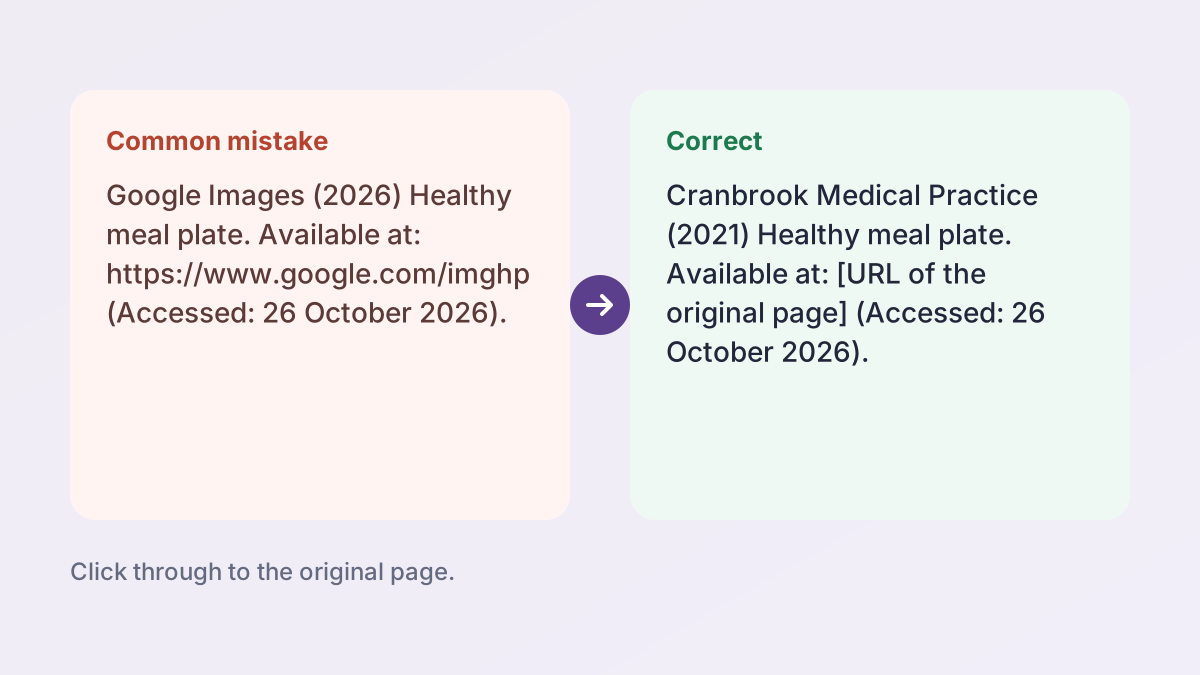
For Harvard referencing illustrations in a book, reference the book and add the page and figure number in the in-text citation, such as (Berger, 1972, p. 34, Fig. 3).
How do you reference an image with no author in Harvard?
Start the entry with the image title in place of the creator, then the year. In the text, use the title and year.
How do you reference an image with no date in Harvard?
Write (no date) in place of the year. Some schools use n.d., so check your own guide.
Do you need to reference your own photographs in Harvard?
Often it isn't required, though some libraries recommend it, and you should cite photographs that act as sources of information. Check with your tutor.
How do I label a figure in a Harvard paper?
Number the image, such as Figure 1, add a title and the creator and year in brackets, and put the full reference in your reference list.
More free guides
- Harvard Referencing LegislationActs, statutes, bills, case law and regulations in Harvard style.
- Harvard Referencing QuotesShort and long quotations, page numbers and whether Harvard uses footnotes.
- Harvard vs APAThe differences between Harvard and APA, side by side, with examples.
- MLA In-Text CitationsAuthor-page citations for every kind of source, with examples.
- How to Cite a Website in MLAWorks Cited entries and in-text citations for web pages.
- MLA Works Cited PageFormat, order and hanging indents, with a full example page.
See all 80 free tools for students
Related tools
Last updated by The Study Corp editorial team.