MLA Annotated Bibliography Examples of Common Mistakes, Fixed
Each pair shows a habit instructors mark down in an MLA annotated bibliography, and a corrected version. The sources are real; the student annotations were written for this guide.
Common mistakeThis is a good source with a lot of useful information about laptops.
CorrectThe three experiments are carefully controlled, but they used small groups of college students watching recorded talks, not live classes.
Say why a source is strong or weak, with specifics a reader can check.
Common mistakePasting the article's published abstract as the annotation.
CorrectA summary in your own words, followed by your evaluation and how you'll use the source.
An abstract only describes. Your annotation also judges, and copied text counts as plagiarism.
Common mistakeCarr, Nicholas. The Shallows: What the Internet Is Doing to Our Brains. New York: W. W. Norton, 2010. Print.
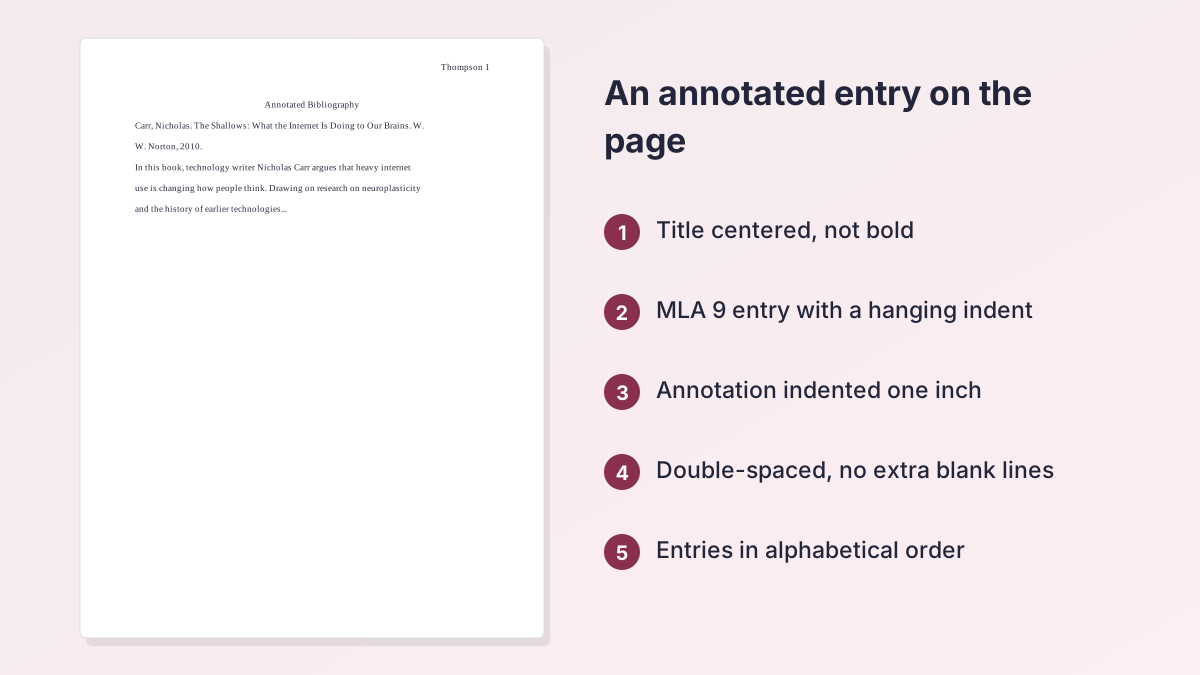
CorrectCarr, Nicholas. The Shallows: What the Internet Is Doing to Our Brains. W. W. Norton, 2010.
MLA 9 drops the city of publication and the medium.
Common mistakeThe annotation starts at the left margin on the line after the citation.
CorrectThe annotation starts on the next line, indented one inch from the left margin.
The deeper indent separates the annotation from the citation's half-inch hanging indent.
Common mistakeThis article is about laptops in college classrooms.
CorrectSana, Weston and Cepeda found that students who multitasked on laptops, and students who could see them, scored lower on a comprehension test.
Name the source's finding or claim, not just its topic.
Common mistakeEnding with the summary and evaluation.
CorrectI will use this study in my section on classroom policy, paired with Mueller and Oppenheimer.
If the assignment asks for analysis, finish with how the source serves your argument.
Common mistakeEntries listed in the order you found them.
CorrectEntries in alphabetical order by the first word: Carr, Mueller, Sana.
An annotated list follows the same order as a Works Cited page.
How to Write an Annotated Bibliography in MLA, Step by Step
Here is how to write an annotated bibliography in MLA one source at a time: cite it, read it, then annotate it while it's fresh.
- Choose your sources. Collect the number your assignment asks for, favoring scholarly books and peer-reviewed articles over unsigned web pages.
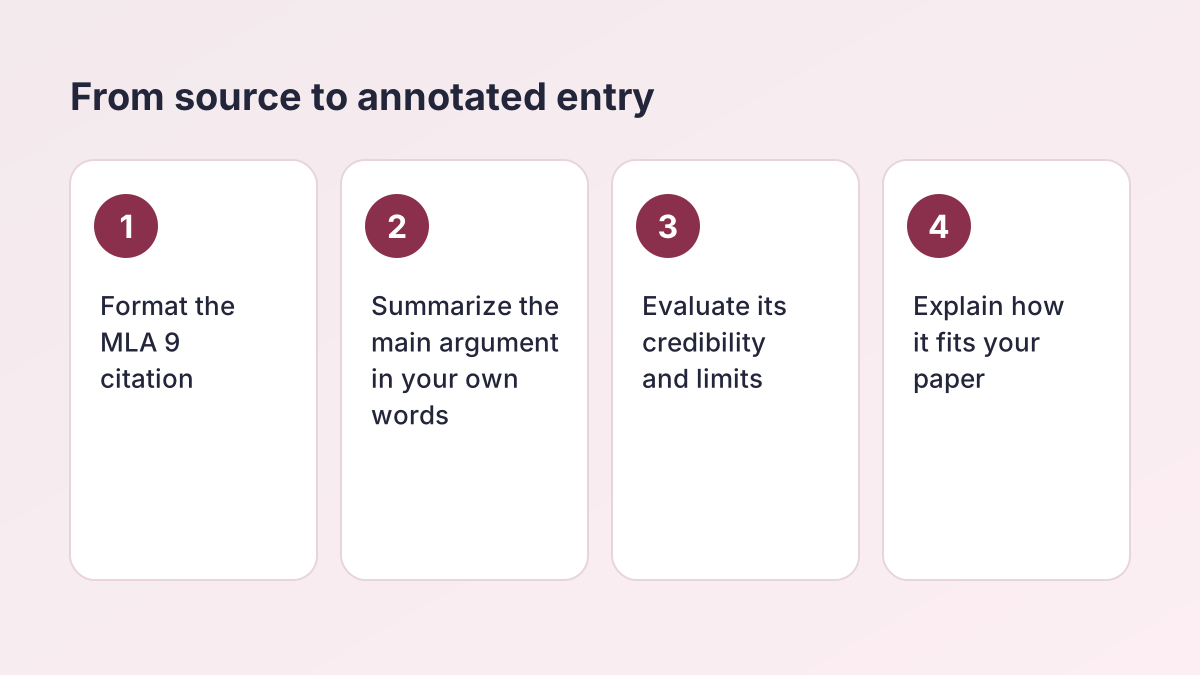
- Format the citation. Write each source's MLA 9 entry first: author, title, container, number, publisher, date and location, in that order.
- Read and take notes. Note the main claim, the evidence or method, the author's credentials and any limits, in your own words.
- Summarize the source. Open the annotation with one or two sentences on what the source argues or finds.
- Evaluate it. Judge its credibility, currency, bias and scope. Compare it with your other sources if that helps.
- Explain its use. Finish with how you'll use the source in your paper, if the assignment asks for analysis.
- Format and alphabetize. Center the title, double-space everything, alphabetize the entries, and indent annotations one inch.
What Is an MLA Annotated Bibliography?
An MLA annotated bibliography is a list of the sources you've found for a project, cited in MLA 9 and each followed by a short paragraph about that source. Instructors assign it before a research paper, for example in ENGL 1301 or AP Seminar, to check that you have found credible sources and actually read them.
Think of it as a Works Cited page with notes. The citations use exactly the same format, and the annotation underneath shows what each source says, how good it is, and why it matters to your topic.
How it differs from an abstract
An abstract is written by the author and only describes the work. An annotation is written by you, in your own words, and usually adds judgment: Cornell's library guide to annotated bibliographies describes annotations as both descriptive and critical, and estimates a typical length of about 150 words.
Start with correct citations
Paste a source into the citation maker above to get its MLA 9 entry, then write the annotation beneath it. The MLA Citation Maker also saves your sources to a list that sorts itself, which keeps the order right as your bibliography grows.
Descriptive, Evaluative and Analytical Annotations
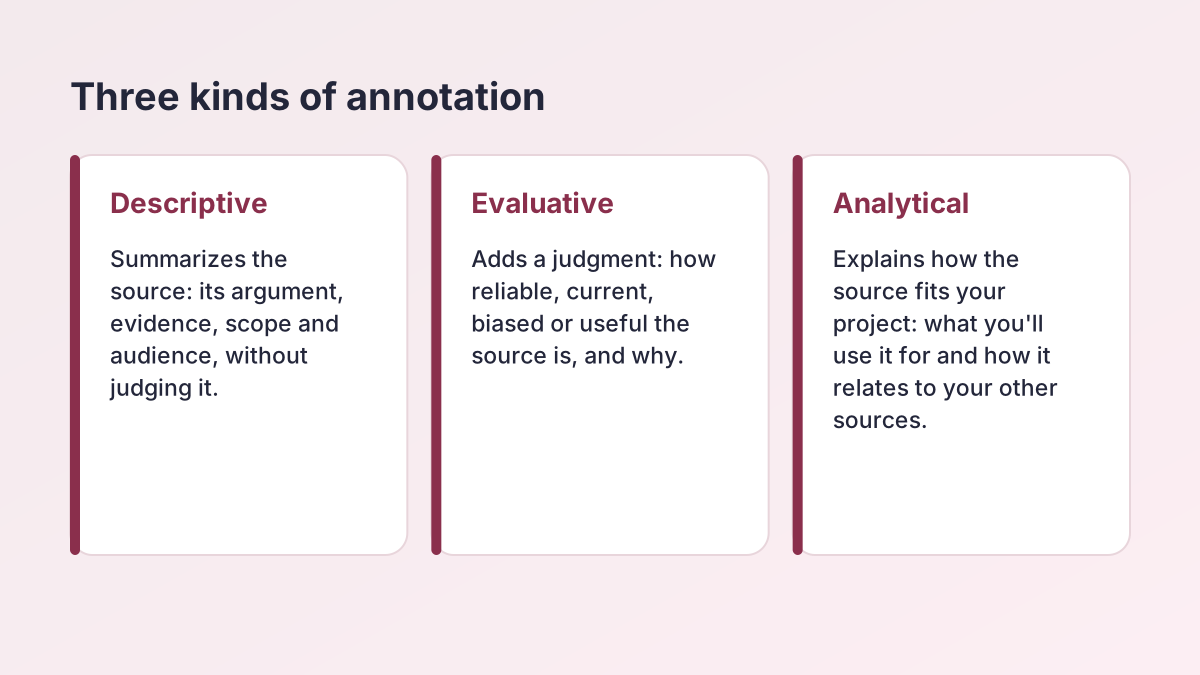
Annotations in an MLA annotated bibliography do one, two or all three of these jobs. Purdue OWL's guide to annotated bibliographies names them summarize, assess and reflect. Check your assignment sheet, since instructors often spell out which they want.
| Type | What it answers | Sample sentence starter |
|---|---|---|
| Descriptive (summary) | What does the source argue or find, and how? | In this study, the authors compare… |
| Evaluative (critical) | How reliable, current and useful is it? What are its limits? | The evidence is strong because…, but… |
| Analytical (reflective) | How does it fit my research question and my other sources? | This source supports my claim that… |
Which type should you write?
If the prompt says "summarize," write a descriptive annotation. If it says "annotate and evaluate" or "critical annotations," add the evaluation. When it asks you to explain how each source fits your project, add the reflection too. The three examples below show one of each, so you can see the difference.
MLA Annotated Bibliography Format
The MLA annotated bibliography format follows the rules of an ordinary MLA paper, with one addition: the annotation's deeper indent. The MLA Handbook, 9th edition, sets the citation format and the one-inch indent for annotations; your instructor sets the length and content.
| Element | Rule | Notes |
|---|---|---|
| Heading | Your name, instructor, course and date, top left, if it's a stand-alone assignment | Same as the first page of an MLA paper |
| Title | Annotated Bibliography, centered, plain text | Some instructors prefer Annotated List of Works Cited |
| Header | Last name and page number, top right | Half an inch from the top |
| Spacing | Double-spaced throughout | No extra lines between entries |
| Citation | MLA 9 entry with a 0.5-inch hanging indent | Flush left on the first line |
| Annotation | Starts on the next line, indented 1 inch from the left margin | The whole block moves in, not just the first line |
| Order | Alphabetical by the first word of each entry | Ignore A, An and The in titles |
How long should an annotation be?
Annotations are commonly 100 to 200 words, or about one paragraph, but your instructor sets the length, and some ask for as few as three sentences. Paste each draft into the Word Counter to check it against the limit. MLA allows annotations written in phrases or full sentences; most college instructors expect full sentences.
Indenting the annotation in Word and Google Docs
In Microsoft Word, select the annotation, open the Paragraph settings from the Home tab, set Left indentation to 1" and Special to (none), then select OK. In Google Docs, go to Format, then Align & indent, then Indentation options, set Left to 1 inch and Special indent to None, then select Apply.
MLA 9 annotated bibliography rules vs. MLA 8
The 8th edition of the MLA Handbook (2016) gave no formatting rules for annotated bibliographies, so older guides and teachers' handouts vary. The 9th edition (2021) added guidance, including the one-inch indent for annotations, so follow the MLA annotated bibliography format above unless your instructor's handout says otherwise.
Quoting inside an annotation
Keep quotations short. Because the source is cited right above, a page number in parentheses after the quotation, such as (112), is usually enough; check whether your instructor wants the author's name too.
MLA Annotated Bibliography Template
Copy this MLA annotated bibliography template once for each source. Replace the bracketed parts, keep the order, and delete anything your assignment doesn't ask for.
The citation line
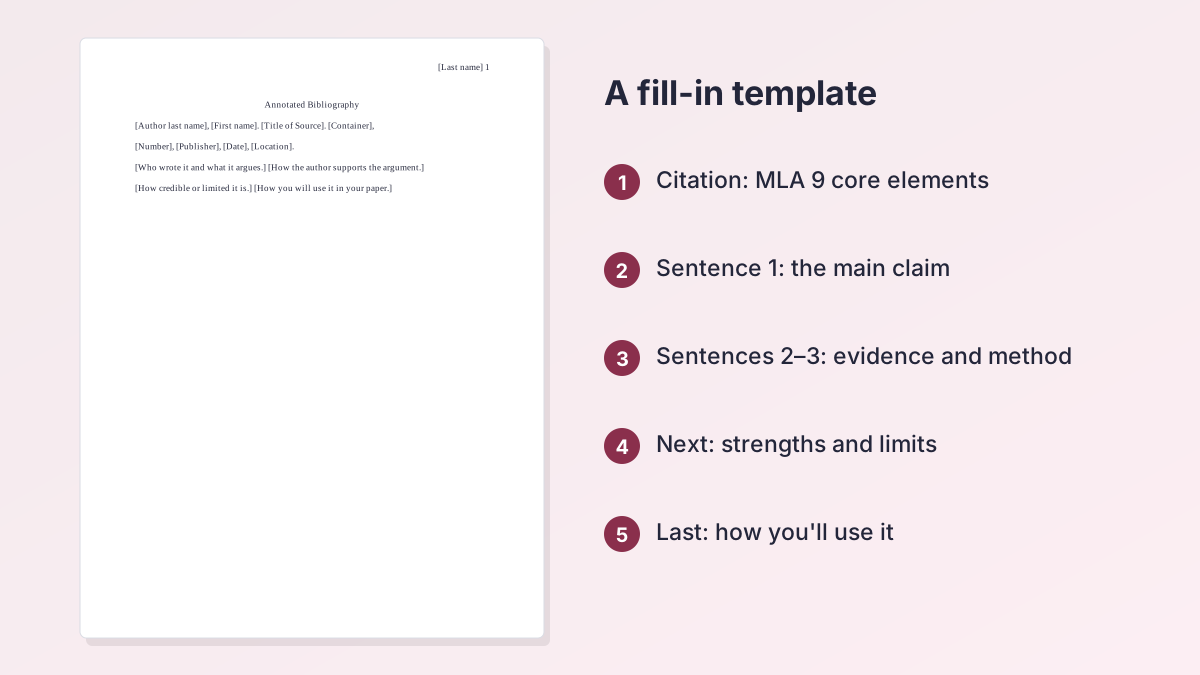
[Author last name], [First name]. [Title of Source]. [Title of Container], [Other contributors], [Version], [Number], [Publisher], [Publication date], [Location].
Skip any element the source doesn't have. A book usually needs only author, title, publisher and year; a journal article needs the journal, volume, issue, year, pages and DOI.
The annotation
- Summary (1–2 sentences): [Author's name and credentials, if relevant] [argues / finds / explains] [main claim].
- Evidence (1–2 sentences): [How the author supports the claim: a study, interviews, historical records, data.]
- Evaluation (1–2 sentences): [Strengths, such as peer review or a large sample.] [Limits, such as age, bias or a narrow sample.]
- Use (1 sentence): [How this source will help your paper.]
Questions to answer while you read
- Who is the author, and why should a reader trust them?
- What is the main argument or finding?
- What evidence supports it, and how strong is it?
- Who is the intended audience?
- How does it compare with your other sources?
MLA Annotated Bibliography Example: Three Complete Entries
This MLA annotated bibliography example, three entries long, comes from a student's research for an ENGL 1301 paper on whether colleges should limit laptops in lecture halls. The citations were formatted in MLA 9 by our citation engine. The first annotation is descriptive, the second evaluative and the third analytical.
Annotated Bibliography
Carr, Nicholas. The Shallows: What the Internet Is Doing to Our Brains. W. W. Norton, 2010.
In this book, technology writer Nicholas Carr argues that heavy internet use is changing how people think. Drawing on research on neuroplasticity and on the history of earlier technologies such as the printing press, he claims that the web's links, alerts and constant switching train readers to skim and weaken their capacity for sustained, deep reading. Carr expands the argument of his 2008 Atlantic essay "Is Google Making Us Stupid?" and mixes personal experience with studies of attention and memory. The book was a finalist for the 2011 Pulitzer Prize in General Nonfiction.
Mueller, Pam A., and Daniel M. Oppenheimer. “The Pen Is Mightier Than the Keyboard: Advantages of Longhand over Laptop Note Taking.” Psychological Science, vol. 25, no. 6, 2014, pp. 1159–68, https://doi.org/10.1177/0956797614524581.
Mueller and Oppenheimer report three experiments comparing college students who took lecture notes on laptops with students who wrote by hand. Laptop users copied more of each lecture word for word and did worse on conceptual questions, even when told not to transcribe. The studies are carefully controlled and widely cited, but they used small student samples watching recorded talks rather than live classes. A 2019 replication by Morehead, Dunlosky and Rawson found weaker, less consistent differences, so the article supports caution about laptops more than a ban.
Sana, Faria, et al. “Laptop Multitasking Hinders Classroom Learning for Both Users and Nearby Peers.” Computers & Education, vol. 62, Mar. 2013, pp. 24–31, https://doi.org/10.1016/j.compedu.2012.10.003.
Sana, Weston and Cepeda ran two experiments with university students during a simulated lecture. Students asked to complete online tasks on their laptops while listening scored lower on a comprehension test than those who only took notes, and students who could see a peer multitasking scored lower too. This study gives my paper its strongest evidence that laptops affect classmates, not only the user, which answers the objection that note-taking is a personal choice. I will pair it with Mueller and Oppenheimer in my section on classroom policy.
What each annotation does
Carr's annotation describes the book's argument, method and standing without judging it. The Mueller and Oppenheimer annotation summarizes the findings in two sentences, then spends the rest on strengths, limits and a later replication. The Sana annotation summarizes briefly and then explains exactly where the study fits in the paper, which is the move most instructors want in a college-level MLA annotated bibliography.
Using this MLA annotated bibliography example as a model
Copy the structure, not the wording. Your annotations should reflect your own reading, and instructors notice when three annotations follow one template sentence by sentence. Vary how you open each one, and let the evaluation fit the source.
Why these sources work together
The three sources disagree in useful ways. Carr makes a broad cultural argument, Mueller and Oppenheimer test one specific claim about note-taking, and Sana's team adds the effect on nearby students. A good set of annotations shows your instructor you can see those differences before you start drafting.
Annotated Works Cited vs. a Regular Works Cited Page
Some instructors ask for an "annotated works cited" instead of an MLA annotated bibliography. The layout is the same, and the difference is the title and the scope. A works-cited list includes only the sources a finished paper cites; an annotated bibliography can include every source you considered, often before the paper exists.
When the list goes with a finished paper
If you attach annotations to the list at the end of a paper, title it Annotated Works Cited or follow your instructor's wording, and include only the sources you cite. The paper's in-text citations work as usual; our guide to MLA in-text citation covers them.
When it's a stand-alone assignment
Give a stand-alone MLA annotated bibliography a full MLA heading, title it Annotated Bibliography, and include every source the assignment asks for. Number of sources, length and type of annotation are all set by the assignment sheet, so check it before you start.
Final Checklist Before You Submit
Run through this list once your MLA annotated bibliography is drafted.
- Every citation follows MLA 9: no city of publication, no "Print," DOIs as links.
- Entries are alphabetical by the first word, with a 0.5-inch hanging indent.
- Each annotation starts on the next line and is indented one inch.
- Everything is double-spaced, with no blank lines between entries.
- Each annotation is in your own words and within the length your instructor set.
- Quotations are short and have page numbers.
- The title is centered and plain, not bold.
Fixing a citation fast
If one entry looks off, rebuild it with the free MLA citation maker and paste it back above its annotation. For the rules behind the list itself, see our guide to the MLA works cited page, and browse all our citation and formatting guides for more.
MLA Annotated Bibliography FAQ
How do you format an annotated bibliography in MLA?
To format an MLA annotated bibliography, center the title Annotated Bibliography, list sources alphabetically in MLA 9 format with a 0.5-inch hanging indent, and put each annotation on the next line, indented one inch. Double-space everything.
How long should an MLA annotation be?
In an MLA annotated bibliography, annotations are commonly 100 to 200 words, or one paragraph. Your instructor sets the length, so follow the assignment sheet.
What is an annotated works cited in MLA?
A Works Cited list where each entry is followed by an annotation. It uses the same layout as an MLA annotated bibliography but includes only sources the paper cites.
Is an MLA annotated bibliography double-spaced?
Yes. In MLA annotated bibliography format, the title, citations and annotations are all double-spaced, with no extra blank lines between entries.
How do you make an annotated bibliography in MLA?
Cite each source in MLA 9 format, then write a paragraph that summarizes it, evaluates it and, if asked, explains how you'll use it. Alphabetize the entries and indent annotations one inch.
What does Purdue OWL say about annotated bibliographies?
Purdue OWL describes three things an annotation can do: summarize the source, assess its reliability and usefulness, and reflect on how it fits your research.
Should MLA annotations be full sentences?
MLA allows phrases or full sentences. Most high school and college instructors expect full sentences, so use them unless told otherwise.
Do I need in-text citations in an annotated bibliography?
Not for the source you're annotating, since its citation is right above. If you quote it, add the page number in parentheses, such as (112).
More free guides
- MLA In-Text CitationsAuthor-page citations for every kind of source, with examples.
- How to Cite a Website in MLAWorks Cited entries and in-text citations for web pages.
- MLA Works Cited PageFormat, order and hanging indents, with a full example page.
- MLA Block QuotesWhen a quotation needs a block, how to indent it and where the citation goes.
- How to Cite Multiple Authors in MLATwo authors, three or more, et al., editors and the same author twice.
- How to Cite a YouTube Video in MLAYouTube videos, movies, TV episodes and streaming, with time stamps.
See all 80 free tools for students
Related tools
Last updated by The Study Corp editorial team.