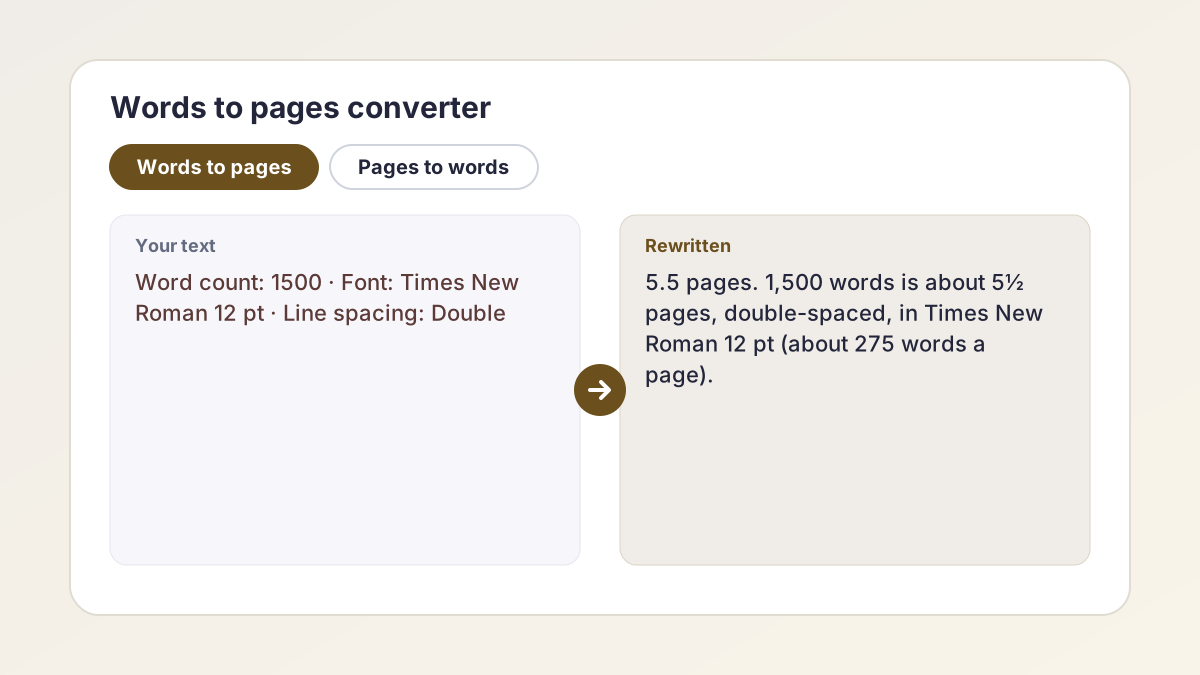
Words to pages examples
Six conversions students run all the time, with the converter's exact result. Assignments and names are invented examples.
AssignmentA 1,000-word argumentative essay for Mr. Thompson's 11th-grade English class.
Converter result3.6 pages: about 3½ pages, double-spaced (about 275 words a page).
Expect a little over 3½ pages once you add the MLA heading and title.
AssignmentA 5-page paper for Intro to Sociology at a community college, written in Arial 12 pt.
Converter result1,250 words (about 250 words a page).
Arial is wider than Times New Roman, so each page holds fewer words.
AssignmentA 650-word Common App essay pasted into a single-spaced Word document.
Converter result1.2 pages: about 1 page, single-spaced (about 550 words a page).
Double-spaced, the same essay is 2.4 pages. The application itself only counts words.
AssignmentA 3-page reflection for a nursing course, set in Calibri 11 pt at 1.5 spacing.
Converter result1,200 words (about 400 words a page).
1.5 spacing fits about a third more words than double spacing.
AssignmentA 2,500-word research paper for a state university history seminar in Calibri 11 pt.
Converter result8.3 pages: about 8½ pages, double-spaced (about 300 words a page).
In Times New Roman 12 pt the same paper is about 9 pages.
AssignmentA 10-page AP Research paper draft, double-spaced in Times New Roman 12 pt.
Converter result2,750 words (about 275 words a page).
Ten pages of text usually means ten pages before the title page and references.
How to use the words to pages converter
The result and the table under it update the moment you change anything.
- Choose a direction. Select Words to pages if you have a word count, or Pages to words if your assignment gives a page count.
- Enter your number. Type your word count, or the number of pages. Half pages work too, such as 2.5.
- Pick the font. Choose Times New Roman 12 pt, Arial 12 pt or Calibri 11 pt to match your document.
- Pick the line spacing. Choose Double, 1.5 or Single. Most US school papers are double-spaced.
- Read the result and table. The big number is your answer. The table below shows common word or page counts in your font, double-spaced and single-spaced.
How many words is a page?
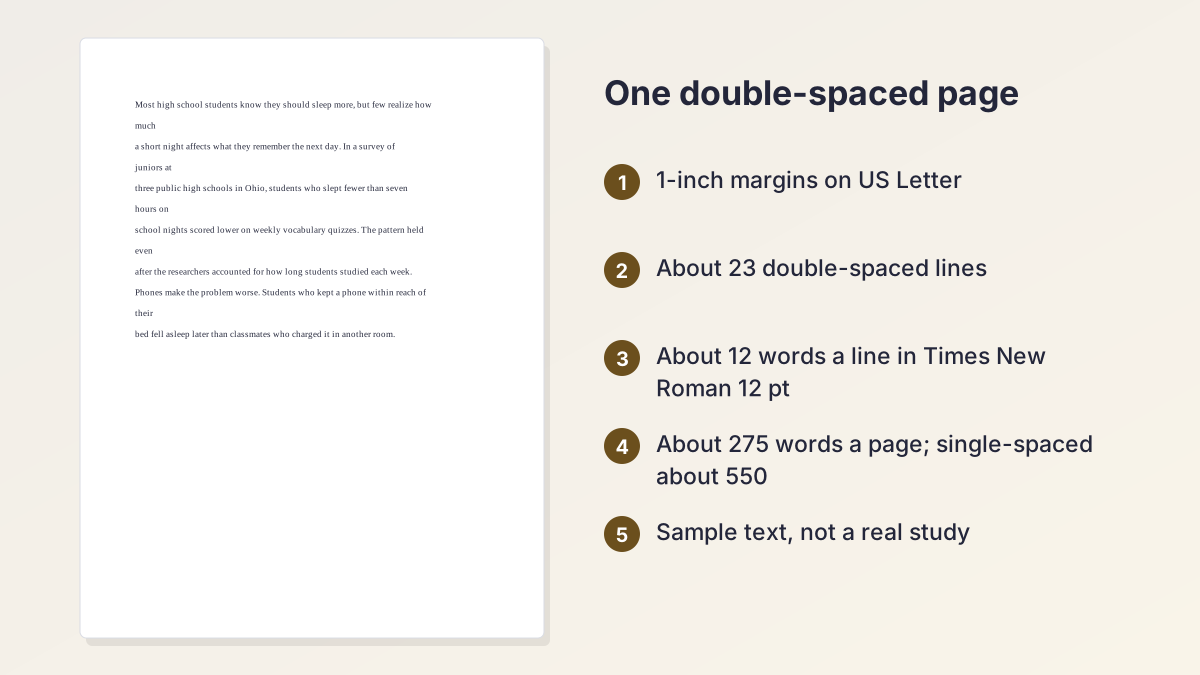
About 275 words fit on one double-spaced page in 12 pt Times New Roman with 1-inch margins on US Letter paper, and about 550 words single-spaced. That is the standard setup for MLA and most US high school and college papers, so it is the number most students need.
Change the font and the number moves. These are the rules of thumb the words to pages converter uses:
| Font | Double-spaced | 1.5-spaced | Single-spaced |
|---|---|---|---|
| Times New Roman 12 pt | 275 words | 367 words | 550 words |
| Arial 12 pt | 250 words | 333 words | 500 words |
| Calibri 11 pt | 300 words | 400 words | 600 words |
Why these are estimates
They assume full paragraphs of ordinary prose with no headings, block quotes, tables or images. A page of an essay with lots of short paragraphs or dialogue holds fewer words; a dense page with long paragraphs holds a few more. Treat them as good planning numbers, not exact measurements.
A quick mental shortcut
For double-spaced Times New Roman, multiply pages by 275 to get words (4 pages is about 1,100 words) and divide words by 275 to get pages (1,650 words is about 6 pages). For single spacing, use 550. Rounding 275 down to 250 makes the math quicker, but it makes your words look like slightly more pages than they are, so don't use it to check a page minimum.
Average word count per page in books
Printed books use smaller pages and different typesetting, so a paperback page holds a different number of words from a school paper. This converter is built for typed school papers on Letter-size paper, not book pages.
Pages double spaced word count: 1 to 20 pages
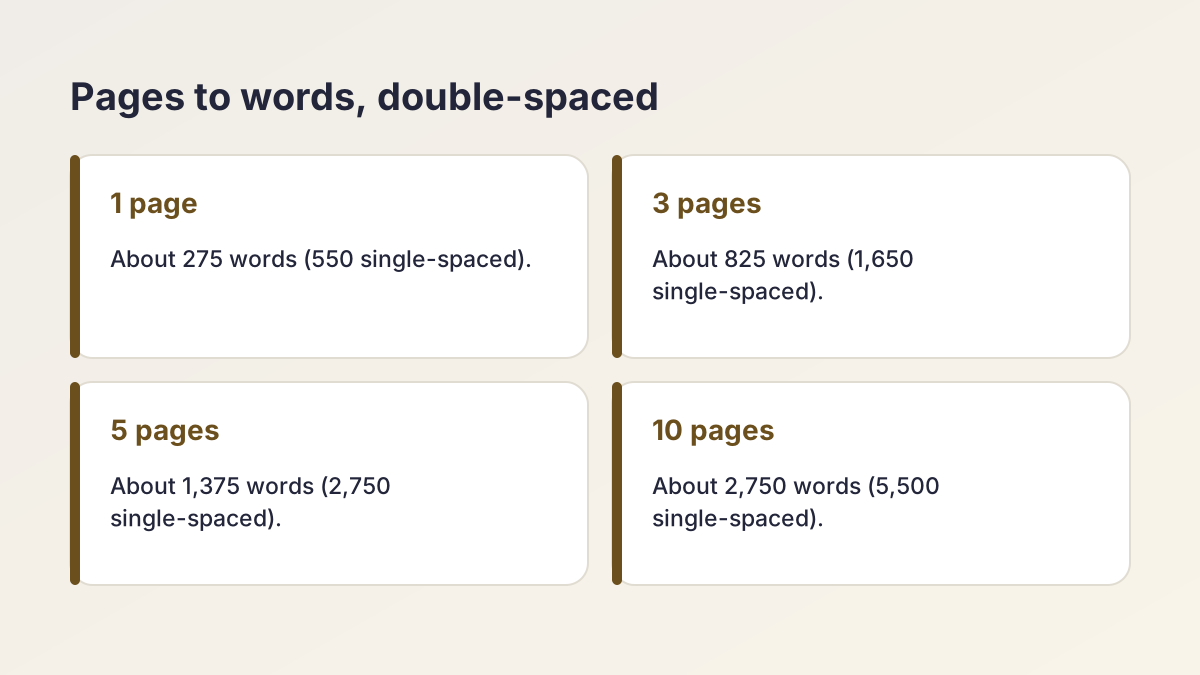
Use this chart to answer "how many words is 3 pages double spaced" or "word count for 15 pages double spaced" at a glance. Every number is the same rule of thumb the converter uses, with 1-inch margins.
| Pages | Times New Roman 12, double | Arial 12, double | Calibri 11, double | Times New Roman 12, single |
|---|---|---|---|---|
| 1 page | 275 | 250 | 300 | 550 |
| 2 pages | 550 | 500 | 600 | 1,100 |
| 3 pages | 825 | 750 | 900 | 1,650 |
| 4 pages | 1,100 | 1,000 | 1,200 | 2,200 |
| 5 pages | 1,375 | 1,250 | 1,500 | 2,750 |
| 6 pages | 1,650 | 1,500 | 1,800 | 3,300 |
| 7 pages | 1,925 | 1,750 | 2,100 | 3,850 |
| 8 pages | 2,200 | 2,000 | 2,400 | 4,400 |
| 9 pages | 2,475 | 2,250 | 2,700 | 4,950 |
| 10 pages | 2,750 | 2,500 | 3,000 | 5,500 |
| 11 pages | 3,025 | 2,750 | 3,300 | 6,050 |
| 12 pages | 3,300 | 3,000 | 3,600 | 6,600 |
| 13 pages | 3,575 | 3,250 | 3,900 | 7,150 |
| 14 pages | 3,850 | 3,500 | 4,200 | 7,700 |
| 15 pages | 4,125 | 3,750 | 4,500 | 8,250 |
| 16 pages | 4,400 | 4,000 | 4,800 | 8,800 |
| 17 pages | 4,675 | 4,250 | 5,100 | 9,350 |
| 18 pages | 4,950 | 4,500 | 5,400 | 9,900 |
| 19 pages | 5,225 | 4,750 | 5,700 | 10,450 |
| 20 pages | 5,500 | 5,000 | 6,000 | 11,000 |
Ranges such as 2–3 pages
For a range, use both ends: 2–3 pages double-spaced is about 550 to 825 words in Times New Roman. Aim for the middle or upper part unless your teacher says otherwise.
One page single spaced word count
A single-spaced page in Times New Roman 12 pt holds about 550 words, twice a double-spaced page. Single spacing is common for cover letters, some scholarship essays and lab handouts, but rare for essays in US schools.
Words to pages for common word counts
Going the other way, here is how many pages common word counts fill in 12 pt Times New Roman. The converter shows a similar table for whichever font you pick.
| Word count | Double-spaced | Single-spaced |
|---|---|---|
| 250 words | 0.9 pages | 0.5 pages |
| 500 words | 1.8 pages | 0.9 pages |
| 650 words | 2.4 pages | 1.2 pages |
| 750 words | 2.7 pages | 1.4 pages |
| 1,000 words | 3.6 pages | 1.8 pages |
| 1,500 words | 5.5 pages | 2.7 pages |
| 2,000 words | 7.3 pages | 3.6 pages |
| 2,500 words | 9.1 pages | 4.5 pages |
| 3,000 words | 10.9 pages | 5.5 pages |
| 4,000 words | 14.5 pages | 7.3 pages |
| 5,000 words | 18.2 pages | 9.1 pages |
Already have a draft? Paste it into the Word Counter to get the exact count first; it also shows double-spaced pages and can leave citations out.
How to see the word count in Pages on Mac, iPad and iPhone
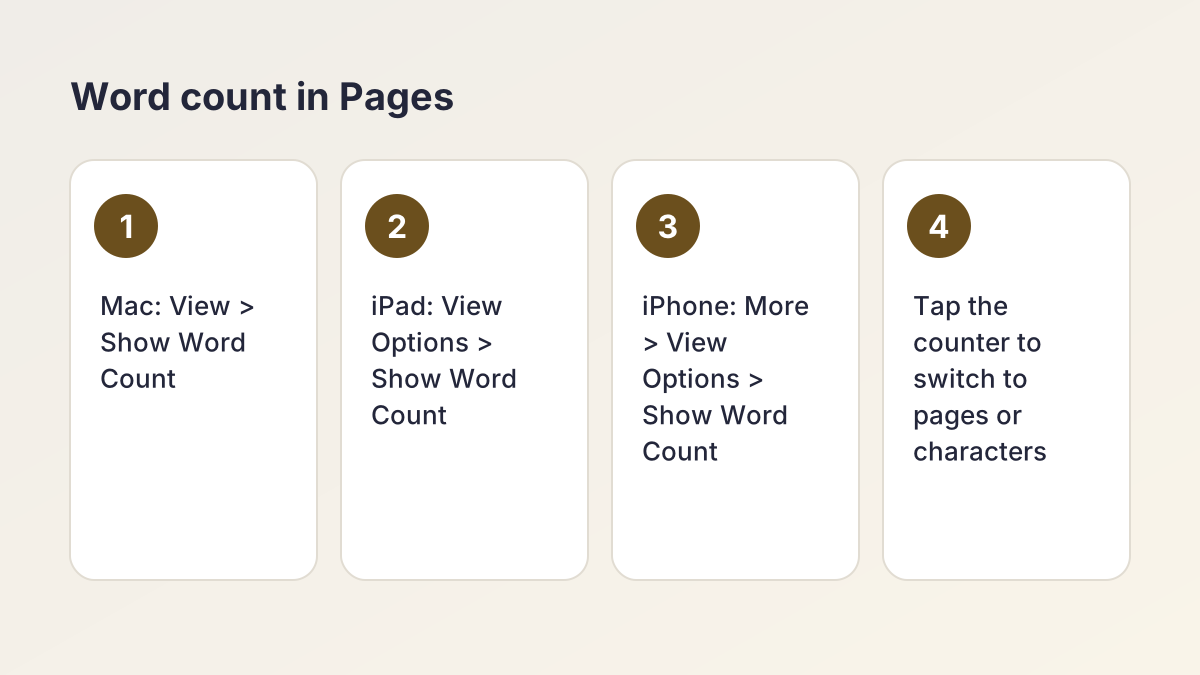
Apple's Pages app has a built-in counter that shows words, characters with and without spaces, paragraphs and pages. Here is how to turn on the word count in Pages, following Apple's own user guides.
On a Mac
According to the Pages User Guide for Mac:
- Click the View menu button in the toolbar and choose Show Word Count.
- A counter appears at the bottom of the page. Click the arrows on its right to switch between words, characters, paragraphs and pages.
- Drag the counter anywhere on the page, or hide it from the View menu button.
On an iPad
The Pages User Guide for iPad says to tap the View Options button, then tap Show Word Count. The counter appears near the bottom of the screen; tap it to choose another statistic, such as page count.
On an iPhone
The Pages User Guide for iPhone says to tap the More button, then View Options, then Show Word Count.
Count part of a document
On all three, select some text and the counter shows the count for just that selection. That is handy for checking one answer in a document that holds several.
Pages counts real pages
The page count in Pages is the real number of pages in your current layout. Use it for the final check, and use the words to pages converter when you are planning, or when you are writing in Pages but your teacher sets length in words.
What changes your page count
Two essays with the same word count can end up a page apart. These are the main reasons, roughly in order of size.
Line spacing
The biggest factor. Single spacing fits twice as many words as double; 1.5 fits about a third more. MLA and APA both ask for double spacing throughout, including the reference list.
Font and size
Times New Roman is narrow, Arial is wide, and Calibri 11 pt is smaller still, which is why the converter uses 275, 250 and 300 words a page. APA 7 accepts several fonts, including 12-point Times New Roman and 11-point Calibri or Arial, so check which one your instructor prefers.
Margins
The estimates assume 1-inch margins on every side, the standard for MLA and APA papers. Wider margins mean fewer words a page.
Paragraphs and dialogue
Every paragraph ends with a partly empty line and starts with an indent. A narrative essay with lots of short paragraphs or dialogue can run well below 275 words a page.
Headings, title blocks and quotes
An MLA heading and title take up the top of page 1. APA headings, block quotes, tables and figures all add space without adding many words.
What usually doesn't count
Title pages, reference lists and appendices usually sit outside the required page count, though instructors differ. The APA Title Page Generator builds the title page so you can see exactly where your text starts.
Plan a paper from its page count
A page count is easier to hit when you turn it into a word budget for each part of the paper. Switch the converter to Pages to words, enter the page count, then split the total.
Worked example: a 5-page argumentative essay
Jasmine, a junior in Ms. Okafor's AP Language class, has to write 5 double-spaced pages in Times New Roman 12 pt. Pages to words gives 1,375 words. She budgets it like this:
| Part | Share | Words | About |
|---|---|---|---|
| Introduction | 10% | 140 | Half a page |
| Body paragraph 1 | 25% | 345 | 1¼ pages |
| Body paragraph 2 | 25% | 345 | 1¼ pages |
| Counterargument and rebuttal | 25% | 345 | 1¼ pages |
| Conclusion | 15% | 200 | Three-quarters of a page |
The shares are a common starting point, not a rule; a research paper might give more space to its literature review or method.
Check as you draft
Paste each finished section into the Word Counter to see whether it is on budget, and run the total back through words to pages before you submit. If the first page also holds an MLA heading and title, plan for the essay to run a few lines onto a sixth page; that is normal.
Common assignment lengths in pages and words
Teachers often set length in pages while rubrics and applications count words. This table translates the common ones, double-spaced in Times New Roman 12 pt. The ranges are typical, not official; your assignment sheet wins.
| Assignment | Pages (double-spaced) | Words |
|---|---|---|
| College discussion post | About 1 | 250–300 |
| Common App personal essay | Up to about 2½ | 250–650 (hard cap at 650) |
| Five-paragraph essay | 2–3 | 550–825 |
| High school literary analysis | 3–5 | 825–1,375 |
| First-year composition essay | 4–6 | 1,100–1,650 |
| Undergraduate research paper | 8–12 | 2,200–3,300 |
| IB Extended Essay | About 14½ at the limit | 4,000 maximum |
Short of pages?
If your paper is a page short, add substance rather than stretching margins: a new example, a counterargument or a fuller explanation of your evidence. The Paragraph Expander suggests where a paragraph needs more support, and the Essay Outline Generator can show a missing section.
Over the page limit?
Trim wordy sentences with the Sentence Shortener before cutting whole ideas.
How many words is a handwritten page?
There is no reliable standard. Handwriting size, the paper's line spacing (wide-ruled or college-ruled) and whether you write on every line all change the number a lot, so the converter does not try to estimate it. A typed rule of thumb will not tell you much about your own handwriting.
Measure your own
- Count the words on three full lines of your normal handwriting and take the average.
- Count the lines on one side of the paper you use.
- Multiply the two.
For example, if a student averages 10 words a line on a notebook page with 30 lines, one side holds about 300 words. That is an invented example; your numbers will differ.
For timed exams
On handwritten timed essays, graders usually care about how well you answer the prompt, not page length. Practice under timed conditions to learn how much you write in the time allowed.
How the words to pages converter calculates
The converter starts from words per double-spaced page for each font (275 for Times New Roman 12 pt, 250 for Arial 12 pt, 300 for Calibri 11 pt), then adjusts for spacing: single-spaced pages hold twice as many words, and 1.5-spaced pages hold four-thirds as many (about 367, 333 and 400).
Words to pages
Your word count is divided by the words per page. The big number shows one decimal place, such as 3.6 pages, and the sentence under it rounds to the nearest half page in words: about 3½ pages. Under half a page reads less than half a page.
Pages to words
The number of pages is multiplied by the words per page and rounded to a whole word, so 5 pages in Arial 12 pt double-spaced gives 1,250 words.
The tables
Under the result, a table lists common word counts (250 to 5,000) or page counts (1 to 20) in your chosen font, double-spaced and single-spaced, so you can compare without retyping. To format a title before you start, the Case Converter handles APA, MLA, Chicago and AP title case, and the Alphabetizer sorts your reference list.
Is the words to pages converter free and private?
Yes. It is free with no account, and the math runs in your browser. There is no AI, and the numbers you type are not sent to The Study Corp or anyone else.
Words to pages FAQ
How many words is a page double-spaced?
About 275 words in 12 pt Times New Roman with 1-inch margins, about 250 in Arial 12 pt and about 300 in Calibri 11 pt.
How many words is a page single-spaced?
About 550 words in 12 pt Times New Roman, twice a double-spaced page. Arial 12 pt holds about 500 and Calibri 11 pt about 600.
How many words is 5 pages double spaced?
About 1,375 words in Times New Roman 12 pt, 1,250 in Arial 12 pt and 1,500 in Calibri 11 pt.
How many words is 3 pages double spaced?
About 825 words in Times New Roman 12 pt, 750 in Arial 12 pt and 900 in Calibri 11 pt. Single-spaced, 3 pages in Times New Roman is about 1,650 words.
How many pages is 1,000 words?
About 3.6 pages double-spaced or 1.8 pages single-spaced in Times New Roman 12 pt.
How many pages is a 650-word Common App essay?
About 2.4 pages double-spaced or 1.2 pages single-spaced in Times New Roman 12 pt. The application counts words, not pages.
Does the title page count toward page length?
Usually not, and the reference list usually doesn't either, but instructors differ. Check your assignment sheet or ask.
How do I see the word count in Pages on a Mac?
Click the View menu button in the toolbar and choose Show Word Count. Click the arrows on the counter to switch to pages, characters or paragraphs.
Why does my essay fill more pages than the converter says?
Short paragraphs, dialogue, headings, block quotes and the MLA heading all take space without adding many words. Wider margins or a larger font do the same.
More free formatting tools
- Word CounterWords, characters and pages, with essay limits and citations left out if you like.
- Case ConverterTitle case for APA, MLA, Chicago and AP, plus sentence, upper, lower and code cases.
- AlphabetizerSort a list or a reference list A to Z.
See all 80 free tools for students
Related tools
Last updated by The Study Corp editorial team.